

Ledger Nano X vs Nano Gen5: Full 2026 Comparison for Security, Usability, and Recovery

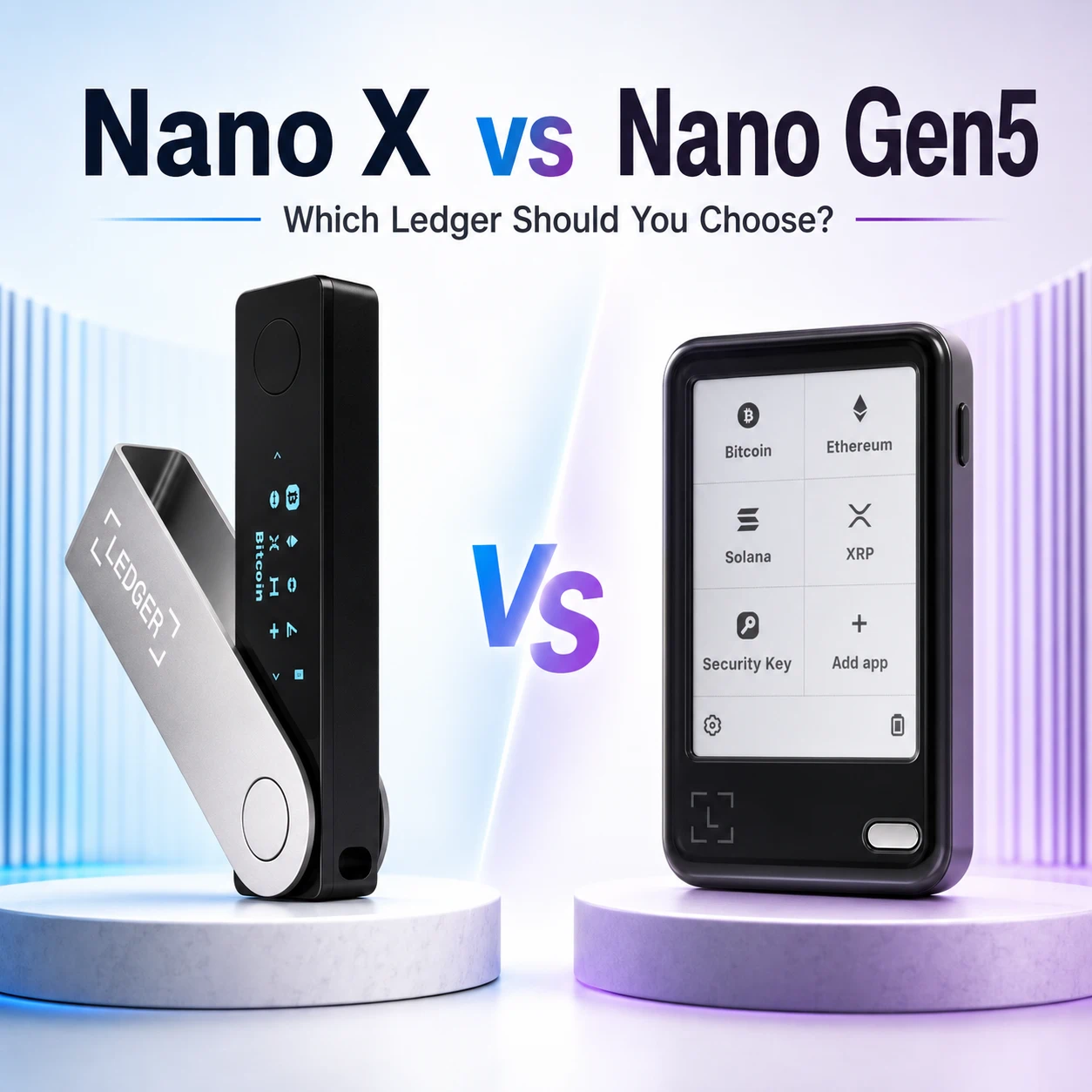
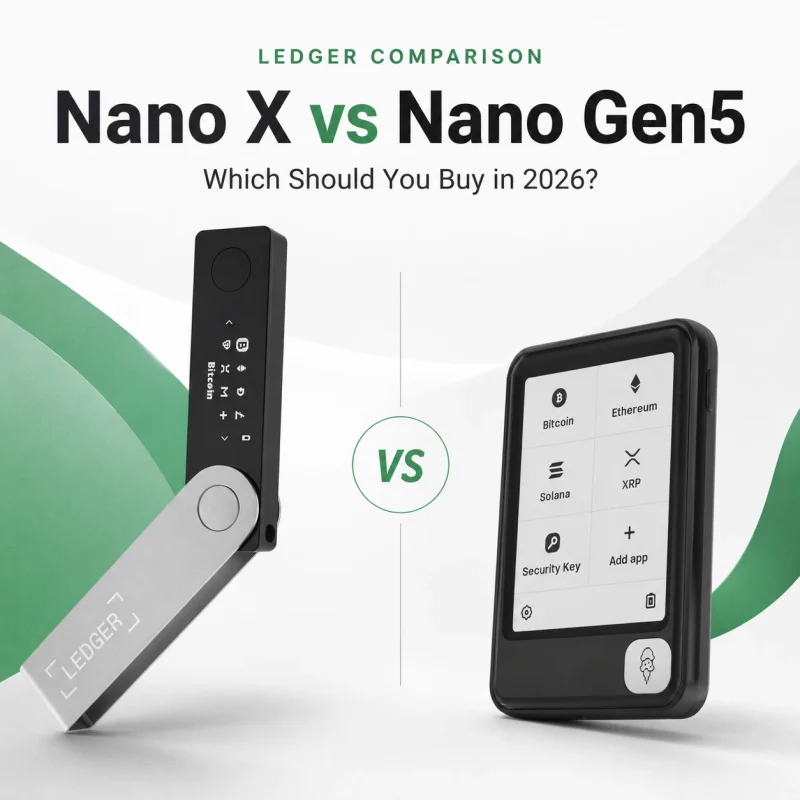
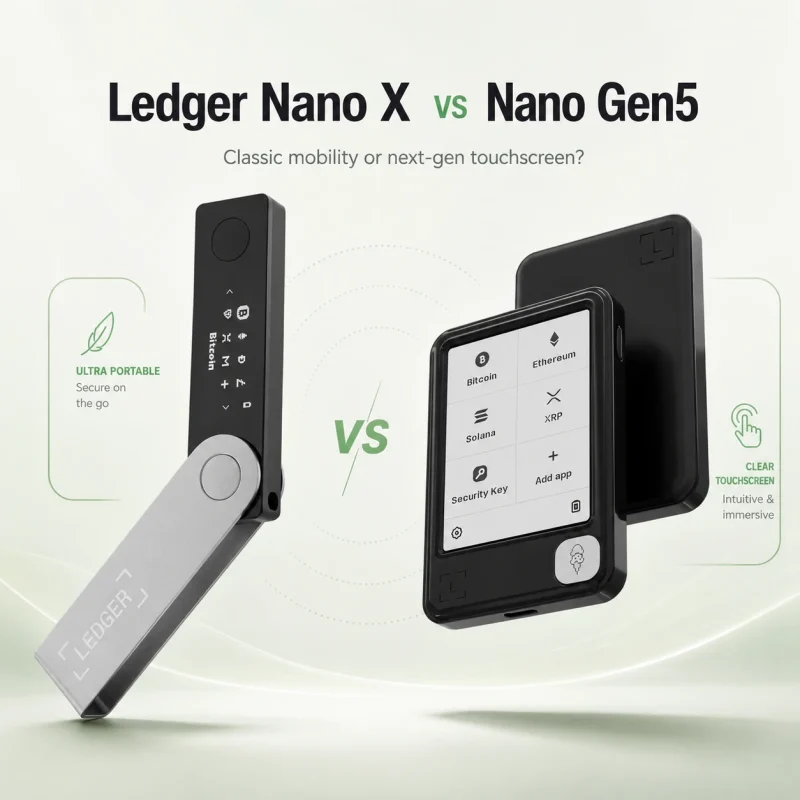
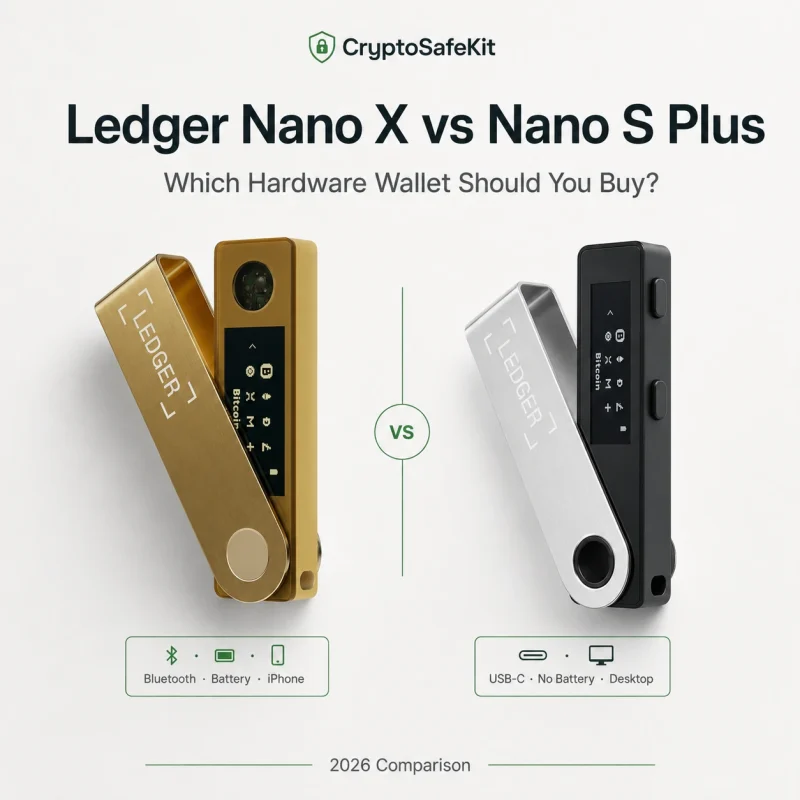
The Ledger Nano X has been one of Ledger’s most recognizable hardware wallets for years. Its compact USB-stick design, Bluetooth connectivity, physical buttons, and small OLED screen made it a practical option for users who wanted mobile access without carrying a large device.
Ledger Nano Gen5 takes a different approach.
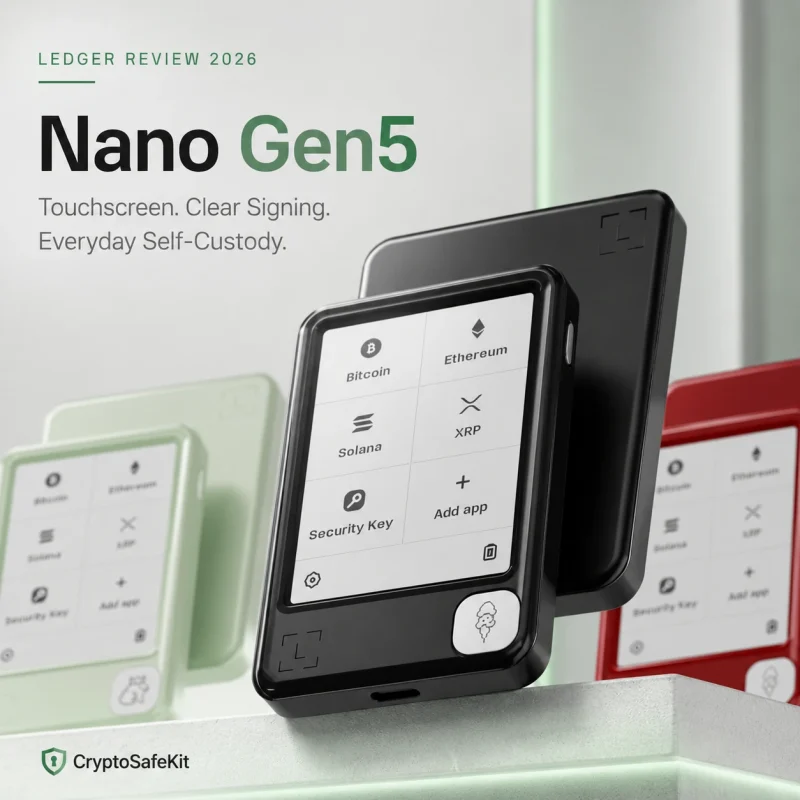
Instead of preserving the classic rotating metal cover and two-button interface, Nano Gen5 uses a larger E Ink touchscreen, adds NFC, supports Ledger’s newer transaction-security features, and includes a Ledger Recovery Key.
Both devices keep private keys offline inside a Secure Element and work with the Ledger Wallet application. The decision is therefore not simply about whether one wallet can protect crypto and the other cannot.
The real question is:
Do you prefer a compact, familiar Ledger for basic signing, or a larger touchscreen device designed to make transactions easier to inspect and understand?
This comparison examines the differences that matter in everyday use, including security hardware, screens, controls, connectivity, recovery, portability, and upgrade value.
Quick Verdict
Choose Ledger Nano X if you want:
A compact and familiar Ledger design
Bluetooth and USB connectivity
Physical-button navigation
A smaller device that is easy to carry
A lower-cost backup or secondary Ledger
Basic mobile signing without a touchscreen
Choose Ledger Nano Gen5 if you want:
A substantially larger E Ink touchscreen
Easier transaction review
NFC in addition to Bluetooth and USB-C
Ledger Transaction Check support
A Ledger Recovery Key included in the box
A newer daily-use signing experience
The practical conclusion
The Nano X remains capable of protecting private keys and approving transactions securely. Nano Gen5 mainly improves how users review, understand, and authorize those transactions.
For occasional transfers and backup use, Nano X may still be sufficient.
For frequent signing, smart-contract activity, mobile use, or users who find the Nano X screen difficult to read, Nano Gen5 is the more practical everyday device.
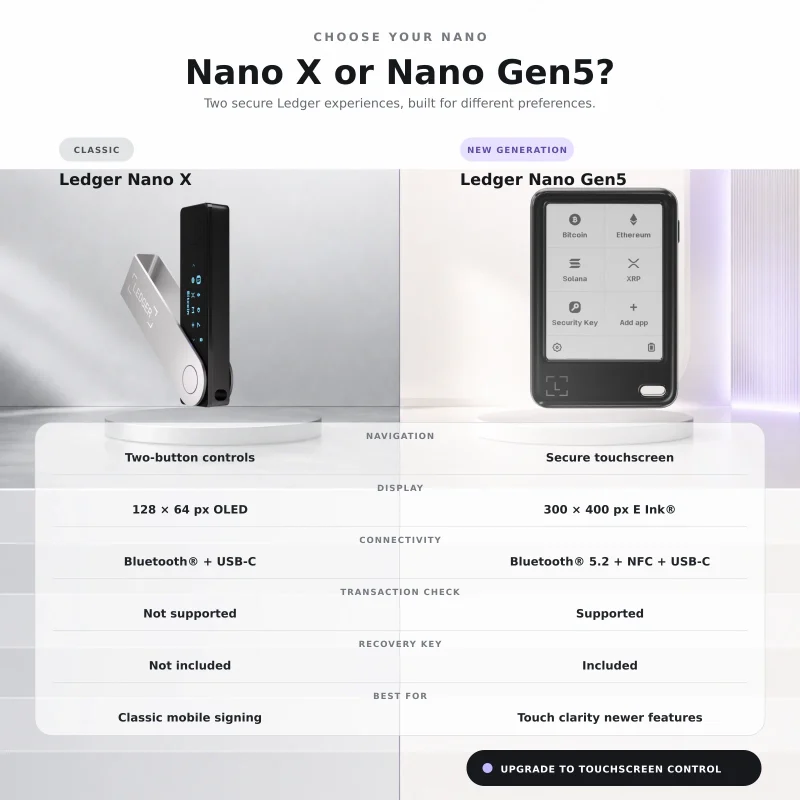
Ledger Nano X vs Nano Gen5 at a Glance
| Feature | Ledger Nano X | Ledger Nano Gen5 |
|---|---|---|
| Navigation | Two physical buttons | Secure touchscreen |
| Display | 1.1-inch monochrome OLED | 2.8-inch monochrome E Ink touchscreen |
| Resolution | 128 × 64 pixels | 300 × 400 pixels |
| Connectivity | Bluetooth 5.2 and USB | Bluetooth 5.2, NFC and USB-C |
| Transaction Check | Not supported | Supported |
| Recovery Key included | No | Yes |
| Secure Element certification | CC EAL5+ | CC EAL6+ |
| Weight | 34 g | 46 g |
| Device format | Slim rotating metal cover | Flat touchscreen signer |
| Best suited to | Compact signing and backup use | Daily signing and clearer verification |
The Nano X technical specifications list a 128 × 64 monochrome OLED display, BLE 5.2, a USB-C device connection, an ST33J2M0 Secure Element certified to CC EAL5+, dimensions of 72 × 18.6 × 11.7 mm, and a weight of 34 grams. (Ledger)
Ledger Nano Gen5 uses a 2.8-inch monochrome E Ink touchscreen with a 300 × 400 resolution, BLE 5.2, NFC and USB-C. It contains an ST33K1M5 Secure Element certified to CC EAL6+, measures 79.4 × 53.3 × 8.6 mm, and weighs 46 grams.
1. The Biggest Difference Is the Screen
The Nano X display is functional but limited.
Its 128 × 64 OLED panel can show addresses, amounts, menu items, applications and transaction prompts. However, the narrow screen often divides information across several steps. Long addresses must scroll, and more complicated operations can require repeated button presses.
Nano Gen5 replaces that experience with a 2.8-inch E Ink touchscreen.
The larger display provides significantly more room for transaction details, menus and application information. Instead of moving through every field with two buttons, users can navigate directly through the touchscreen.
Ledger describes Nano Gen5 as a touchscreen signer designed to provide clearer, more intuitive transaction review than its classic Nano devices. (Ledger Support)
Why screen size matters for security
A larger screen does not change the blockchain or automatically make every transaction safe.
Its practical security benefit is that users have a better opportunity to inspect:
The destination address
The transferred asset
The amount
The network fee
Smart-contract information
Approval permissions
Security warnings
A trusted display only helps when the user actually reads it.
Nano Gen5 reduces some of the friction involved in reading transaction details, but it cannot prevent users from approving a malicious or misunderstood transaction.
2. Buttons vs Touchscreen Navigation
Nano X uses two physical buttons.
Users navigate left and right with individual presses and confirm an action by pressing both buttons together. This system is simple and familiar, but it can feel slow when entering a PIN, reviewing long information, changing settings or moving through several menus.
Nano Gen5 uses a secure touchscreen.
This gives it a more familiar phone-like interaction model while keeping transaction approval on a dedicated device rather than on the connected phone or computer.
Physical buttons may still appeal to some users
A touchscreen is not automatically preferable for everyone.
Some users value the Nano X because:
The controls are simple
There are fewer interface elements
The device is easy to store
It works well as an occasional signer
It is familiar to existing Ledger owners
For a wallet opened only a few times per year, the Nano X interface may be entirely adequate.
Touch is better for frequent use
Nano Gen5 makes more sense when the wallet is used regularly for:
Sending crypto
Reviewing several accounts
Signing smart-contract transactions
Managing login credentials
Confirming complex on-chain actions
Switching between applications
The improvement is mostly operational: fewer button presses, more visible information and easier navigation.
3. Security Hardware
Both devices protect private keys inside a Secure Element and run Ledger OS.
Nano X uses an ST33J2M0 Secure Element with CC EAL5+ certification. Nano Gen5 uses the newer ST33K1M5 chip with CC EAL6+ certification. (Ledger)
These certification levels relate to the evaluated resistance and assurance of the hardware platform. They should not be interpreted as a simple scoring system in which EAL6+ makes every real-world Nano Gen5 transaction safer than every Nano X transaction.
Both devices can still be compromised operationally when a user:
Reveals the recovery phrase
Installs a fake Ledger application
Approves an attacker’s transaction
Fails to verify the destination address
Connects to a malicious dApp
Stores the backup insecurely
Nano Gen5 has newer hardware and better transaction-review features, but correct user verification remains essential.
4. Clear Signing and Transaction Check
This is one of the most meaningful differences.
What Nano X can do
Nano X has a trusted device display and requires physical approval. Users can review supported transaction information on its screen before signing.
However, Ledger’s current product comparison does not list Nano X as supporting the newer Transaction Check feature.
What Nano Gen5 adds
Nano Gen5 supports Ledger’s newer Clear Signing and Transaction Check workflow.
Clear Signing is intended to show understandable transaction details rather than unreadable contract data when the transaction and application support the feature.
Transaction Check adds a transaction-simulation and threat-detection layer designed to identify certain suspicious actions before approval. Ledger describes it as a feature that can detect potential threats and provide additional context about what the user is authorizing. (Ledger Support)
Important limitation
Transaction Check is not an absolute guarantee.
Its effectiveness depends on factors such as:
Whether the transaction type is supported
Whether the transaction can be simulated
The current Ledger Wallet integration
Available threat-detection information
The accuracy of the displayed context
A transaction that does not display a warning is not automatically safe.
Users should still verify the destination, amount, contract and intended outcome before signing.
5. Bluetooth, USB and NFC
Both devices support Bluetooth for compatible mobile connections.
Nano X also connects through its USB-C device port. The current package includes a USB-C-to-USB-A cable, although another compatible data cable may be needed for newer computers that have only USB-C ports.
Nano Gen5 supports:
Bluetooth Low Energy 5.2
USB-C
NFC
Ledger states that NFC is used with features such as Ledger Recovery Key and Ledger Security Key.
Does NFC mean contactless crypto payments?
Not by itself.
NFC is a communication method. Its available functions depend on Ledger’s supported applications and services. It should not be interpreted as permission to approve arbitrary crypto transactions simply by placing the device near a phone.
Which is better for mobile use?
Nano X remains mobile-friendly because of Bluetooth and its compact shape.
Nano Gen5 provides a more complete mobile signing experience because it combines wireless connectivity with a much larger screen. Users can prepare a transaction on their phone and review it more clearly on the separate Ledger display.
6. Recovery Phrase and Ledger Recovery Key
Both devices support recovery through Ledger’s Secret Recovery Phrase model.
If a device is lost, damaged or reset, its accounts can be restored on a compatible device using the correct recovery information. The recovery phrase must remain private and offline.
Nano Gen5 also includes a Ledger Recovery Key.
Ledger describes the Recovery Key as an additional physical backup option for supported touchscreen Ledger devices. Nano Gen5 packages include the Recovery Key together with three recovery sheets.
Nano X does not include a Recovery Key in its standard package. Its listed package contents include the device, a USB cable, three recovery sheets, a keychain strap and regulatory documentation.
Does the Recovery Key eliminate the recovery phrase?
It should be treated as an additional recovery method, not as permission to ignore backup planning.
Users still need to understand:
Which recovery method was configured
Where each backup is stored
Which future Ledger devices support the method
How an authorized beneficiary would recover the wallet
What happens if the Recovery Key is lost
Never store every recovery component beside the Ledger device.
One theft should not capture the signer and all of its recovery options.
7. Portability and Physical Design
Nano X is much narrower and lighter.
Its rotating stainless-steel cover protects the plastic body and screen when closed. At 34 grams and only 18.6 mm wide, it fits easily into a small case, pocket or secure storage compartment. (Ledger)
Nano Gen5 is wider and shaped more like a small card-based device. It weighs 46 grams and measures 79.4 × 53.3 × 8.6 mm. Its larger front surface is necessary for the 2.8-inch touchscreen. (Ledger)
Nano X is easier to conceal and carry
Its compact shape remains an advantage for:
Travel
Backup storage
Occasional mobile signing
Users who want the smallest possible device
Nano Gen5 is easier to operate
Its larger body is preferable when:
Readability matters more than compactness
The device is used frequently
The owner has difficulty navigating small screens
Smart-contract details require closer review
Neither device should be carried without an appropriate physical storage plan. A lost device may still create privacy and recovery concerns even when the PIN protects direct access.
8. Asset Support and Ledger Wallet
Nano X and Nano Gen5 use the broader Ledger ecosystem rather than separate coin libraries.
Ledger’s current product information states that its devices can manage thousands of cryptocurrencies, tokens and NFTs through Ledger Wallet and compatible third-party wallets. More than 500 assets are supported through Ledger Wallet directly, while third-party integrations extend access further. (Ledger)
This means Nano Gen5 does not automatically support a completely different set of coins simply because it is newer.
Before purchasing either device, check:
The exact asset
The blockchain network
Whether Ledger Wallet supports it directly
Whether a third-party wallet is required
Whether the third-party integration supports the selected device
Whether Clear Signing is available for the intended transaction
A large supported-asset number does not guarantee equal functionality for every asset.
9. Is Nano Gen5 More Secure Than Nano X?
It has meaningful security improvements, but the answer requires context.
Nano Gen5 has advantages in:
Newer Secure Element certification
Larger transaction display
Touchscreen navigation
Clear Signing workflows
Transaction Check support
Recovery Key availability
Easier inspection of complex actions
Nano X still provides:
Offline private-key isolation
A Secure Element
Ledger OS
A trusted display
PIN protection
Physical transaction approval
Bluetooth and USB connectivity
For basic Bitcoin or token transfers, a properly used Nano X can still provide strong hardware-based key protection.
Nano Gen5’s primary advantage is that it makes safer user behavior easier. It gives users more room to inspect information and adds tools intended to identify suspicious transactions.
That is valuable, but it does not remove the need for good judgment.
10. Should Existing Nano X Owners Upgrade?
An upgrade makes sense when:
The Nano X screen feels too small
Button navigation causes mistakes or frustration
You regularly use DeFi or smart contracts
You want Transaction Check
You want NFC-based Ledger features
You want an included Recovery Key
You use the Ledger as a daily signer
Clearer transaction review is a priority
Keeping the Nano X makes sense when:
It works reliably
You mainly make simple transfers
You already verify all addresses carefully
Compactness is important
It serves as a backup device
You do not need Transaction Check or NFC
The upgrade cost would not provide meaningful practical benefit
You do not need to transfer assets to a new blockchain address merely because you purchase Nano Gen5.
A new Ledger can be configured as a completely new wallet, or an existing wallet can be recovered using supported recovery information. Each option has different security and backup implications, so users should decide deliberately rather than automatically restoring every device from the same phrase.
Which Device Is Better for Beginners?
Nano Gen5 provides the easier interface.
Its touchscreen, larger display and clearer navigation reduce some of the friction beginners experience when using a traditional two-button hardware wallet. Ledger also positions Nano Gen5 as an accessible touchscreen signer for users starting their self-custody journey. (Ledger Support)
Nano X may still suit a beginner who:
Wants a smaller device
Has a limited budget
Primarily sends and receives standard assets
Is comfortable reviewing information across a small display
Plans to use it as a secondary or backup signer
The easier device is not necessarily the one with the fewest features. It is the one whose verification and recovery process the owner can use accurately.
Which Device Is Better for Long-Term Storage?
Both can be used as part of a long-term self-custody setup.
For long-term storage, the more important questions are:
Is the recovery backup correct?
Is it stored offline?
Are multiple copies separated physically?
Can the wallet be recovered after device failure?
Can the owner identify the correct receiving address?
Is there an inheritance or emergency-access plan?
Nano X may work well as a compact backup signer stored securely.
Nano Gen5 may be better as the primary device used to review and authorize transactions, especially when clearer information reduces the chance of approval mistakes.
A practical arrangement for some users is to use Nano Gen5 as the main signer and retain a compatible Nano device as a separately stored backup. This is an operational example, not a universal recommendation.
Final Verdict
The Ledger Nano X vs Nano Gen5 decision is less about whether one device has secure key storage and more about how each device helps the owner interact with those keys.
Nano X preserves Ledger’s classic formula:
Compact body
Physical buttons
Small OLED display
Bluetooth and USB
Straightforward transaction approval
Nano Gen5 modernizes the workflow:
Large E Ink touchscreen
NFC
Clearer transaction details
Transaction Check
Recovery Key included
Easier daily navigation
Choose Ledger Nano X when you value portability, familiarity and a simpler compact signer.
Choose Ledger Nano Gen5 when you value readability, touchscreen control and additional transaction-analysis features.
For frequent users, Nano Gen5 offers the stronger overall experience.
For occasional transfers or backup duty, Nano X remains useful and does not become insecure simply because a newer device exists.
The safest choice is ultimately the device you can verify carefully, back up correctly and recover confidently.
Frequently Asked Questions
Is Ledger Nano Gen5 replacing Nano X?
Ledger currently positions Nano Gen5 as a newer touchscreen signer for daily use, while Nano X remains part of its classic Nano range. Nano Gen5 introduces a different interface and feature set rather than functioning only as a direct physical redesign of Nano X.
Does Nano Gen5 support Bluetooth?
Yes. Nano Gen5 supports BLE 5.2, USB-C and NFC. (Ledger)
Does Ledger Nano X have NFC?
No NFC function is listed for Nano X. Its official connectivity options are Bluetooth and USB.
Does Nano Gen5 include a Recovery Key?
Yes. Ledger lists one Ledger Recovery Key, three recovery sheets and a USB-C cable in the Nano Gen5 package.
Does Nano X support Transaction Check?
Ledger’s current product comparison lists Transaction Check for its secure touchscreen devices, including Nano Gen5, but not for Nano X.
Is the Nano Gen5 screen color?
No. Its official specification describes a monochrome E Ink touchscreen with a 300 × 400 resolution.
Can both devices manage the same cryptocurrencies?
Both operate within the Ledger ecosystem and support thousands of cryptocurrencies and tokens through Ledger Wallet and compatible third-party interfaces. Support and available features can vary by asset and network.
Will I lose my crypto if the Ledger device breaks?
The assets exist on the blockchain rather than inside the physical Ledger. Access can generally be restored on a compatible device using the correct recovery information, provided the backup remains accurate and private.
Security Disclaimer
This article is provided for general educational and product-comparison purposes. It does not constitute financial, investment, legal, tax or personalized security advice.
Product features, compatibility, included accessories and software services may change. Verify current specifications through Ledger’s official documentation before purchasing or migrating a wallet.
Never enter a Secret Recovery Phrase, private key, PIN or passphrase into an unknown website, support form, messaging service, cloud document or unverified wallet application.