

Ledger Payment Processor Data Leak: How To Defend Against Follow-Up Phishing Attacks

Security Guides · Ledger Phishing Defense
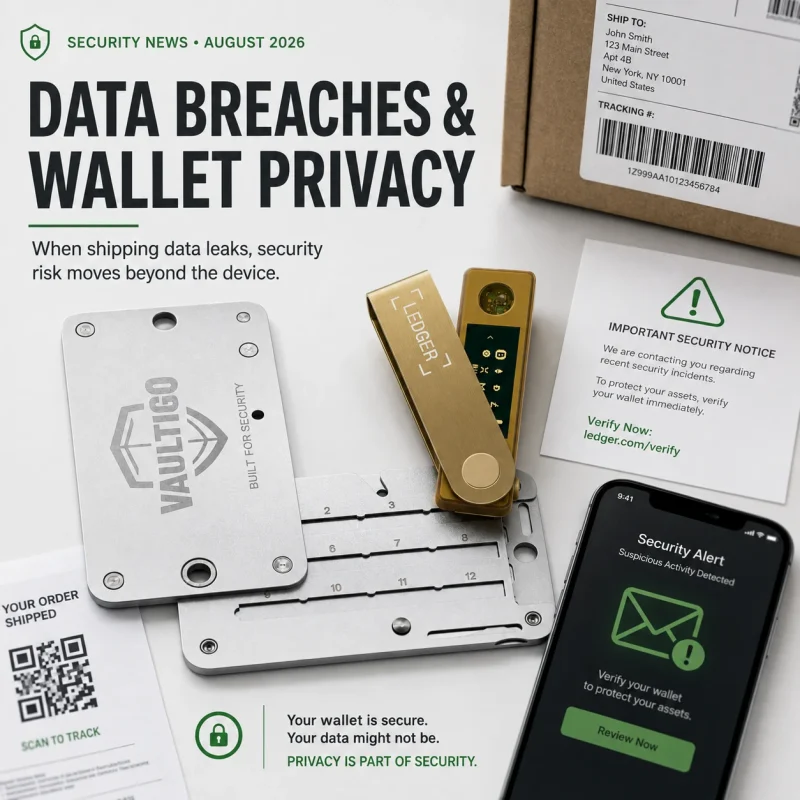
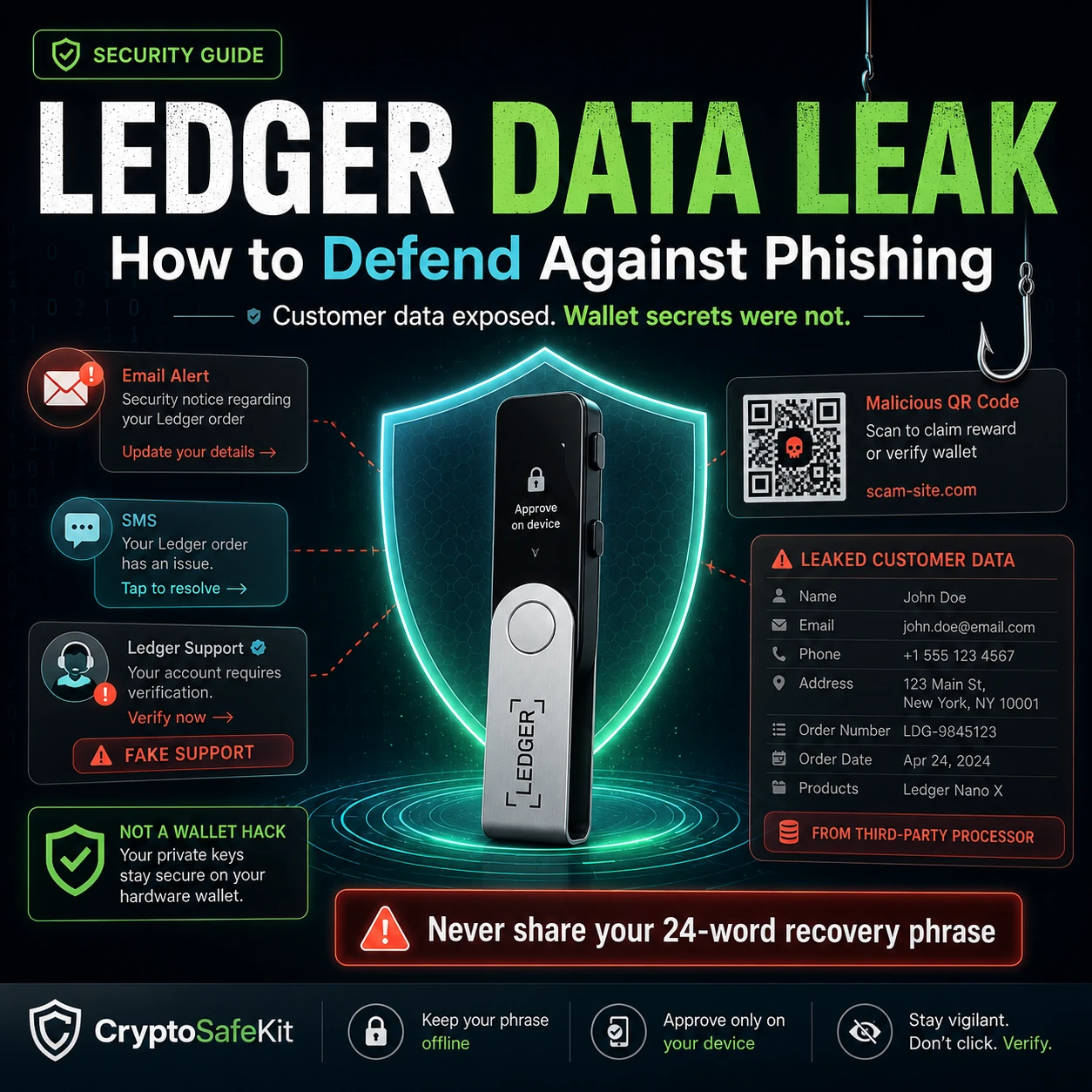
A third-party order-data leak does not mean your Ledger hardware wallet was hacked. It does mean criminals may have better information to impersonate Ledger, pressure you into “urgent” action, and make phishing messages feel personal.
The January 2026 Global-e incident exposed basic customer identifiers and Ledger order details for affected users, while Ledger says payment data, blockchain balances, recovery phrases, and other wallet secrets were not part of the incident. The security problem that follows is therefore not direct key theft—it is high-confidence social engineering.
What Happened in the Ledger Global-e Data Incident?
In January 2026, Global-e notified affected customers about unauthorized access to its cloud-based information system. Ledger’s support documentation describes Global-e as the third party involved when customers made certain purchases through Ledger.com.
The incident concerned order and customer information held by Global-e. Ledger says the event was separate from the operation of Ledger hardware devices, Ledger software, and Ledger platforms.
That distinction is essential. A hardware-wallet compromise and a customer-data leak require different responses.
If a private key or recovery phrase is stolen, the attacker may be able to move assets directly. If names, addresses, phone numbers, email addresses, and order details are exposed, attackers instead gain material for more persuasive scams.
What Customer Information Was Exposed?
Ledger’s current incident FAQ says affected records could include basic personal identifiers and order information.
Personal identifiers
- Name
- Postal address
- Email address
- Telephone number
Order details
- Order number
- Product purchased
- Price paid
These are not wallet credentials. But in the hands of a scammer, they can answer several questions that ordinary phishing usually has to guess:
- Does this person likely own a Ledger?
- Which Ledger product did they buy?
- What name should the scam use?
- Which phone number can be targeted?
- Which postal address makes a physical letter look authentic?
- Which order details can be quoted to create credibility?
That is why a Ledger user data leak phishing risk is materially different from generic spam. The attacker can personalize the story.
What Was Not Exposed in the Global-e Incident?
According to Ledger, the incident did not expose:
- 24-word Secret Recovery Phrases
- Private keys
- Blockchain balances
- Ledger device secrets
- Payment-card information
- Bank-account information
This means the breach did not automatically give an attacker the ability to sign transactions from your wallet.
It also means that an affected customer should not treat every alarming message as proof that the Ledger itself has been compromised.
Why Customer Data Exposure Makes Follow-Up Phishing More Dangerous
Phishing works by creating trust and urgency at the same time.
A generic scammer might know only your email address. A targeted scammer may know your name, phone number, home address, product purchased, and approximate purchase value.
That can transform a suspicious message:
“Ledger security alert. Verify your wallet.”
into something much more convincing:
“We are contacting you about order #XXXX for your Ledger device. Your customer record was included in the recent third-party incident. Complete the security migration before access is suspended.”
The second message feels credible because some of the details are real. The requested action can still be fraudulent.
The data can be real while the conclusion is fake.
Knowing your name, address, phone number, order, or device model does not prove that a caller or website is Ledger. Treat personal knowledge as evidence of possible data exposure—not evidence of identity.
Six Follow-Up Phishing Attacks Ledger Users Should Expect
Fake “security migration” emails
A message claims the Global-e incident requires a wallet migration, seed verification, firmware reset, or account reactivation. The link leads to a fake Ledger Wallet page that asks for the 24 words.
Phone calls from fake Ledger support
The caller may quote your name, address, device model, or order information. Ledger’s current support guidance says Ledger Support does not make unsolicited phone calls.
SMS and WhatsApp impersonation
A text claims suspicious activity was detected and asks you to open a link, call a “security team,” or move funds. Ledger specifically warns that scammers use phone, SMS, and WhatsApp.
Fake Ledger Wallet downloads
A user is directed to a counterfeit version of Ledger Wallet, formerly Ledger Live. The fake application or website then requests the Secret Recovery Phrase under the guise of synchronization or recovery.
Physical mail with a QR code
Postal phishing is especially convincing when an attacker already knows the correct delivery address. The letter may reference Ledger, a security incident, or a “mandatory” recovery procedure and include a malicious QR code.
Unsolicited replacement hardware
A scammer may send a device, recovery sheet, or package that claims to replace a compromised Ledger. Never use a pre-written recovery phrase or follow setup instructions supplied by an unsolicited sender.
CryptoSafeKit’s Ledger seed phrase attack-vector guide explains how fake wallet software, fake support, digital copies, physical theft, and unsafe recovery flows can expose the recovery phrase even when the hardware itself remains secure.
How to Verify Whether a Ledger Message Is Real
Do not try to decide whether a message is legitimate by visual appearance alone.
Logos can be copied. Email display names can be spoofed. Caller ID can be manipulated. QR codes can point anywhere.
Use an independent verification workflow:
- Do not use the contact details in the suspicious message.
- Open a fresh browser window yourself.
- Type Ledger’s official support address manually.
- Use the support chat on Ledger’s official support site if clarification is needed.
- Check Ledger’s current phishing guidance before taking wallet action.
- Never provide the 24-word Secret Recovery Phrase to prove ownership.
Ledger publishes a list of legitimate email addresses, but email-address checking should be only one layer. Even a message that appears to come from a familiar sender should not override the rule against revealing recovery words.
The 24-Word Rule That Stops Most Ledger Seed Theft
The single most important rule is simple:
Ledger’s current guidance says the recovery phrase should be entered directly on a Ledger device during legitimate setup or restoration.
Ledger Wallet does not need your 24 words. Ledger Support does not need your 24 words. A payment partner does not need your 24 words. A courier does not need your 24 words.
If any person or software asks for them, stop.
If you use a BIP39 passphrase in addition to the recovery phrase, remember that it is also a high-value recovery secret. CryptoSafeKit’s Ledger passphrase vs seed phrase guide explains the difference and the recovery risks.
What to Do If You Clicked a Phishing Link or Replied to a Scam
Clicking a link does not automatically mean your wallet is compromised. What matters is what happened next.
You only opened the page
Close it. Do not download anything, connect your wallet, enter credentials, approve transactions, or return through the same message.
You downloaded suspicious software
Stop using the affected computer for wallet administration until it is inspected or rebuilt. Use a trusted device to access official support resources.
You connected a wallet
Connection alone is not the same as revealing a seed, but review what permissions or transactions you approved. Do not sign anything further until you understand the interaction.
You approved a transaction
Check the on-chain transaction and relevant token approvals. Treat unexpected asset movement as a separate transaction-security incident.
Do not let embarrassment or uncertainty push you into a second scam. Victims are often targeted again by fake “recovery specialists” who promise to reverse transactions or recover stolen crypto.
What to Do If You Entered Your Ledger Recovery Phrase
If you typed the 24-word Secret Recovery Phrase into a phishing website, fake Ledger Wallet app, unknown software tool, email form, or chat, treat that recovery phrase as compromised.
A practical response is:
- Stop using the compromised phrase as a trusted backup.
- Prepare a trusted hardware wallet through the legitimate setup process.
- Generate a completely new recovery phrase.
- Back up the new phrase offline.
- Generate a fresh receiving address and verify it on the hardware device.
- Send a small test transaction.
- Confirm the test on-chain.
- Move remaining assets controlled by the compromised recovery phrase.
- Retire the old recovery phrase.
For a deeper breakdown of seed compromise, read Can Your Ledger Seed Phrase Be Stolen? 7 Real Attack Vectors.
Does a Ledger Customer Data Leak Create Physical-Security Risk?
Potentially, if a postal address is part of the exposed record. But the risk should be described carefully.
Address exposure does not prove that a customer still owns crypto, how much they own, where the wallet is stored, or whether the delivery address is their home.
It can still reduce privacy by connecting a real person or location with a hardware-wallet purchase.
Review the basics:
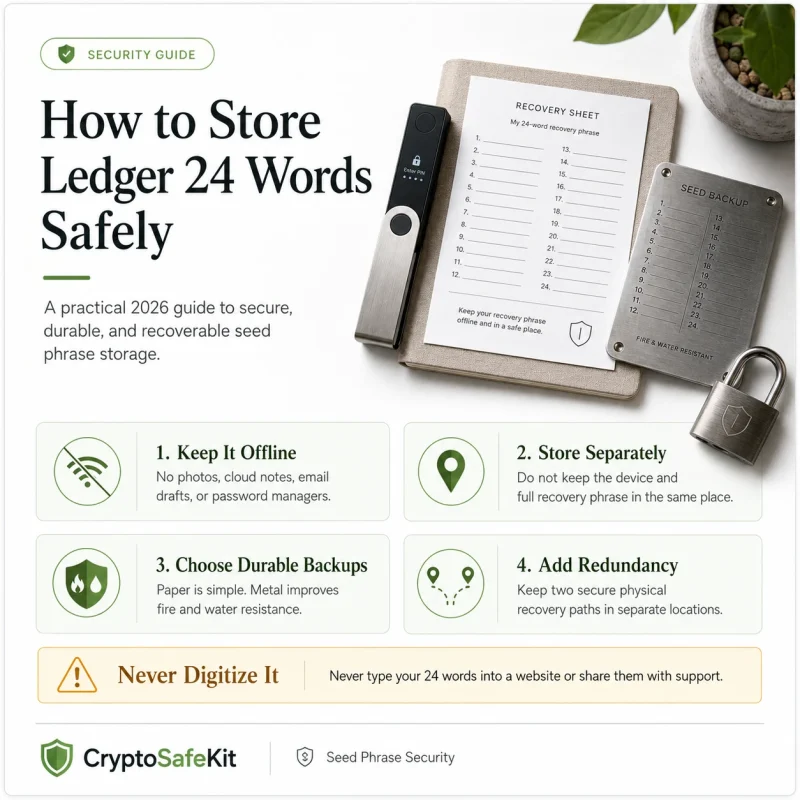
- Do not keep the Ledger and complete recovery phrase together by default.
- Remove unnecessary order packaging and labels that advertise wallet ownership.
- Avoid public posts that link your identity, home, and exact crypto holdings.
- Review who has physical access to the room or safe where recovery material is stored.
- Do not tell casual acquaintances where the device or seed backup is kept.
CryptoSafeKit’s wrench attack and crypto physical-security guide covers the real-world threat model in more depth.
Post-Breach Hardening: Protect the Accounts Around Your Ledger
A hardware wallet can be secure while the email account, phone number, or support identity around it is weak.
After a customer-data exposure, review the systems attackers may use to impersonate you or pressure you.
The objective is not to erase your online identity. It is to prevent one leaked customer record from becoming a complete map of your financial accounts and self-custody setup.
Ledger Data Leak Phishing Defense Checklist
- I know that the Global-e incident concerned customer/order data, not my 24-word recovery phrase.
- I will not move funds solely because an unsolicited message says my Ledger is compromised.
- I never enter the 24-word Secret Recovery Phrase into Ledger Wallet, a website, or ordinary software.
- I do not provide the recovery phrase to Ledger Support, Global-e, a courier, or law enforcement.
- I independently open Ledger’s support website rather than trusting links in security alerts.
- I treat unsolicited Ledger phone calls as scams.
- I am suspicious of SMS, WhatsApp, email, social-media, and physical-mail “security” messages.
- I verify software downloads through Ledger’s official site.
- I do not scan QR codes in unsolicited letters.
- I do not use pre-written recovery phrases supplied with a device or replacement package.
- If my seed was entered online, I will treat it as compromised and migrate to a new seed.
- My email account uses strong unique authentication.
- I have reviewed phone-account recovery and SIM-swap protections.
- My hardware wallet and complete recovery backup are not stored together by default.
- I have reduced unnecessary public links between my identity, address, and crypto holdings.
Frequently Asked Questions
Was Ledger itself hacked in the 2026 Global-e incident?
Ledger says the incident affected Global-e’s cloud-based information system and was separate from Ledger hardware devices, software, and platforms. The exposed data related to customer identifiers and order details.
Were Ledger recovery phrases leaked?
Ledger says no. Global-e did not have access to users’ 24-word Secret Recovery Phrases, blockchain balances, or secrets related to digital assets.
Was payment-card information exposed?
Ledger’s incident FAQ says payment information, including payment-card and bank-account data, was not accessed in this incident.
How do I know if I was affected?
Ledger says affected users received a notification from Global-e. The notification was sent from no-reply@global-e.com on January 5, 2026 with the subject “An important notification from Global-e regarding unauthorized access to data.” Always verify suspicious communications independently.
Will Ledger ever call me about this breach?
Ledger’s current support guidance says Ledger Support does not make unsolicited phone calls. A caller claiming to be Ledger and pressuring you to reveal information or move funds should be treated as a scam.
Should I reset my Ledger or generate a new seed because my customer data leaked?
Not solely because order/contact data was exposed. A fresh seed is appropriate when the recovery phrase itself may have been exposed or otherwise compromised.
What if a fake Ledger Wallet app asks for my 24 words?
Stop immediately. Ledger says Ledger Wallet does not request the 24-word Secret Recovery Phrase. Recovery words should be entered directly on a Ledger device only during legitimate setup or restoration.
Can leaked order data increase physical theft risk?
Postal-address exposure can reduce privacy by linking a person or location with hardware-wallet ownership. It does not reveal holdings or wallet location by itself, but affected users should review physical storage and avoid keeping the device and complete recovery backup together.
Final Takeaway: The Follow-Up Attack Is the Real Risk
The Global-e incident is a useful example of why hardware-wallet security extends beyond the hardware.
Ledger says the breach did not expose recovery phrases, balances, wallet secrets, or payment information. The security risk comes from the customer and order data that can be reused to make future scams more believable.
That changes how affected users should think:
- Real order details do not prove a message is genuine.
- Urgency is not evidence of compromise.
- Ledger Support does not need your 24 words.
- Ledger Wallet should never ask you to type the recovery phrase into computer software.
- A leaked address is a privacy problem, not proof that your seed is compromised.
- A recovery phrase entered into a phishing site should be treated as compromised immediately.
A Secure Element can isolate private keys from a hostile computer. It cannot stop a convincing phone call from persuading the owner to reveal the master backup.
The defense is disciplined verification: trust the hardware boundary, protect the recovery phrase, and independently confirm every message that asks you to take security action.