




Hardware Wallet Transfer Failed? 10 Common Causes and How to Fix Them

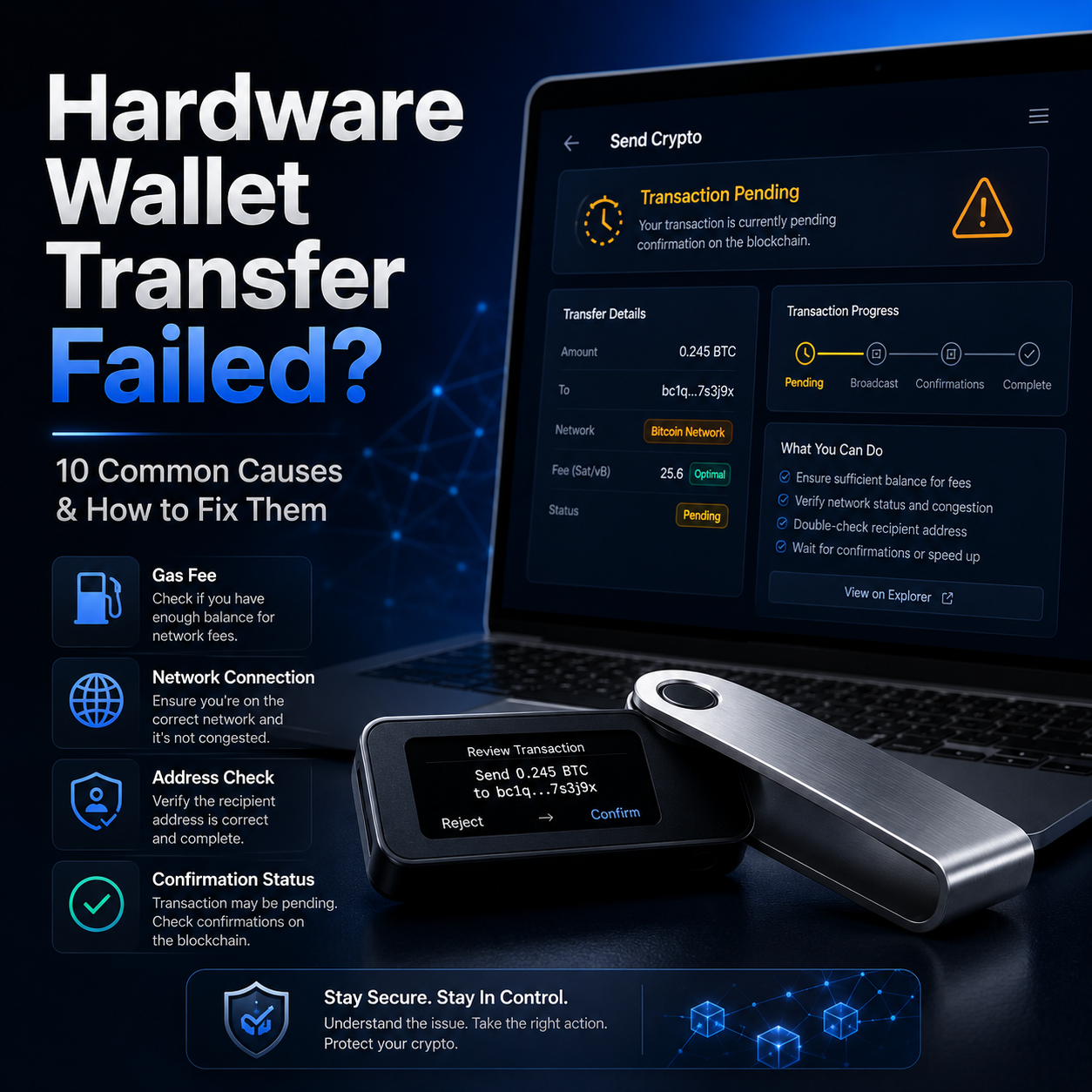
If this is your first time using a hardware wallet, a failed transfer can feel stressful.
You connect the device, open the wallet app, enter the address, approve the transaction, and then something goes wrong. The wallet does not connect. The app shows no balance. The transaction fails. The transfer stays pending. Or the blockchain explorer shows 0 confirmations for hours.
As someone who has handled many hardware wallet transfer issues, I can say this clearly: in most cases, the hardware wallet itself is not broken.
A hardware wallet mainly does two things: it protects your private keys and signs transactions securely. But the transaction still depends on the wallet app, blockchain network, gas fees, nodes, address format, software version, and your device connection.
So before you panic, do not keep clicking random buttons, do not reset your wallet immediately, and never share your recovery phrase with anyone claiming to be support.
The right approach is to identify where the problem happens, then troubleshoot step by step.
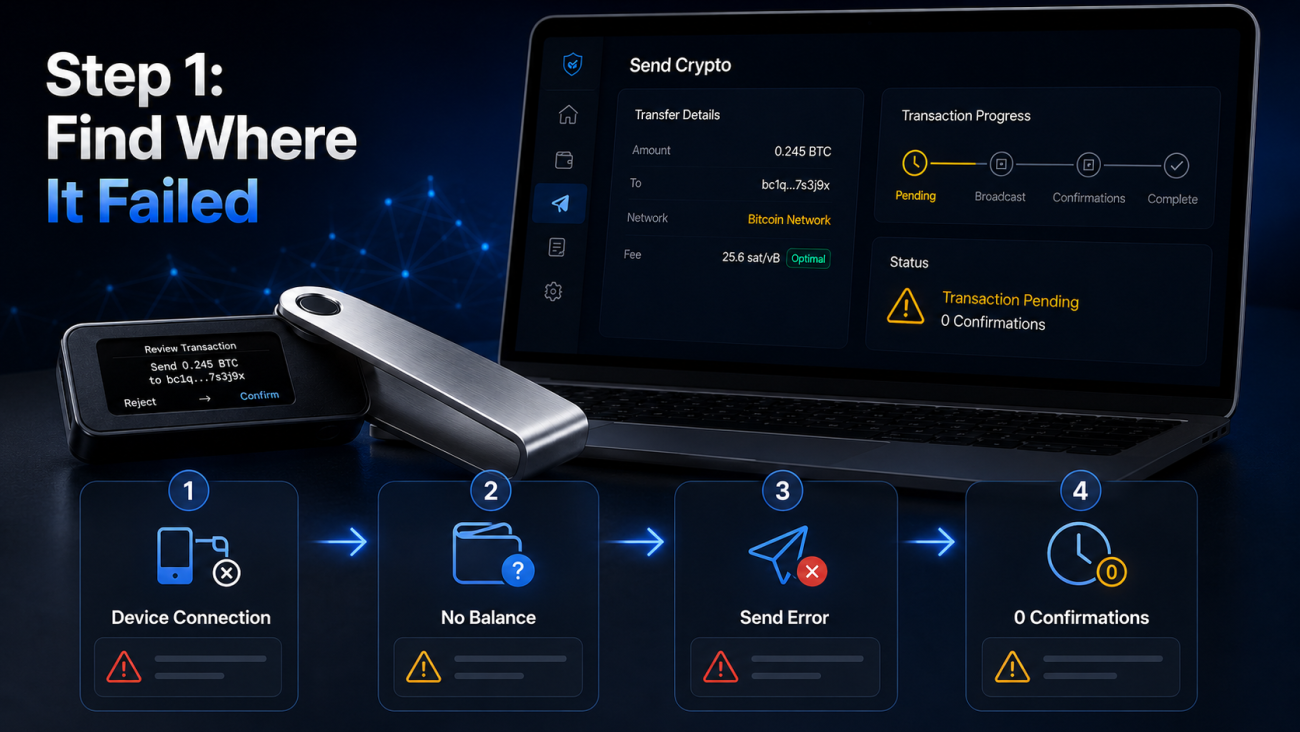
Step 1: First Identify Where the Problem Happens
Before fixing a failed hardware wallet transfer, you need to understand which stage is failing.
1. The Hardware Wallet Cannot Connect
Common signs:
The wallet app cannot detect your device;
USB connection does not work;
Bluetooth pairing fails;
The device stays locked;
The app keeps asking you to connect or unlock the wallet.
This type of issue is usually related to cable quality, USB ports, Bluetooth permissions, drivers, browser permissions, or the device being locked.
It does not usually mean your crypto is gone.
2. The Wallet App Shows No Balance
Common signs:
You know there should be funds, but the wallet shows zero;
A token is missing;
The account does not appear;
The balance looks different from what you expected.
This is often caused by the wrong account, wrong network, missing token display, app cache, node sync problems, or using a different derivation path.
3. The Transaction Fails Before Sending
Common signs:
The wallet shows “insufficient balance”;
The app says “broadcast failed”;
The transaction cannot be signed;
The wallet freezes during confirmation;
The transfer button does not work.
This is usually caused by low gas, wrong chain, insufficient native token for fees, outdated firmware, software incompatibility, or node issues.
4. The Transaction Was Sent but Has No Confirmation
Common signs:
The transaction appears in your wallet history;
You can see it on a block explorer;
The status shows Pending, Unconfirmed, or 0 confirmations;
The funds appear stuck.
This is usually a network fee or congestion issue, not a hardware wallet issue.
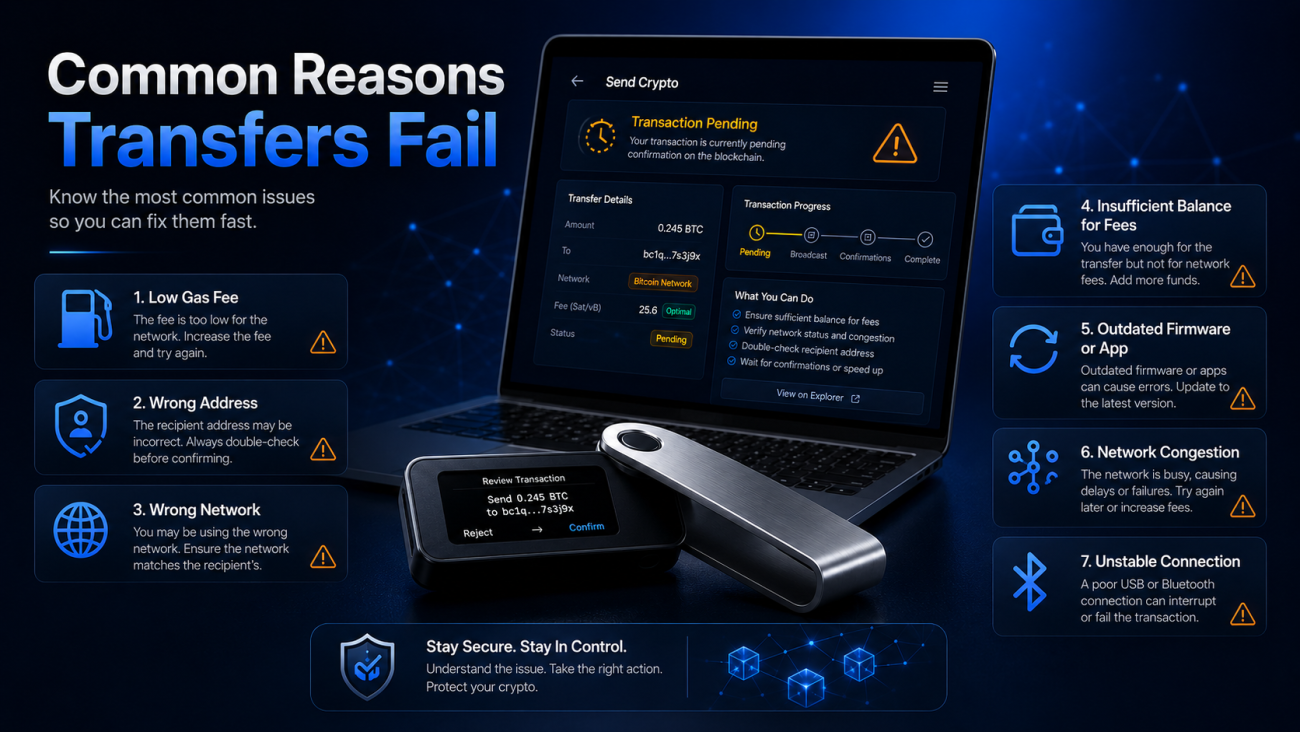
The 10 Most Common Reasons Hardware Wallet Transfers Fail
The following causes are arranged from most common to less common based on real support experience.
Reason 1: The Network Fee or Gas Fee Is Too Low
This is the most common reason a crypto transaction gets stuck.
Many beginners see the suggested fee and manually lower it to save money. The problem is that blockchain networks prioritize transactions based on fees. If your fee is too low, validators or miners may ignore your transaction for a long time.
This is especially common on networks like Bitcoin, Ethereum, Polygon, BNB Chain, and other active chains where network fees can change quickly.
A fee that looked acceptable five minutes ago may already be too low when the network becomes congested.
How to Check
Open the transaction in a blockchain explorer.
Look for status such as:
Pending;
Unconfirmed;
Queued;
0 confirmations.
Then compare your transaction fee with the current recommended network fee.
If your fee is far below the current market level, the transaction may remain stuck.
How to Fix It
If you are using an EVM chain such as Ethereum, BNB Chain, Polygon, or Arbitrum, check whether your wallet app supports Speed Up. This feature usually resends the transaction with the same nonce but a higher gas fee.
If your wallet allows custom gas settings, choose a Fast or High fee level instead of Low.
For Bitcoin, check whether your wallet supports RBF, which means Replace-by-Fee. If enabled, you can increase the miner fee and rebroadcast the transaction.
If your wallet does not support acceleration, you may need to wait until the transaction is confirmed or dropped from the mempool.
Practical tip: do not reduce the gas fee too aggressively. Saving a few dollars is not worth having an important transfer stuck for hours or days.
Reason 2: The Address Is Wrong or the Format Is Invalid
Another common reason for a failed transaction is an invalid address format.
Different blockchains use different address formats. A Bitcoin address is not the same as an Ethereum address. A TRON address is not the same as a Solana address.
Even one missing character, extra space, or hidden formatting issue can cause a transaction to fail.
How to Check
Check whether the address format matches the network.
For example:
Ethereum and ERC-20 addresses usually start with 0x;
TRON addresses usually start with T;
Bitcoin addresses may start with 1, 3, or bc1;
Solana addresses use a different base58-style format.
Also check whether there are extra spaces before or after the address.
This often happens when copying addresses from spreadsheets, chat apps, web pages, or emails.
How to Fix It
Copy and paste the address again from the official source.
Avoid typing addresses manually.
Check the first 6 and last 6 characters before sending.
Confirm the address shown on your hardware wallet screen.
For a new recipient, send a small test transaction first.
Important note: if the address format is invalid, the wallet may block the transfer. But if the address is valid and belongs to the wrong person, a confirmed transaction usually cannot be reversed.
Reason 3: The Wrong Coin or Network Was Selected
This is one of the most dangerous beginner mistakes.
Many tokens exist on multiple networks. For example, USDT can exist as ERC-20, TRC-20, BEP-20, Polygon, Solana, and more.
If you send USDT on the wrong network, the transfer may not arrive where you expect, even though the transaction is technically successful.
How to Check
Before sending, confirm that these three things match:
The sending network;
The receiving address network;
The exchange or wallet deposit network.
All three must be the same.
For example, if the receiving platform gives you a TRC-20 USDT address, you must send USDT on TRON, not Ethereum.
How to Fix It
If the transaction has not been sent yet, stop and select the correct network.
If the transaction was already sent, first check the transaction on the correct block explorer.
If you sent funds to an exchange using the wrong network, contact the exchange and ask whether they support manual recovery.
If you sent funds to your own wallet address, you may be able to switch networks or add the correct token to view the balance.
Practical tip: never look only at the token name. “USDT” is not enough. Always confirm the network.
Reason 4: The Balance Is Not Enough to Pay the Network Fee
Many users think that if they have 100 USDT, they can send 100 USDT.
That is often not true.
Most token transfers require the blockchain’s native coin to pay gas fees.
For example:
ERC-20 USDT requires ETH for gas;
TRC-20 USDT requires TRX;
BEP-20 USDT requires BNB;
Polygon tokens require MATIC;
Solana tokens require SOL.
So you may have the token balance, but still be unable to send because you do not have enough native coin for the fee.
How to Check
Check whether your wallet has the native coin for that network.
Having USDT does not mean you can pay gas.
How to Fix It
Send a small amount of the native coin to the same wallet address.
Wait for it to arrive.
Try the transfer again.
Do not completely empty the native coin balance.
Practical tip: always keep a small gas reserve on every chain you use regularly.
Reason 5: The Hardware Wallet Firmware Is Outdated
Outdated firmware can cause transaction failures, connection errors, app incompatibility, or signing problems.
This is especially common when new assets, networks, or signing formats are introduced.
How to Check
Open the official wallet app and check the device firmware version.
Look for update notifications.
Also check whether the app for the specific coin or chain needs to be updated.
How to Fix It
Before updating firmware, make sure your recovery phrase is backed up safely.
Then update only through the official wallet software.
After updating firmware, update or reinstall the relevant coin app if needed.
Reconnect the device and try the transaction again.
Important warning: a legitimate firmware update should never ask you to type your recovery phrase into a website or computer. If any page asks for your seed phrase, it is a scam.
Reason 6: The Wallet App or Companion Software Is Outdated
Sometimes the hardware wallet is fine, but the wallet app is outdated.
An old app may fail to detect balances, estimate gas, broadcast transactions, or communicate properly with the hardware wallet.
How to Check
Check whether you are using the latest official desktop app, mobile app, or browser extension.
Also confirm that the app was downloaded from the official website or official app store.
How to Fix It
Update the official app.
Restart the app.
Clear cache if the app supports it.
Resync accounts.
Update your browser extension if you use one.
Try a different supported browser if needed.
Practical tip: do not download wallet software from search ads. Fake wallet apps often appear through ads and phishing pages.
Reason 7: The Network Node Is Congested or Unavailable
Wallet apps rely on blockchain nodes to check balances, estimate fees, and broadcast transactions.
If the node is slow, overloaded, or temporarily unavailable, your wallet may show errors even when your hardware wallet is working normally.
How to Check
Look for messages such as:
Network error;
Node error;
Broadcast failed;
RPC error;
Synchronization failed.
Also check whether the transaction appears on a blockchain explorer.
If it does not appear, it may not have been broadcast successfully.
How to Fix It
Wait a few minutes and try again.
Switch from Wi-Fi to mobile hotspot.
Change the RPC endpoint if your wallet supports it.
Use an official or trusted node.
Avoid repeatedly sending the same transaction without checking its status.
Practical tip: repeated sending during node failure can create nonce problems on EVM chains.
Reason 8: The Device Connection Is Unstable
A hardware wallet must stay connected long enough to sign the transaction.
If the USB cable disconnects, Bluetooth drops, or the app loses connection, the transaction may fail before signing or broadcasting.
How to Check
Look for signs such as:
Device disconnected;
Signing failed;
App cannot detect wallet;
Bluetooth pairing failed;
Transaction approval disappears.
How to Fix It
Use a high-quality USB data cable.
Avoid charge-only cables.
Try a different USB port.
Avoid unstable USB hubs.
Reconnect Bluetooth.
Check phone Bluetooth permissions.
Make sure the hardware wallet has enough battery if using Bluetooth.
If Bluetooth is unstable, switch to USB.
Practical tip: many “hardware wallet broken” cases are actually caused by a bad cable.
Reason 9: UTXO Fragmentation Makes the Transaction Too Large
This mainly affects Bitcoin, Litecoin, and other UTXO-based networks.
If your wallet has received many small deposits, the wallet may need to combine many small inputs when sending funds. This makes the transaction larger in data size, which increases the fee.
In extreme cases, the wallet may fail to build the transaction or show unusually high fees.
How to Check
Review your wallet history.
If you see many small deposits from mining pools, exchanges, payments, or repeated small transfers, you may have fragmented UTXOs.
Signs include:
Very high Bitcoin transaction fees;
Transaction too large error;
Unable to construct transaction;
Many small inputs selected.
How to Fix It
Consolidate UTXOs when network fees are low.
Send funds to your own fresh address in smaller batches.
Avoid consolidating during fee spikes.
If you receive many small payments, clean up UTXOs periodically.
Practical tip: Bitcoin fees are not based only on the amount sent. They are based on transaction data size.
Reason 10: You Are Interacting with a Smart Contract
Not every transfer is a simple wallet-to-wallet transfer.
DeFi, staking, bridging, NFT minting, token approvals, and airdrop claims may involve smart contract interaction. These transactions may require extra data, higher gas, or special signing settings.
Your hardware wallet may show warnings such as:
Contract data;
Blind signing;
Unknown transaction;
Smart contract interaction.
How to Check
Ask yourself:
Am I simply sending tokens to another wallet?
Or am I using a DApp, bridge, staking platform, or smart contract?
If it is a DApp interaction, check the contract address and transaction details carefully.
How to Fix It
Only use trusted DApps.
Access DApps through official websites.
Verify the contract address if possible.
Enable contract data or blind signing only when necessary.
Review token approvals before signing.
Do not sign transactions you do not understand.
Important warning: smart contract approvals can be dangerous. A simple transfer sends funds once. A malicious approval may allow someone to move your tokens later.
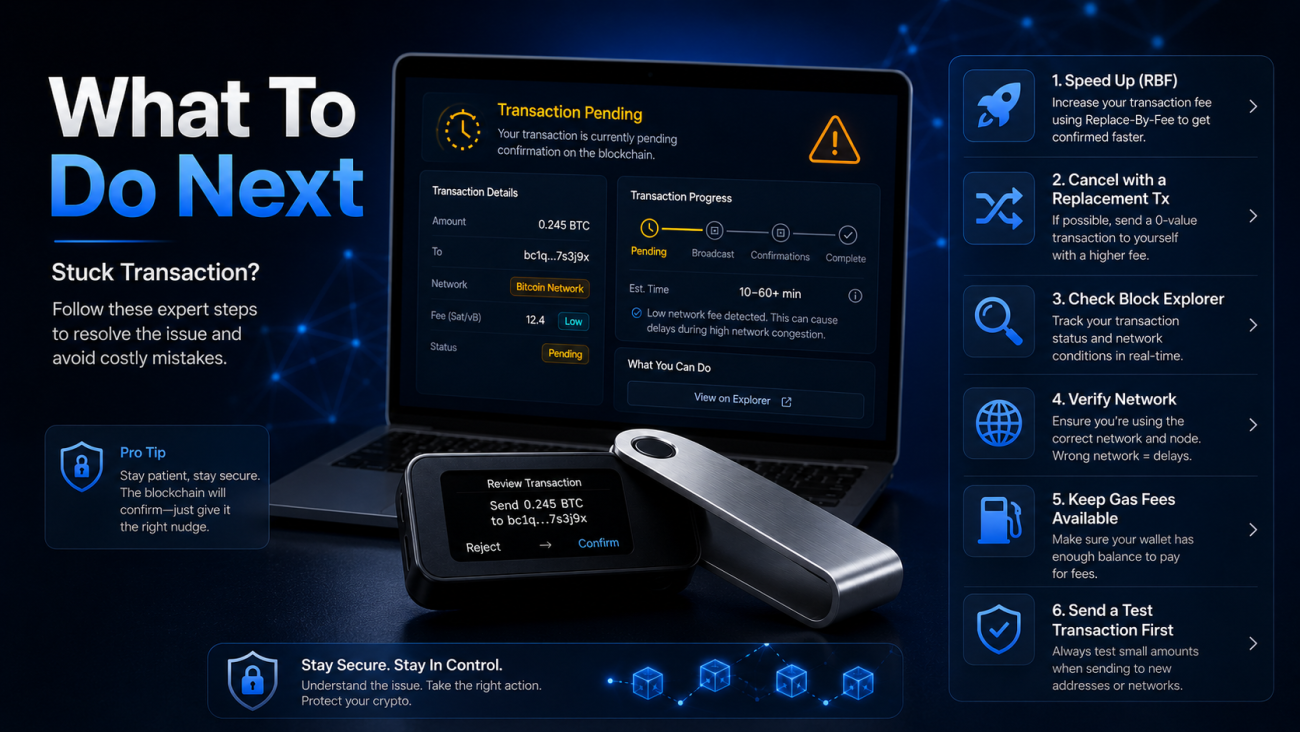
What If the Transaction Is Stuck at 0 Confirmations?
If your transaction appears on a blockchain explorer but stays at 0 confirmations, the transaction has been broadcast but not confirmed.
Do not panic.
First, identify the chain.
Bitcoin Transaction Stuck at 0 Confirmations
For Bitcoin, the most common reason is a low miner fee.
You can try:
RBF, if enabled;
CPFP, if supported;
Waiting until network congestion drops.
RBF allows you to replace the transaction with a higher-fee version.
CPFP allows the recipient or sender to spend the unconfirmed output with a higher fee, encouraging miners to confirm both transactions.
If you are not familiar with CPFP, do not experiment blindly. Check official support documentation first.
EVM Transaction Stuck as Pending
For Ethereum, BNB Chain, Polygon, Arbitrum, Optimism, and other EVM networks, a pending transaction is often a nonce issue.
You can try:
Speeding up the transaction with a higher gas fee;
Canceling it by sending a 0-value transaction to yourself with the same nonce and higher gas;
Waiting for the transaction to drop if the network does not confirm it.
Do not send many new transactions without resolving the pending one. Later transactions may queue behind the stuck nonce.
Will a Stuck Transaction Automatically Return?
Technically, a pending transaction does not mean funds have already moved.
If the transaction is not confirmed, your funds remain controlled by the original wallet. However, your wallet app may show them as temporarily unavailable until the transaction is dropped or replaced.
If the transaction is confirmed, there is no automatic return.
Different networks and nodes handle dropped transactions differently. A pending transaction may disappear after hours or days, depending on network conditions and node policies.
What If You Sent Crypto to the Wrong Address?
This is the part nobody likes to hear.
If a transaction is confirmed on-chain and the address is wrong, it usually cannot be reversed.
Blockchain transactions are designed to be final. There is no bank chargeback, no undo button, and no customer service team that can force a confirmed transaction back.
However, there are a few possible scenarios.
If You Sent to an Exchange with the Wrong Network
Contact the exchange support team immediately.
Some exchanges can manually recover funds sent on the wrong network, but they may charge a fee and recovery is not guaranteed.
If You Sent to Your Own Address on the Wrong Network
You may still be able to recover the funds by switching networks, adding the correct token, or importing the same wallet into a compatible interface.
If You Sent to a Completely Unknown Address
Recovery is usually impossible unless you can contact the owner of that address.
Best Practice
Always send a small test transaction before transferring a large amount to a new address.
This single habit can prevent some of the most painful crypto transfer mistakes.
How to Avoid Hardware Wallet Transfer Failures
Most transfer failures can be avoided with good habits.
Before every transfer, check the following:
Confirm the coin and network;
Check the recipient address carefully;
Verify the address on the hardware wallet screen;
Keep enough native coin for gas;
Do not set fees too low;
Use a small test transaction for new addresses;
Keep firmware updated;
Keep the official wallet app updated;
Use only official wallet software;
Avoid signing unknown smart contract transactions;
Do not operate when you are rushed or distracted.
Another useful habit is to create a trusted address list.
After confirming an address with a small test transaction, save it with a clear label. For future transfers, still verify the address, but this reduces the chance of sending to the wrong destination.
When Should You Contact Official Support?
You should contact official support if:
The hardware wallet cannot power on;
Firmware update fails;
The official app detects an abnormal device issue;
The transaction fails with an unknown error;
A coin app cannot be installed or opened;
An exchange deposit does not arrive;
You sent funds using the wrong network to an exchange;
You suspect the device was tampered with;
You think your recovery phrase may be compromised.
But remember this rule:
Real support will never ask for your recovery phrase.
They will not ask for your private key.
They will not ask you to type your seed phrase into a website.
They will not privately message you to “sync” your wallet.
They will not ask you to download unknown remote-control software.
If anyone asks for your recovery phrase, stop immediately.
That person is not support. That person is trying to steal your funds.
Final Checklist: What to Do When a Hardware Wallet Transfer Fails
If your hardware wallet transfer fails, follow this order:
Identify where the issue happens;
Check the transaction on a blockchain explorer;
Check gas fees and network congestion;
Confirm the coin and network;
Check whether you have enough native coin for fees;
Update the official wallet app;
Update device firmware if needed;
Try a different cable or connection method;
Check for node or RPC issues;
Contact official support only if the issue remains unclear.
Most problems can be solved calmly if you do not rush.
A hardware wallet is designed for security, but security also requires careful operation. It cannot reverse a confirmed wrong transaction. It cannot protect you from choosing the wrong network. It cannot save you if you share your recovery phrase.
The strongest crypto security setup is not just a device.
It is a complete habit system:
A reliable hardware wallet + correct transfer habits + offline recovery phrase backup + long-term storage discipline.
Recommended Product: Ledger Nano X for Secure Crypto Self-Custody
If you are looking for a reliable hardware wallet for long-term crypto self-custody, Ledger Nano X is a strong option to consider.
It is especially suitable for users who want:
Offline private key protection;
A portable hardware wallet;
Bluetooth support for mobile use;
Secure transaction confirmation on a physical device;
Support for Bitcoin, Ethereum, stablecoins, NFTs, and multiple digital assets;
A practical balance between security and convenience.
For users who plan to hold crypto for the long term, a hardware wallet like Ledger Nano X can help reduce exposure to exchange risk, hot wallet attacks, and malware on internet-connected devices.
You can place your product card here and link it to your Ledger Nano X product page on cryptosafekit.com.
FAQ
Why does my hardware wallet transfer keep failing?
The most common reasons are low gas fees, wrong network selection, insufficient native token for fees, invalid address format, outdated firmware, outdated wallet app, network node errors, or unstable device connection.
Why is my crypto transaction stuck with 0 confirmations?
A transaction usually stays at 0 confirmations because the fee is too low or the network is congested. For Bitcoin, you may need RBF or CPFP. For Ethereum-style networks, you may need to speed up or replace the transaction with a higher gas fee.
Can I cancel a crypto transaction after sending it?
If the transaction is already confirmed, usually no. If it is still pending on an EVM network, you may be able to cancel it by sending a 0-value transaction to yourself with the same nonce and higher gas fee.
What happens if I send crypto to the wrong address?
If the transaction is confirmed and the address is not yours, recovery is usually impossible. If you sent funds to an exchange using the wrong network, contact the exchange immediately to see whether manual recovery is available.
Why do I need ETH, BNB, TRX, MATIC, or SOL to send tokens?
Many tokens require the network’s native coin to pay transaction fees. For example, ERC-20 USDT requires ETH gas, BEP-20 USDT requires BNB, TRC-20 USDT requires TRX, and Polygon tokens require MATIC.
Should I use a hardware wallet for long-term crypto storage?
Yes, a hardware wallet is strongly recommended for long-term holdings because it keeps private keys offline and reduces exposure to online threats. For stronger protection, pair it with a metal seed phrase backup and safe storage habits.