

Ledger Nano Gen5 Review 2026: Is It the Best Ledger for Most People?

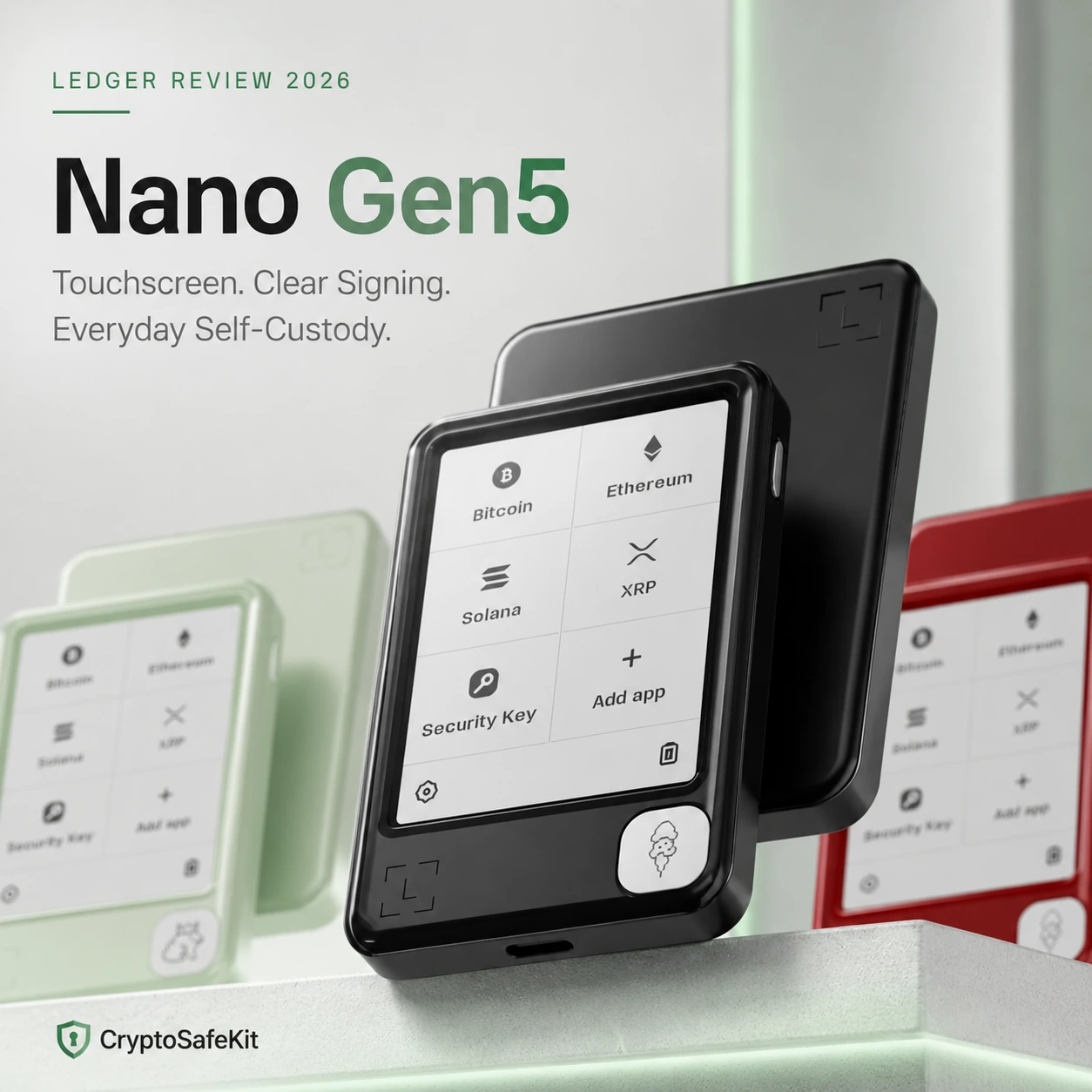
Ledger Nano Gen5 may be the most important Ledger release for mainstream hardware-wallet buyers in years. It takes the secure touchscreen experience previously associated with Ledger’s more expensive models and moves it into a more accessible $179 price tier.
But the important question is not whether Nano Gen5 is newer than Nano X or cheaper than Ledger Flex.
The real question is whether its 2.8-inch Secure E Ink touchscreen, EAL6+ Secure Element, Bluetooth, NFC, Transaction Check and included Ledger Recovery Key materially improve the self-custody experience enough to make it the right hardware wallet for you.
For many first-time buyers, the answer is yes.
Nano Gen5 sits in an unusually strong position: it provides most of Ledger’s current-generation security and transaction-verification features without forcing users into the higher-cost Flex or Stax tier. At the same time, it remains larger and more expensive than the classic Nano X and Nano S Plus, so long-term holders who rarely transact may still be paying for features they do not need.
This Ledger Nano Gen5 review evaluates the device as a 2026 buying decision: security architecture, touchscreen quality, Clear Signing, Transaction Check, mobile connectivity, recovery, supported assets, daily usability, limitations, and how it compares with Nano X and Ledger Flex.
This is an editorial security and product evaluation based on current manufacturer specifications, documented functionality and self-custody workflows. It should not be interpreted as a laboratory battery, fire, drop, teardown or penetration test conducted by CryptoSafeKit.
One of Ledger’s Strongest All-Round Choices in 2026
Nano Gen5 combines current-generation transaction verification, strong hardware key isolation and full mobile connectivity at a lower price than Ledger’s premium touchscreen models.
EAL6+ Secure Element, Ledger OS and Secure Screen.
Large improvement over classic Nano screens.
Bluetooth, USB-C and NFC provide flexible connectivity.
Strong feature set below Flex and Stax pricing.
Still compact, but substantially wider than Nano X.
Touch navigation reduces friction for new users.
Should You Buy Ledger Nano Gen5?
- You are buying your first primary Ledger.
- You want a touchscreen without paying Flex or Stax pricing.
- You regularly use DeFi, staking or smart contracts.
- You manage crypto from an iPhone or Android phone.
- You value clearer transaction verification.
- You want NFC and Ledger Recovery Key support.
- You only move Bitcoin a few times per year.
- You already own a Nano X that fully meets your needs.
- You want the smallest possible hardware signer.
- You deliberately prefer wired-only hardware.
- You want a fully open-source hardware-wallet stack.
- You want Ledger’s highest-resolution display rather than best value.
What Is Ledger Nano Gen5?
Ledger Nano Gen5 is Ledger’s most accessible member of its current secure-touchscreen generation.
The product name can be slightly misleading. It does not look like a traditional Nano X or Nano S Plus with a larger display bolted on.
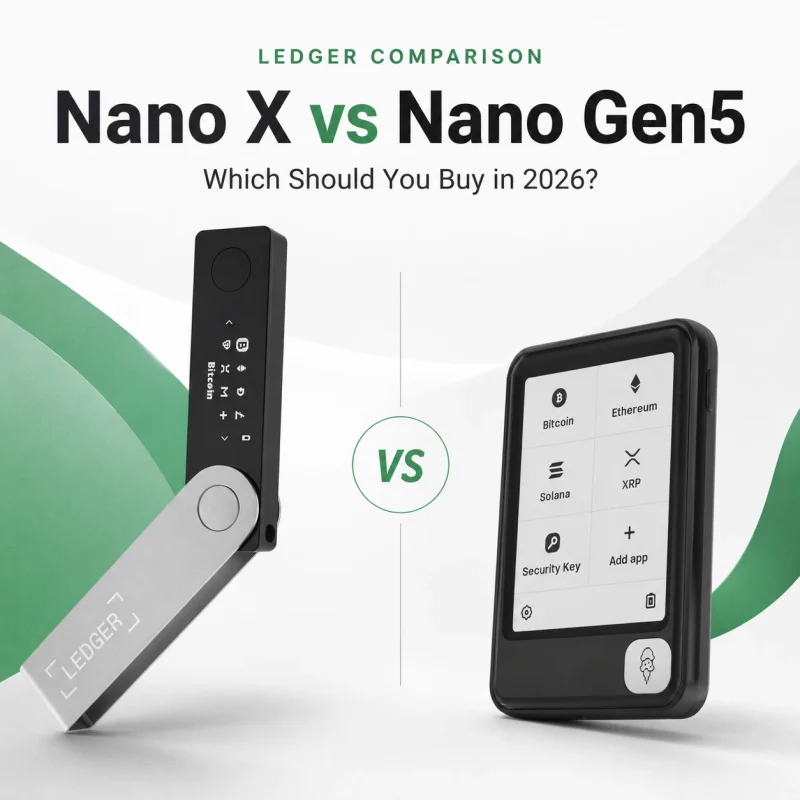
The classic Nano design is narrow and USB-stick-like. Nano Gen5 moves to a wider, card-like body built around a 2.8-inch E Ink Secure Touchscreen.
Underneath that screen is Ledger’s ST33K1M5 Secure Element, currently listed with CC EAL6+ certification. Private-key operations remain isolated inside dedicated secure hardware, while the screen provides a trusted interface for reviewing and approving transactions.
Nano Gen5 therefore sits between two philosophies: it tries to retain the relative affordability associated with the Nano family while moving the user experience toward Ledger Flex and Stax.
Ledger Nano Gen5 Technical Specifications
| Display | 2.8-inch monochrome E Ink touchscreen |
|---|---|
| Resolution | 300 × 400 px |
| Glass | Scratch-resistant glass with anti-glare coating |
| Secure Element | ST33K1M5 |
| Certification | CC EAL6+ |
| Operating system | Ledger OS |
| Bluetooth | BLE 5.2 |
| NFC | Yes |
| USB | USB-C |
| Size | 79.4 × 53.3 × 8.6 mm |
| Weight | 46 g |
| Construction | Plastic frame and plastic back |
| Recovery Key | Included |
| Ledger Wallet support | 500+ crypto directly, with broader third-party wallet support |
| Current official MSRP | Approximately $179 in the U.S. market at time of writing |
Specifications only explain part of the product. The reason Gen5 matters is how those specifications change the signing workflow.
How Secure Is Ledger Nano Gen5?
Nano Gen5 follows Ledger’s familiar security model: private keys are intended to remain inside a certified Secure Element rather than being exposed to the connected computer or smartphone.
The device uses an ST33K1M5 Secure Element with CC EAL6+ certification together with Ledger OS.
A host computer can prepare a transaction, but the transaction still needs to be reviewed and authorized on the hardware signer.
The internet-connected device handles the interface.
The signing request reaches the secure hardware.
Review destination, amount and supported transaction details.
Private-key material remains isolated from the host.
Hardware certification is one layer of security. A user can still lose assets by exposing a recovery phrase, approving malicious transactions, installing fake software, or sending funds over the wrong blockchain network.
The Screen Is the Real Reason to Consider Nano Gen5
The largest improvement over Ledger’s classic Nano devices is not Bluetooth, a faster processor or a redesigned body.
It is transaction readability.
Nano X and Nano S Plus use a 128 × 64 OLED display. That remains sufficient for basic addresses, amounts and menus, but modern blockchain transactions can contain considerably more information.
Users may now regularly approve:
- Token allowances
- DEX swaps
- Staking operations
- Smart-contract permissions
- Bridge transactions
- NFT interactions
- Multi-chain dApp activity
Nano Gen5’s 300 × 400 display makes it easier to review more information without repeatedly clicking through a tiny two-button interface.
Better transaction readability attacks one of the biggest weaknesses in self-custody: the human signing decision.
Clear Signing and Transaction Check
Ledger’s modern security strategy increasingly focuses on preventing users from blindly authorizing malicious or confusing transactions.
Clear Signing
Clear Signing is intended to present supported transaction information in a human-readable form on the trusted hardware screen.
Instead of treating transaction signing as a simple “approve / reject” event, the goal is to make the user understand the intent behind the transaction before approval.
Transaction Check
Nano Gen5 also supports Ledger’s Transaction Check feature. For supported transactions, it can provide additional threat analysis intended to identify common scam patterns or suspicious interactions.
New scams, unsupported contracts and deceptive transaction intent can still exist. Automated risk detection should be treated as an extra layer, not a replacement for your own verification.
For users who interact with DeFi or unfamiliar dApps, this is one of the strongest reasons to choose Nano Gen5 over a classic Nano.
Bluetooth, USB-C and NFC: Does Gen5 Have Too Much Connectivity?
Nano Gen5 supports all three major Ledger connectivity methods: USB-C, Bluetooth BLE 5.2 and NFC.
Conventional wired signing and charging.
Convenient mobile Ledger Wallet workflows.
Used with compatible Recovery Key and Security Key workflows.
Some security-focused users deliberately prefer wallets with fewer interfaces. That is a legitimate threat-model choice.
However, more connectivity does not mean your private keys are transmitted through those interfaces. The purpose of Ledger’s Secure Element architecture is to keep sensitive signing material isolated even while transaction data moves between devices.
If you explicitly want a wired-only device with no Bluetooth, Nano S Plus may still be the more logical Ledger for your use case.
Ledger Recovery Key: Useful Addition or Unnecessary Complexity?
Nano Gen5 includes Ledger Recovery Key in the standard package.
It is a PIN-protected NFC backup card designed to provide an additional recovery route for compatible Ledger devices.
An offline recovery phrase can restore access independently of the original physical Ledger.
PIN-protected NFC-based recovery option included with Nano Gen5.
For mainstream buyers, having another supported physical recovery option may reduce the anxiety associated with relying on one handwritten backup.
For security purists, adding another recovery mechanism means another component that needs to be understood and physically protected.
More backup methods can reduce accidental loss, but every complete recovery method also becomes something that must be protected from unauthorized access.
Regardless of which method you use, never enter your Secret Recovery Phrase into a website, cloud note, ordinary app or unsolicited support form.
See our Ledger recovery phrase storage guide for a broader offline backup strategy.
What Crypto Does Ledger Nano Gen5 Support?
Ledger currently states that more than 500 cryptocurrencies can be managed through Ledger Wallet, while thousands of additional coins, tokens and NFTs can be supported through compatible third-party wallet integrations.
Major ecosystems include assets such as:
Asset support should always be checked more carefully than a marketing number suggests.
A token may be secured by keys on Nano Gen5 while requiring MetaMask, Phantom, Electrum or another compatible third-party interface rather than being managed directly inside Ledger Wallet.
Read our complete Ledger supported-assets guide before purchasing for a specific blockchain or token.
What Is Nano Gen5 Like as an Everyday Hardware Wallet?
Nano Gen5’s biggest advantage is that it reduces the friction traditionally associated with hardware-wallet signing.
Classic Nano devices require users to navigate menus with two buttons and scroll through transaction details on a narrow display.
Gen5 instead behaves more like a modern dedicated security device: touch navigation, larger transaction prompts and persistent E Ink screen content.
Generate the address and verify it directly on the trusted screen.
Larger transaction information is easier to inspect before approval.
Bluetooth removes the need to carry a cable for normal smartphone use.
Touchscreen transaction review is better suited to frequent contract signing.
Before receiving significant funds for the first time, see our Ledger address-verification guide .
Build Quality, Size and Personalization
Nano Gen5 measures approximately 79.4 × 53.3 × 8.6 mm and weighs 46 grams.
Unlike Ledger Flex’s aluminium frame and Gorilla Glass, Nano Gen5 uses a plastic frame and plastic back with scratch-resistant glass.
That is one of the clearest ways Ledger keeps Gen5 below Flex in the product hierarchy.
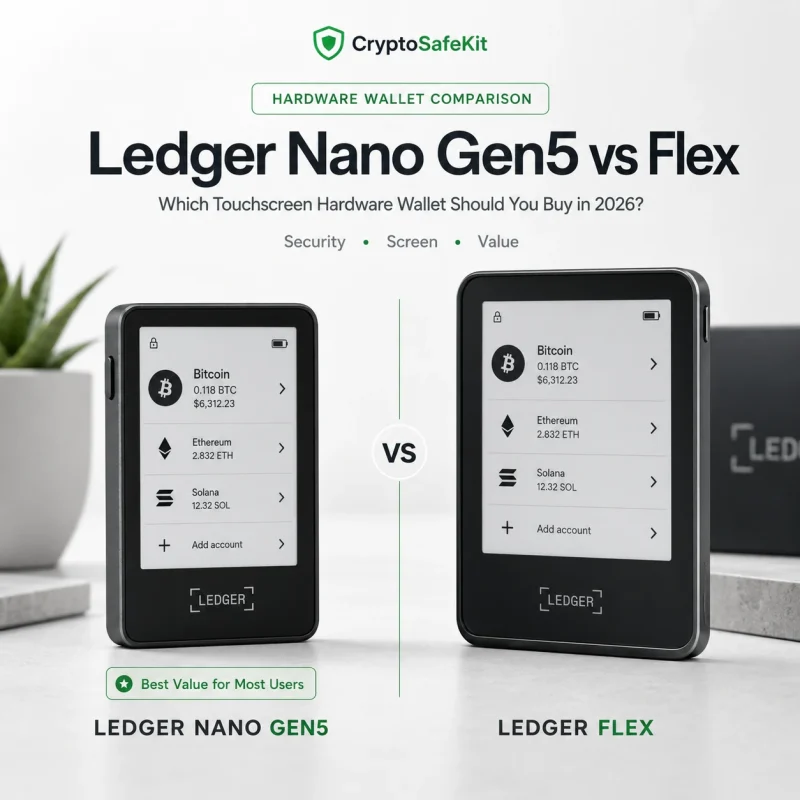
Lighter materials, lower-resolution screen and lower price while retaining core touchscreen features.
Higher-resolution grayscale display, Gorilla Glass and more premium physical construction.
Nano Gen5 is available in several colors including Jet Black, Cherry Red, Matcha Green and Glacier White, and Ledger also supports personalized lock-screen content and optional decorative Badges.
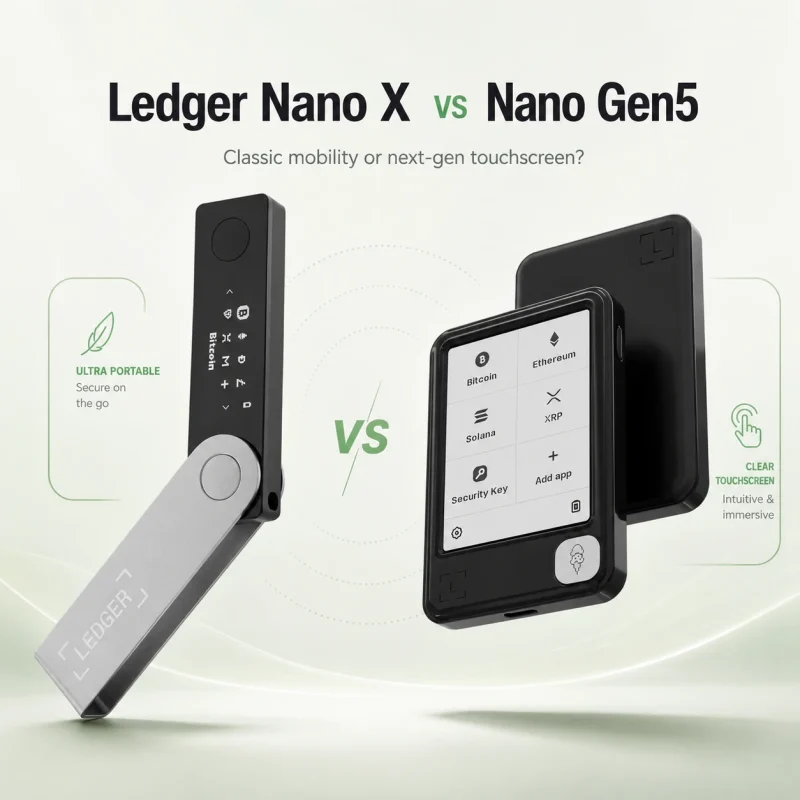
Ledger Nano Gen5 vs Nano X
These are probably the two most relevant models for buyers who want mobile Ledger use.
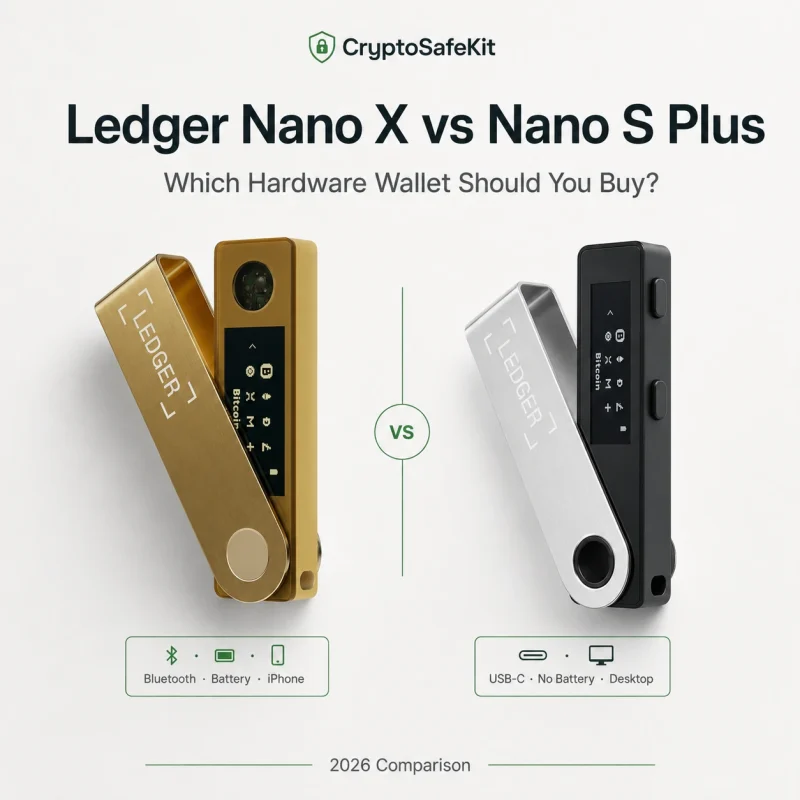
Choose it for portability
- Smaller 34 g body
- Bluetooth
- USB-C
- Lower purchase price
- Good secondary or travel signer
Choose it as your primary signer
- Secure E Ink touchscreen
- EAL6+ Secure Element
- Transaction Check
- Bluetooth + USB-C + NFC
- Recovery Key included
Compare security, display, Bluetooth, NFC, price and whether Nano X owners should upgrade.
Should You Spend More for Ledger Flex?
Nano Gen5 and Flex are more similar internally than their prices might suggest.
Both sit in Ledger’s EAL6+ secure-touchscreen generation and support Bluetooth, USB-C, NFC, Transaction Check and Ledger Recovery Key.
Flex primarily improves the physical experience: a higher-resolution 480 × 600 display, 16 grayscale levels, Gorilla Glass and an aluminium frame.
The core next-generation workflow at a lower price tier.
Better display quality and more premium physical materials.
For most buyers, Nano Gen5 is the stronger value proposition. Flex becomes easier to justify if the hardware signer is used every day and screen quality is worth paying extra for.
See our Ledger Nano Gen5 vs Flex comparison for the full breakdown.
What We Do Not Like About Ledger Nano Gen5
It is much less pocketable than Nano X
The wide touchscreen design is easier to read, but users specifically seeking a tiny travel signer may prefer Nano X.
The screen is intentionally below Flex
Gen5 is monochrome at 300 × 400, while Flex offers a substantially higher-resolution grayscale display.
Plastic construction feels less premium
The plastic frame helps control price and weight, but users expecting a premium metal device should look at Flex.
Ledger’s trust model is not for everyone
Users who require the strongest possible fully open-source philosophy may prefer to compare alternative hardware-wallet architectures.
More features create more concepts to understand
NFC, Recovery Key, Transaction Check and passkeys improve functionality but can feel unnecessary to users who only want simple Bitcoin cold storage.
It cannot protect you from yourself
Exposing the recovery phrase or approving a malicious transaction can still defeat otherwise strong hardware security.
Ledger Nano Gen5 Review Summary
- 2.8-inch Secure E Ink touchscreen.
- CC EAL6+ Secure Element.
- Much better transaction readability than classic Nano devices.
- Transaction Check on supported transactions.
- Clear Signing support.
- Bluetooth for iPhone and Android.
- USB-C and NFC.
- Ledger Recovery Key included.
- Broad Ledger and third-party wallet ecosystem.
- Strong position between Nano X and Flex pricing.
- More expensive than Nano X and Nano S Plus.
- Much wider than the classic Nano form factor.
- Plastic construction rather than Flex’s premium materials.
- Lower screen resolution than Flex.
- No Qi wireless charging like Stax.
- Not every buyer needs NFC or Transaction Check.
- Ledger’s broader firmware trust model remains a consideration.
Who Should Buy Ledger Nano Gen5?
First-time Ledger buyer
If you want one device to remain your primary signer for years, Gen5 offers significantly more interface headroom than a classic Nano.
DeFi user
Larger transaction review and Transaction Check make more sense when smart-contract signing is routine.
Mobile crypto user
Bluetooth provides convenient iPhone and Android access without sacrificing hardware-based signing.
Nano X owner upgrading
Particularly worthwhile if your activity has evolved from simple transfers into frequent onchain interactions.
Pure long-term Bitcoin holder
A cheaper wired signer may already provide everything required for infrequent transactions.
Premium-display buyer
If screen quality is your top priority, Ledger Flex or Stax provides a more premium experience.
Ledger Nano Gen5
Nano Gen5 makes the strongest case when you want one current-generation Ledger for regular self-custody rather than a minimal backup signer.
- Secure E Ink touchscreen
- CC EAL6+ Secure Element
- Bluetooth + USB-C + NFC
- Transaction Check
- Ledger Recovery Key included
How to Use Nano Gen5 More Safely
- Initialize the device yourself. Never accept a preconfigured PIN or recovery phrase.
- Run authenticity checks. Use official Ledger software and the device’s genuine-check process.
- Keep recovery credentials offline. Do not photograph or upload the phrase.
- Verify receiving addresses on Gen5. Do not trust the computer display alone.
- Read transaction details. A touchscreen only helps if you actually review it.
- Use test transactions. Particularly when using a new blockchain or destination.
- Separate long-term and operational wallets. Avoid exposing your entire portfolio to frequent dApp activity.
- Understand Recovery Key before relying on it. Recovery redundancy should be intentional.
- Keep firmware current. Use legitimate update channels.
- Never reveal your Secret Recovery Phrase to support. Legitimate support should not need it.
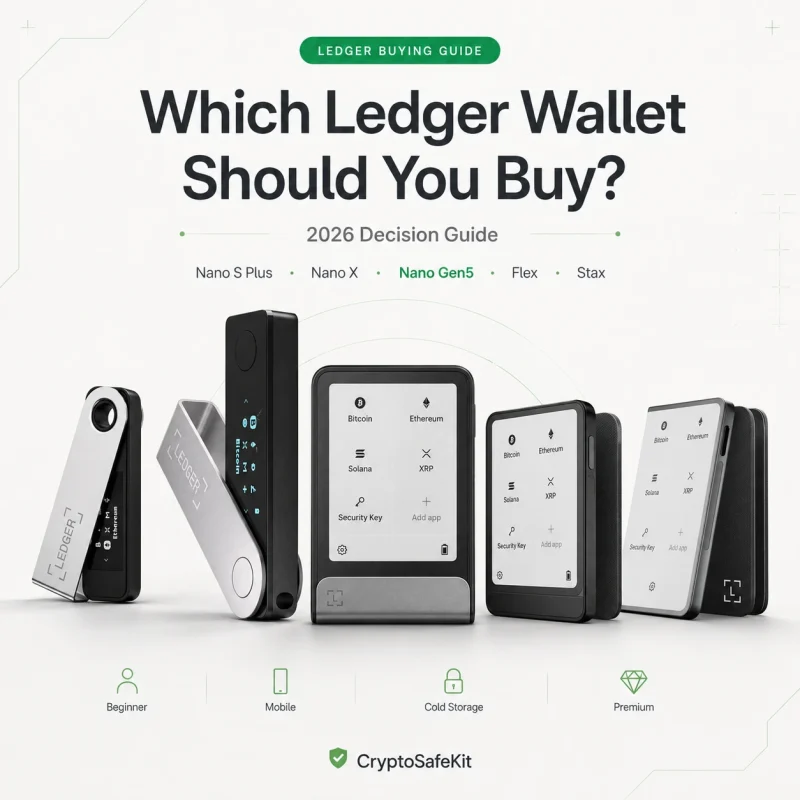
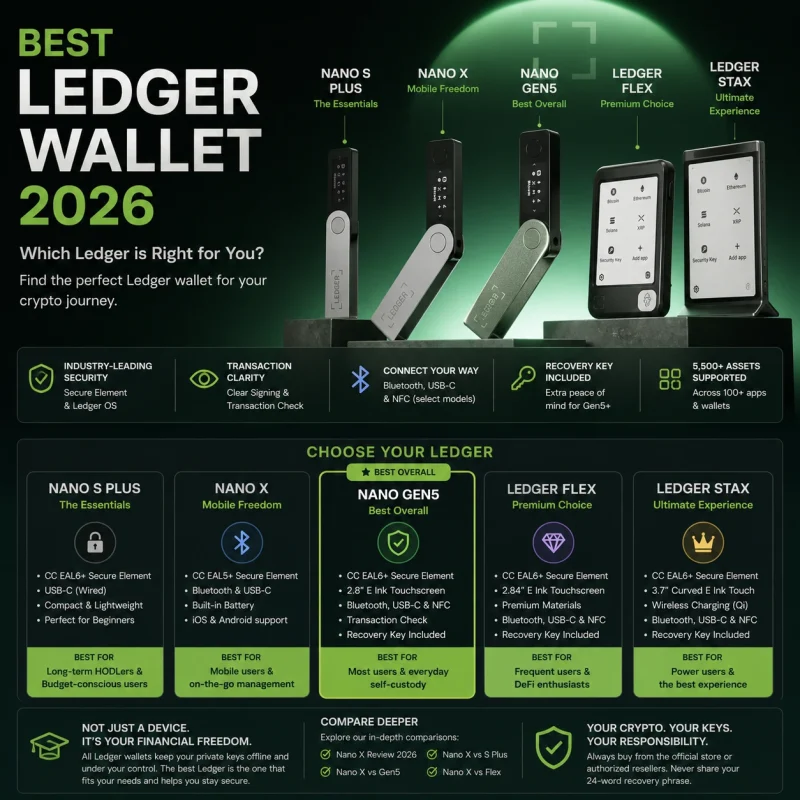
Where Nano Gen5 Fits in the Ledger Lineup
Compare Nano S Plus, Nano X, Nano Gen5, Flex and Stax by real buying use case.
Read Guide → COMPARISON Nano X vs Nano Gen5Decide whether the touchscreen and new security features justify moving beyond Nano X.
Compare → COMPARISON Nano Gen5 vs Ledger FlexCompare Gen5’s value-focused touchscreen against Flex’s premium display and materials.
Compare →Ledger Nano Gen5 Review 2026: Is It Worth Buying?
For most people buying a new primary Ledger in 2026, Nano Gen5 is one of the easiest models to recommend.
It fixes the most obvious weakness of the classic Nano generation: the tiny screen.
At the same time, it retains the features that made Nano X practical, including Bluetooth mobile use, while adding NFC, Transaction Check, an EAL6+ Secure Element and Ledger Recovery Key.
The important point is that Nano Gen5 does not need to beat Flex or Stax on display quality to make sense.
Its role is different.
Gen5 is the value-focused entry into Ledger’s current secure-touchscreen architecture.
Nano Gen5 is not compelling because it stores crypto more securely than every older Ledger. It is compelling because it makes secure self-custody easier to understand and maintain during everyday use.
If you rarely transact, Nano S Plus or Nano X may still be enough. If you want premium materials and a sharper display, Flex deserves consideration.
But if you want one Ledger that balances modern transaction verification, mobile usability and price, Nano Gen5 is arguably the sweet spot of the 2026 lineup.
Ledger Nano Gen5 Review FAQ
Is Ledger Nano Gen5 worth it in 2026?
It is particularly compelling for buyers who want a primary touchscreen Ledger without paying for Flex or Stax. Its strongest upgrades are transaction readability, Transaction Check, NFC and current-generation Secure Element hardware.
Is Ledger Nano Gen5 safe?
Nano Gen5 uses an ST33K1M5 Secure Element with CC EAL6+ certification and Ledger OS. As with any hardware wallet, overall security also depends on recovery phrase protection and careful transaction approval.
Does Ledger Nano Gen5 have Bluetooth?
Yes. It supports Bluetooth BLE 5.2 for compatible iOS and Android smartphones, alongside USB-C and NFC.
Does Nano Gen5 have a touchscreen?
Yes. It uses a 2.8-inch monochrome E Ink touchscreen with a 300 × 400 resolution, scratch-resistant glass and anti-glare coating.
Is Nano Gen5 better than Nano X?
As a primary everyday signer, Nano Gen5 provides the stronger interface and newer transaction-verification features. Nano X remains smaller, cheaper and particularly useful for travel or secondary-wallet duty.
Is Nano Gen5 better than Ledger Flex?
Gen5 offers stronger value, while Flex provides a higher-resolution grayscale display, Gorilla Glass and more premium construction. They share many current-generation security and connectivity features.
Does Nano Gen5 include Ledger Recovery Key?
Yes. Current standard Nano Gen5 packages include one Ledger Recovery Key alongside three Recovery Sheets.
How many cryptocurrencies does Nano Gen5 support?
Ledger currently lists more than 500 assets manageable directly through Ledger Wallet, with thousands of additional coins, tokens and NFTs supported through compatible third-party wallets.
Is Nano Gen5 good for Bitcoin?
Yes. It can be used as a Bitcoin hardware signer. However, users who only store Bitcoin and transact infrequently may not need its touchscreen, NFC or Transaction Check features.
Is Nano Gen5 good for DeFi?
It is better suited to frequent DeFi interaction than classic Nano models because its larger trusted screen provides more room for transaction review and it supports Transaction Check on compatible transactions.
What happens if I lose my Nano Gen5?
Losing the physical device does not erase blockchain assets. Access can normally be restored with valid recovery credentials such as the Secret Recovery Phrase or compatible Recovery Key, provided those credentials remain secure.
Sources & Editorial Method
This review was updated in August 2026 using Ledger’s current Nano Gen5 technical specifications, product comparison materials and documented security and recovery functionality. No undocumented laboratory, durability or long-term battery claims are presented as CryptoSafeKit testing.
- Ledger — Nano Gen5 Technical Specifications
- Ledger — Introducing Ledger Nano Gen5
- Ledger — Which Ledger Signer Is Right for You?
- Ledger — Ledger Recovery Key Technical Documentation
- CryptoSafeKit — Ledger Nano X Review 2026
- CryptoSafeKit — Ledger Supported Assets Guide