

Crypto Phishing Attacks Targeting Hardware Wallet Users: Complete Prevention Guide

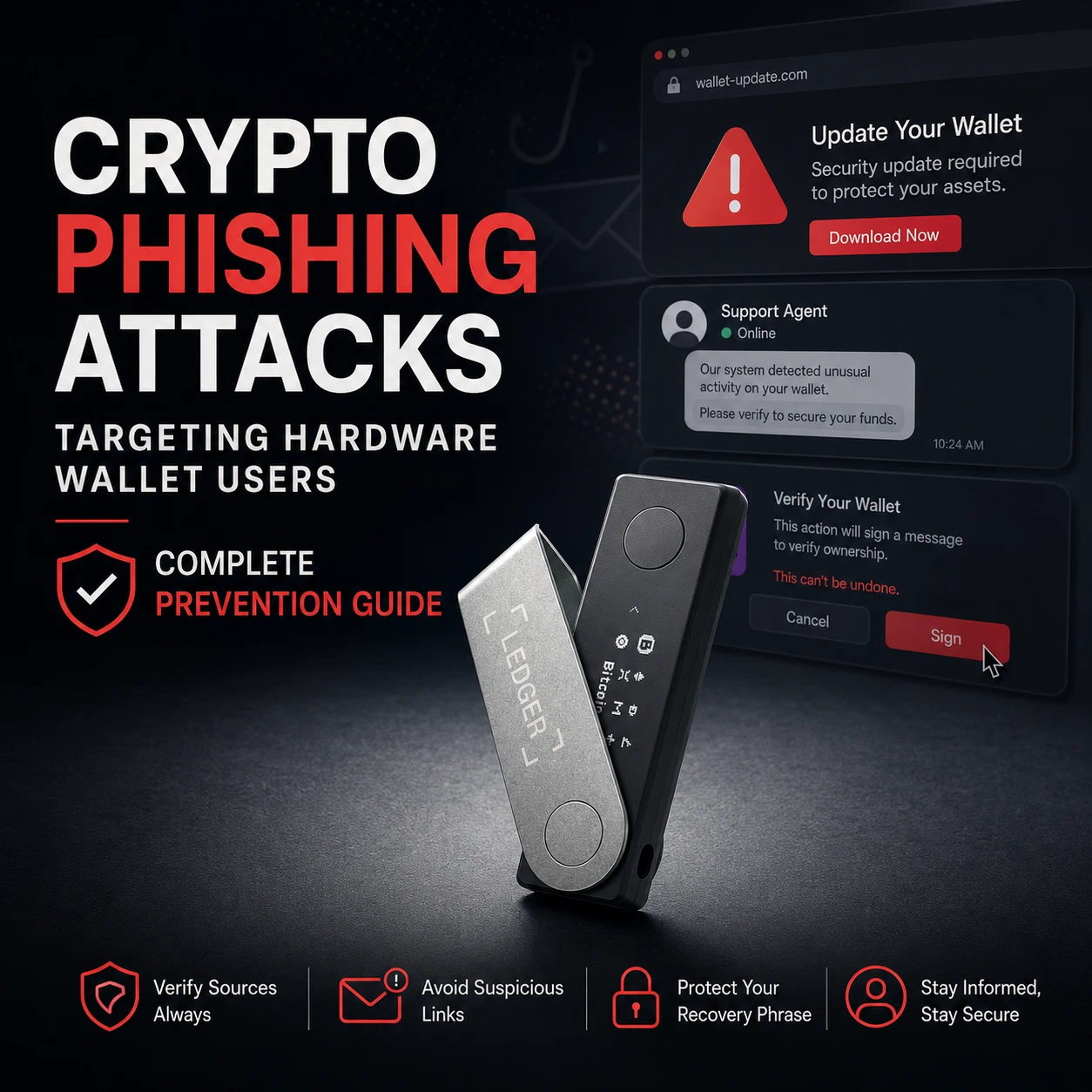
Hardware-wallet users can still lose crypto to phishing even when the private key never leaves the device.
Attackers usually pursue one of two outcomes: convince the owner to reveal the recovery phrase, or persuade the legitimate device to sign a harmful transaction. A hardware wallet can isolate keys from an infected computer, but it cannot reverse a blockchain transfer or decide whether every contract, destination and support message is trustworthy.
Effective hardware wallet phishing prevention therefore depends on verifying both the secret and the action.
Never type a recovery phrase into a website, desktop application, mobile application, browser extension, support ticket or cloud document. Ledger Wallet, Trezor Suite and legitimate support representatives do not need your complete wallet backup to investigate an ordinary problem.
Why Hardware Wallet Users Are Prime Phishing Targets
A self-custody user controls the keys and can authorize transactions without an exchange or payment provider reversing the result.
That independence creates an attractive target. If a scammer obtains the recovery phrase, the wallet can often be reconstructed elsewhere. If the scammer obtains a valid malicious signature, assets may move while the recovery phrase remains secret.
Hardware-wallet phishing commonly exploits four pressures:
- Urgency: “Update immediately or lose access.”
- Authority: “We are the official security team.”
- Fear: “Your device has been compromised.”
- Reward: “Claim your NFT, replacement device or airdrop.”
Current phishing campaigns documented by Ledger include fake wallet applications, false security updates and claims that a device will be blocked or deactivated. Ledger states that it cannot remotely deactivate a self-custody device and that such instructions should be treated as fraudulent.
Trezor similarly warns that scammers use professional-looking calls, emails and messages while impersonating support. Its guidance treats any request for a wallet backup, PIN, password or authentication code as a scam.
Why phishing messages can appear convincing
Attackers may know:
- Your name
- Your email address
- That you own crypto
- Which device brand you use
- A recent transaction or public wallet address
- That you previously contacted customer support
In January 2024, Trezor disclosed unauthorized access involving a third-party support-ticketing portal and warned that affected contact information could increase phishing exposure. The company stated that wallets were not compromised through the incident itself.
The lesson is broader than one incident: a message containing accurate personal information is not necessarily authentic.
Type 1: Fake Wallet App & Fake Firmware Update Scams
A counterfeit wallet application imitates the design and name of legitimate software.
The fake app may initially behave normally. It can show a setup screen, display a fabricated security alert or instruct the user to “synchronize,” “repair” or “validate” the wallet by entering the recovery phrase.
Common warning signs
- Download link received through email or direct message
- Search advertisement placed above the genuine website
- Misspelled or slightly altered domain
- Browser extension pretending to be desktop wallet software
- Application requesting recovery words after installation
- “Mandatory security update” with a short deadline
- Claim that assets must be migrated to a protected account
- Request to enable remote access to complete an update
- Device transaction appearing unexpectedly after installing an app
Ledger documents counterfeit applications that use prompts such as “activate clear signing,” “secure your accounts” and “urgent security update needed” before requesting the recovery phrase.
Tangem also warns that counterfeit crypto applications can be distributed through phishing links, social media communities and, in some cases, application stores before being removed.
How legitimate updates differ
A genuine firmware update should begin inside the official wallet application obtained from the manufacturer’s known website or verified store listing.
It should not require you to:
- Submit the recovery phrase to a webpage
- Send crypto to a “safe” address
- Pay an activation fee
- Install screen-sharing software
- Contact a private Telegram or WhatsApp account
- Approve an unrelated transaction
Ledger publishes cryptographic hashes and signatures for users who want to verify the authenticity of its desktop installer. A mismatched installer hash or developer identity is a reason to stop before installation.
Hypothetical Example
A user receives an email claiming that a critical firmware vulnerability affects their wallet.
The email links to a page that copies the manufacturer’s design and asks for the recovery phrase before displaying an “update.” The update is fictional; entering the phrase gives the attacker everything required to recreate the wallet.
The correct response is to close the page, open the official application independently and check the manufacturer’s security page without using the email link.
Type 2: Fake Customer Support Social Engineering
Fake support agents appear in:
- Search results
- Social media replies
- Community forums
- Direct messages
- Phone calls
- Text messages
- Messaging applications
- Comments beneath tutorial videos
They often contact users who have publicly posted about a wallet problem. A message may arrive within minutes of asking a question.
Common support-scam scripts
- “Your wallet needs to be synchronized.”
- “We detected an unauthorized login.”
- “Your recovery phrase must be validated.”
- “Your device certificate has expired.”
- “Move your assets before the account is frozen.”
- “Install this diagnostic application.”
- “Share your screen so we can help.”
- “Pay a refundable fee to unlock the transfer.”
Ledger and Trezor both state that legitimate support does not ask for the complete recovery phrase. Ledger also warns that scammers impersonate staff by phone and through social media accounts.
What legitimate support may request
A genuine support interaction may reasonably ask for:
- Device model
- Firmware version
- Operating system
- Public transaction ID
- Public wallet address
- Error message
- Application logs that contain no secrets
- Purchase or shipping information
It should not require:
- Recovery phrase
- Private key
- Device PIN
- Passphrase
- Remote control of the computer
- Transaction approval unrelated to the reported problem
Hypothetical Example
A user posts that their hardware wallet will not connect to a browser extension.
An account using the manufacturer’s logo replies and asks the user to continue in a private message. The “agent” sends a wallet-repair link that requests the recovery phrase.
The correct action is to block the account and open the manufacturer’s support page by typing or using a saved official address.
Type 3: NFT Mint / Airdrop Signature Phishing
NFT and airdrop phishing often avoids asking for the recovery phrase.
Instead, the attacker wants a valid wallet signature.
A fake mint page may ask the user to:
- Approve an NFT operator
- Grant unlimited token allowance
- Sign an off-chain permit
- Confirm a marketplace order
- Authorize a contract presented as a free claim
- Transfer an NFT under the label “verification”
Tangem describes wallet drainers as tools that trick users into granting spending permission rather than attacking the blockchain or extracting the hardware wallet’s private key.
Common warning signs
- Unsolicited NFT appears in the wallet
- NFT artwork contains a website or QR code
- “Free” airdrop requires wallet approval
- Mint link arrives through a direct message
- Website uses a newly registered or misspelled domain
- Hardware device shows an approval unrelated to the advertised action
- Transaction requests unlimited access to a collection or token
- Request contains unreadable data or blind-signing warning
- Claim requires sending crypto first
Ledger’s active-phishing page warns that fraudulent NFTs may be deposited into wallets with instructions to visit a reward website. Its recommendation is to treat them as spam and avoid interacting with them.
Tangem similarly notes that fake airdrop pages may request private information or wallet permissions that allow assets to be drained.
Connecting is not the same as signing
Merely viewing a public NFT does not normally reveal the private key.
Risk increases when the user:
- Connects the wallet
- Signs a message
- Approves a contract
- Grants token or NFT permissions
- Executes an on-chain transaction
A hardware wallet may accurately sign the instruction the user approved. It cannot guarantee that the instruction matches the marketing text on the website.
Use account separation
A practical structure is:
- Vault account: Long-term assets and valuable NFTs
- Active account: Established marketplaces and regular DeFi use
- Burner account: New mints, unknown projects and experimental interactions
Wallet separation does not make phishing harmless. It limits the assets exposed to one malicious approval.
Type 4: Address Poisoning & Dusting Attacks
Address poisoning manipulates transaction history.
The attacker creates an address that resembles one the victim previously used, often matching visible characters at the beginning and end. A small transaction, zero-value transfer, NFT or fabricated history entry is then sent so the lookalike address appears inside the wallet’s activity list.
The attacker hopes the user will later copy the poisoned address from transaction history.
Typical warning signs
- Unknown small token transfer
- Unsolicited NFT
- Zero-value transaction
- “Sent” entry that the user did not initiate
- Address resembling a regular recipient
- Tiny deposit followed by no message or legitimate purpose
Address poisoning does not automatically compromise the wallet
An unwanted transaction does not prove that the recovery phrase or private key was stolen.
Public blockchains allow other users to send assets or create certain transaction-history entries involving a public address. The immediate danger is copying the attacker’s lookalike address later.
Dusting and address poisoning are related but not identical
A dusting transaction is a very small unsolicited transfer. It may be used for spam, analytics, phishing or address poisoning.
Do not interact with an unknown token or NFT merely to remove it. MetaMask advises users to leave suspicious airdropped tokens alone because attempting to claim or move them can lead to harmful interactions.
Safe address procedure
Before sending:
- Generate the destination from the original receiving wallet.
- Use a saved address book only after verifying the complete entry.
- Do not copy from transaction history.
- Verify the destination on the hardware-wallet screen where supported.
- Compare more than the first and final characters.
- Send a test transaction to a new recipient.
MetaMask introduced blocking warnings for destination addresses that closely resemble previous recipients, but automated detection should remain an additional control rather than the only verification step.


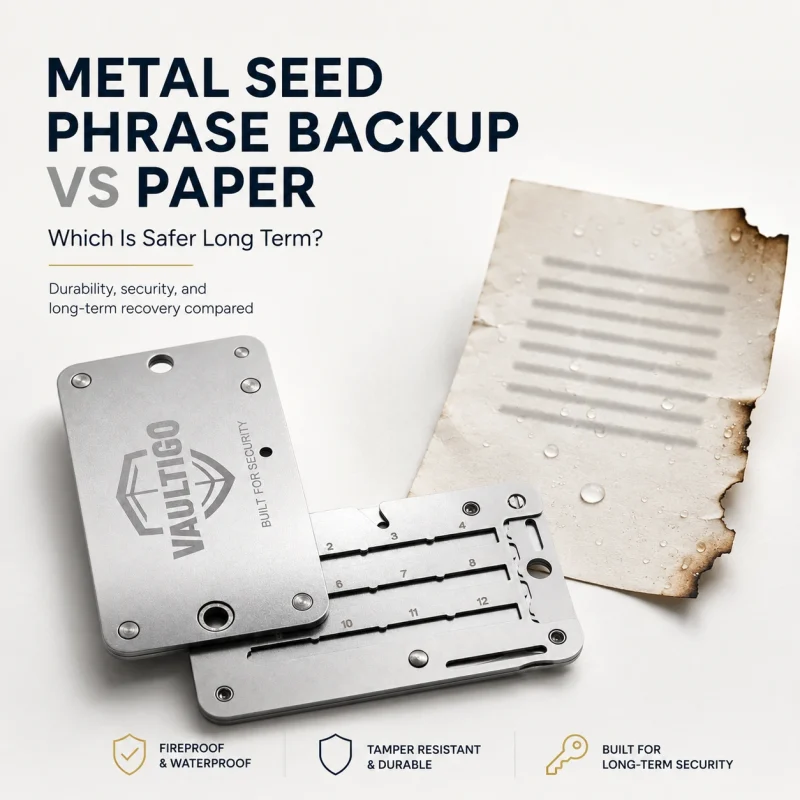
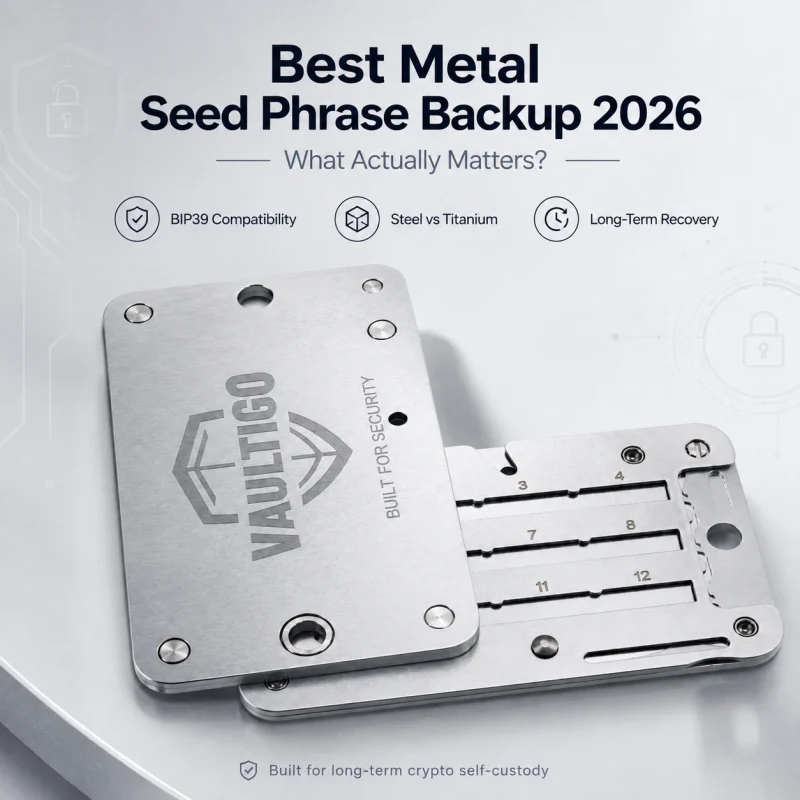
VAULTIGO 4-Letter Metal Seed Phrase Backup System
Original price was: $99.00.$59.99Current price is: $59.99.VAULTIGO 4-Letter Metal Seed Phrase Backup is a reusable stainless steel backup system designed to store your recovery words offline. Built for standard English BIP39 seed phrases, each recovery word can be identified by its first four letters, helping you create a compact, organized, and durable backup without punching, engraving, or hammering.
- Stores the first 4 letters of each recovery word
- Designed for standard English BIP39 word lists
- No punching, engraving, or hammering required
- Reusable metal letter tiles
- Water and corrosion resistant stainless steel design
- Lockable structure for added physical protection
- Ideal for hardware wallets, cold wallets, and long-term crypto self-custody
Type 5: Supply Chain & Fake Product Page Scams
Supply-chain phishing begins before the wallet is initialized.
An attacker may advertise a discounted device, create a fake manufacturer store or send an unsolicited “replacement wallet.” The package may include a prewritten recovery phrase and instructions claiming that the wallet is already protected.
Immediate red flags
- Recovery words printed or handwritten in the box
- Device already initialized
- PIN supplied by the seller
- Existing accounts visible
- Instructions to restore a supplied phrase
- Setup link using an unfamiliar domain
- Package sent unexpectedly
- Seller refuses official authenticity checks
- Product page claims a “pre-secured” wallet
- Discount is conditional on using included recovery information
Ledger documents pre-seeded device scams in which the attacker already knows the included recovery phrase and can control any assets later deposited into that wallet. A legitimate new Ledger does not arrive with a prewritten recovery phrase.
Trezor’s firmware-authenticity system is also intended to identify counterfeit devices that may circulate through unauthorized stores and marketplaces.
Packaging alone is not sufficient
A damaged box is not automatic proof of malicious modification. A perfectly sealed-looking box is not proof that the supplied recovery instructions are safe.
Verify:
- Purchase source
- Blank recovery cards
- Factory setup state
- Official application
- Manufacturer authenticity check
- Firmware status
- Device-generated recovery information
For Ledger devices, Ledger Wallet can run a cryptographic Genuine Check against the Secure Element. Trezor Safe devices support manufacturer-documented firmware and device-authentication checks.
Buy through a traceable source
Purchasing a new device from the manufacturer or a trusted authorized retailer reduces avoidable supply-chain uncertainty.
CryptoSafeKit states that its hardware wallets are new, factory-sealed and sourced through authorized manufacturers or official distributors. Readers can review the CryptoSafeKit hardware-wallet collection after confirming that the selected model supports their assets and recovery requirements.
This is a retailer statement, not a guarantee that users can ignore their own authenticity checks. Every buyer should initialize the device personally and reject any supplied recovery phrase.
Your Hardware Wallet Phishing Protection Checklist
Protect the recovery phrase
- Generate it on the hardware device.
- Record it offline.
- Never photograph it.
- Never type it into wallet software.
- Never send it to support.
- Keep it separate from the device.
- Treat any exposed phrase as compromised.
Verify applications and websites
- Type or bookmark official domains.
- Avoid search-ad download links.
- Download applications through known official sources.
- Verify installer signatures or hashes where practical.
- Review application publisher information.
- Reject unexpected recovery prompts.
Verify every transaction
- Read the hardware-wallet display.
- Confirm the recipient.
- Confirm the amount.
- Confirm the network.
- Inspect token or NFT approvals.
- Reject unexplained blind-signing requests.
- Do not approve a transaction merely because support instructed you to.
Protect online identity
- Avoid publicly announcing wallet balances.
- Do not post device serial numbers.
- Remove location data from photographs.
- Treat unsolicited direct messages as hostile.
- Use unique passwords and strong account authentication.
- Separate public community accounts from sensitive purchase records.
Separate wallet roles
- Keep long-term assets away from experimental dApps.
- Use a limited active account for routine interactions.
- Use a burner account for unknown mints.
- Revoke unnecessary token and NFT approvals.
- Keep only the required balance in high-risk accounts.
Add physical travel controls
A hardware wallet carried during travel should remain powered down, physically controlled and separated from its recovery backup.
A properly closed Faraday bag may reduce Bluetooth, NFC, cellular or other wireless communication reaching enclosed devices. It does not block phishing, protect a recovery phrase or stop the owner from signing a malicious transaction.
Readers who need an additional travel-storage layer can review the CryptoSafeKit Faraday signal-blocking bag. Treat it as an accessory—not as a replacement for transaction verification, device authentication or offline backup security.
What to Do If You Suspect You’ve Been Phished
The correct response depends on what was exposed.
Scenario 1: You opened a suspicious message but shared nothing
- Close the page.
- Do not download attachments.
- Block the sender.
- Report the domain or account.
- Run security checks on the device.
- Open official wallet software independently.
- Review recent transactions and approvals.
No asset migration is automatically required merely because a phishing page was viewed.
Scenario 2: You installed a suspicious wallet application
Disconnect the hardware wallet and remove the application.
Then:
- Obtain the genuine wallet application from the official source.
- Scan the computer or use a known-clean device.
- Review accounts and transaction history.
- Check token and NFT approvals.
- Reject any transaction still waiting on the hardware device.
- Consider moving assets if any secret was entered or malicious transaction signed.
Do not type the recovery phrase into the replacement application.
Scenario 3: You entered the recovery phrase
Treat every account derived from that phrase as compromised.
A cautious recovery process is:
- Obtain and verify a trusted hardware wallet.
- Initialize it as a completely new wallet.
- Generate a new recovery phrase.
- Record and verify the new backup offline.
- Generate a new receiving address.
- Verify that address on the hardware device.
- Transfer assets from the compromised wallet.
- Retire the old phrase after every relevant asset has moved.
Do not reuse the exposed phrase with a new PIN or passphrase and assume it is safe. Anyone who recorded the original words may continue to access its accounts.
Scenario 4: You signed a suspicious approval or NFT transaction
- Stop interacting with the website.
- Disconnect active wallet sessions.
- Review the transaction on the correct block explorer.
- Identify the token, NFT or operator permission.
- Revoke malicious permissions through a verified interface.
- Move unaffected valuable assets to a clean wallet when appropriate.
- Do not send extra gas into an account suspected of containing an automated sweeper without specialist guidance.
Tangem’s incident-response guidance recommends revoking malicious dApp permissions and treating follow-up support offers with suspicion.
Scenario 5: You copied a poisoned address but have not sent
Delete it and regenerate the correct receiving address from the destination wallet.
Verify the complete address again. Do not rely on the transaction history entry.
Scenario 6: You sent funds to a poisoned address
A confirmed blockchain transaction may not be reversible.
Preserve:
- Transaction ID
- Destination address
- Time
- Amount
- Screenshots of the scam
- Website and sender details
Report the incident to the relevant wallet provider, exchange where applicable, domain registrar, platform and appropriate authorities. Do not pay an unsolicited recovery agent or disclose the recovery phrase.
Final Thoughts
Hardware-wallet phishing succeeds by making an unsafe action appear normal.
The message may look professional. The website may copy the manufacturer precisely. The support representative may know your name, device and recent problem.
The defensive process must remain the same:
- Protect the recovery phrase.
- Open official applications independently.
- Verify every transaction on the trusted display.
- Reject urgent instructions received through unsolicited contact.
- Avoid unknown NFT and token interactions.
- Generate addresses from the destination wallet rather than transaction history.
- Initialize every new hardware wallet yourself.
- Move assets immediately when a recovery phrase is exposed.
The hardware wallet protects the key.
Your verification process protects what the key is allowed to do.
5. Security Notice
Standard Security Notice
This article is provided for general educational and self-custody security purposes only. It does not constitute financial, investment, trading, tax, legal or individualized cybersecurity advice.
Phishing campaigns, wallet applications, firmware processes, marketplaces and transaction-signing interfaces can change. Verify current instructions through the relevant manufacturer’s official security and support pages.
No hardware wallet, software application, physical accessory or authentication process eliminates every form of phishing, malware, social engineering, supply-chain interference or user error.
CryptoSafeKit will never request a recovery phrase, private key, device PIN, wallet password or optional passphrase through a website, email, direct message, support form, cloud service or remote-access session.
Article-Specific Notice
A hardware wallet may correctly sign a malicious transaction when the legitimate owner approves it.
A Faraday bag may reduce wireless communication when correctly closed, but it does not prevent fake applications, seed-phrase phishing, malicious approvals or address poisoning.
6. FAQ
1. Can a hardware wallet be phished?
Yes. The attacker may trick the user into revealing the recovery phrase or approving a harmful transaction while the private key remains inside the device. Hardware isolation does not prove that the requested action is legitimate.
2. Will legitimate hardware-wallet support ever ask for my recovery phrase?
No legitimate support investigation requires the complete recovery phrase. Ledger and Trezor both state that requests for recovery words or wallet backups should be treated as scams.
3. How can I identify a fake hardware-wallet app?
Be cautious when the application comes from an email, advertisement, direct message or unfamiliar domain. A wallet application requesting recovery words for an update, synchronization or security check is fraudulent.
4. Can an NFT drain a hardware wallet?
Receiving an unknown NFT does not usually expose the private key by itself. The danger begins when the user follows its link, connects the wallet and signs a malicious approval or transaction.
5. Does address poisoning mean my wallet was hacked?
Not necessarily. Attackers can send small transfers or create lookalike history entries using public blockchain information without learning the private key. The objective is to make you copy the wrong address later.
6. What should I do after entering my seed phrase on a phishing site?
Create a completely new wallet with a new recovery phrase on a trusted device, verify the new address and move all remaining assets. Treat every account derived from the exposed phrase as compromised.
7. Is buying a hardware wallet from a marketplace safe?
It introduces more uncertainty than buying from the manufacturer or a trusted authorized retailer. Never use a device that arrives initialized, contains a supplied PIN or includes prewritten recovery words.
8. Does a Faraday bag stop crypto phishing?
No. It may reduce wireless communication to an enclosed device, but phishing targets user decisions, secrets and transaction approvals. It should be treated only as an additional physical or travel-security layer.