




Is Ledger the Best Hardware Wallet for Beginners in 2026?

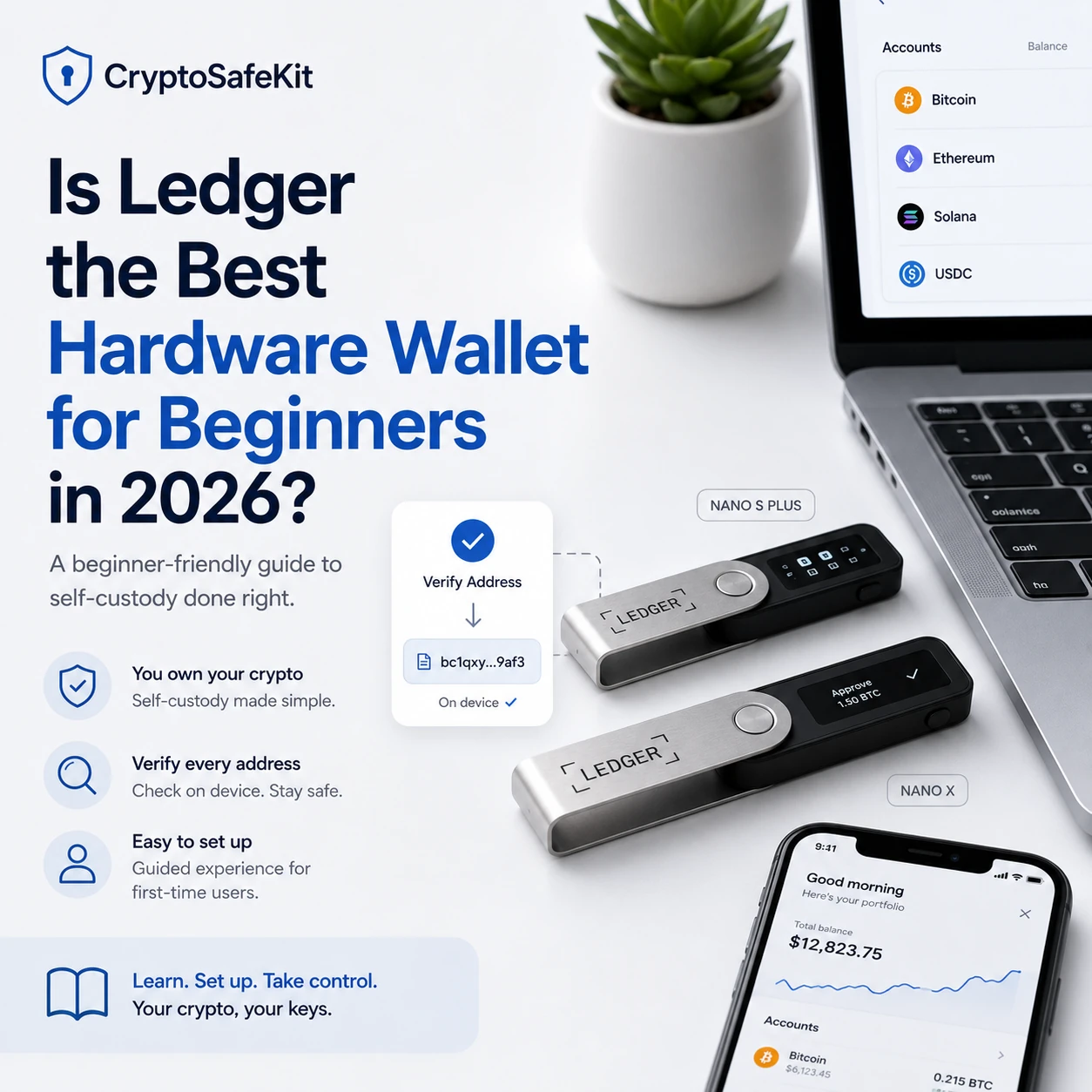
Ledger remains one of the first brands beginners encounter when researching hardware wallets. Its devices are widely supported, the companion software provides a guided setup process, and the Nano range gives users a relatively familiar way to move from an exchange or software wallet into self-custody.
That does not automatically make Ledger the best hardware wallet for every beginner.
A hardware wallet is only one part of a secure self-custody system. The user must still protect the recovery backup, verify addresses, recognize phishing attempts, update the device safely, and understand exactly what is being approved on the hardware screen.
For many first-time users, Ledger provides a practical balance between security, usability, and blockchain support. For others, a Trezor device with a stronger open-source emphasis or a Tangem wallet with a card-based backup model may be easier to understand.
The more accurate conclusion is this:
Ledger is one of the strongest mainstream hardware wallet options for beginners in 2026, provided the user is prepared to manage a recovery phrase and verify every important action on the device itself.
What Should a Beginner Expect From a Hardware Wallet?
Beginners often evaluate hardware wallets by asking which one has the simplest app or the most attractive design. Those factors matter, but they should not be the primary criteria.
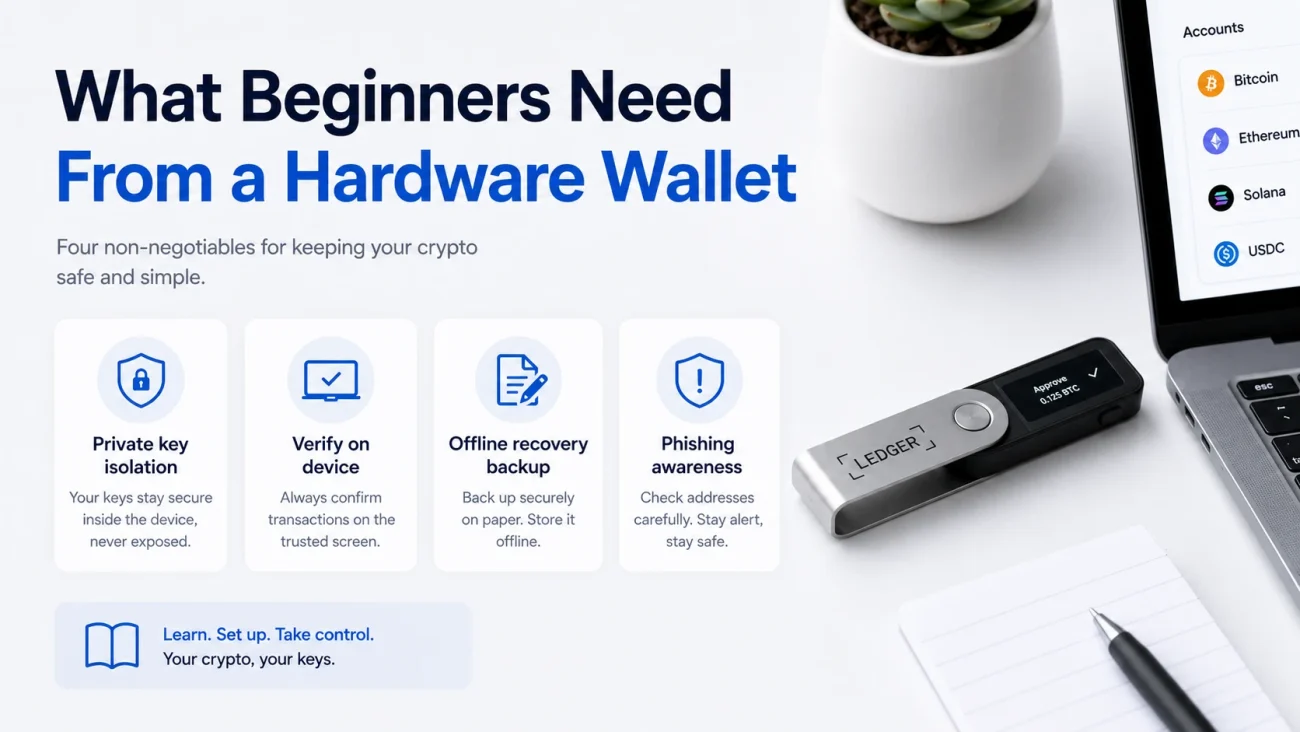
A beginner-friendly hardware wallet should provide:
- Private-key isolation from the connected phone or computer
- A trusted device screen for checking transactions
- A clearly documented recovery process
- Protection against repeated PIN guessing
- A way to verify that the device is genuine
- Support for the blockchains the user actually needs
- Maintained firmware and security updates
- Understandable warnings when an action could be dangerous
It should also make the limits of the device clear.
A hardware wallet cannot determine whether an investment is legitimate. It cannot reverse a blockchain transaction. It cannot recover funds after a user enters a recovery phrase into a phishing website. It may also be unable to explain every permission contained in a complex smart contract.
The easiest crypto hardware wallet is therefore not necessarily the device with the fewest setup steps. It is the device that helps a user understand what must be protected and what must be verified.
For a broader introduction to these responsibilities, read the Hardware Wallet Beginner Guide.
Why Ledger Is Often Recommended to Beginners
A Guided Software Experience
Ledger devices are used with Ledger Wallet, the application previously known as Ledger Live. The application guides users through device setup, authenticity verification, blockchain-app installation, account creation, receiving, sending, and firmware management.
The name change may cause some confusion because many older tutorials still refer to Ledger Live. Users should treat “Ledger Wallet” as the current name of the official Ledger application and remain cautious of search advertisements or download pages using similar branding.
The application can make the first steps of self-custody less intimidating, but it should not be treated as the ultimate source of truth for a transaction. The hardware device screen remains the trusted place to confirm a receiving address, destination address, amount, and other supported transaction details.
On-Device Transaction Verification
A Ledger device does not hold coins inside the physical product. Crypto assets remain recorded on their respective blockchains.
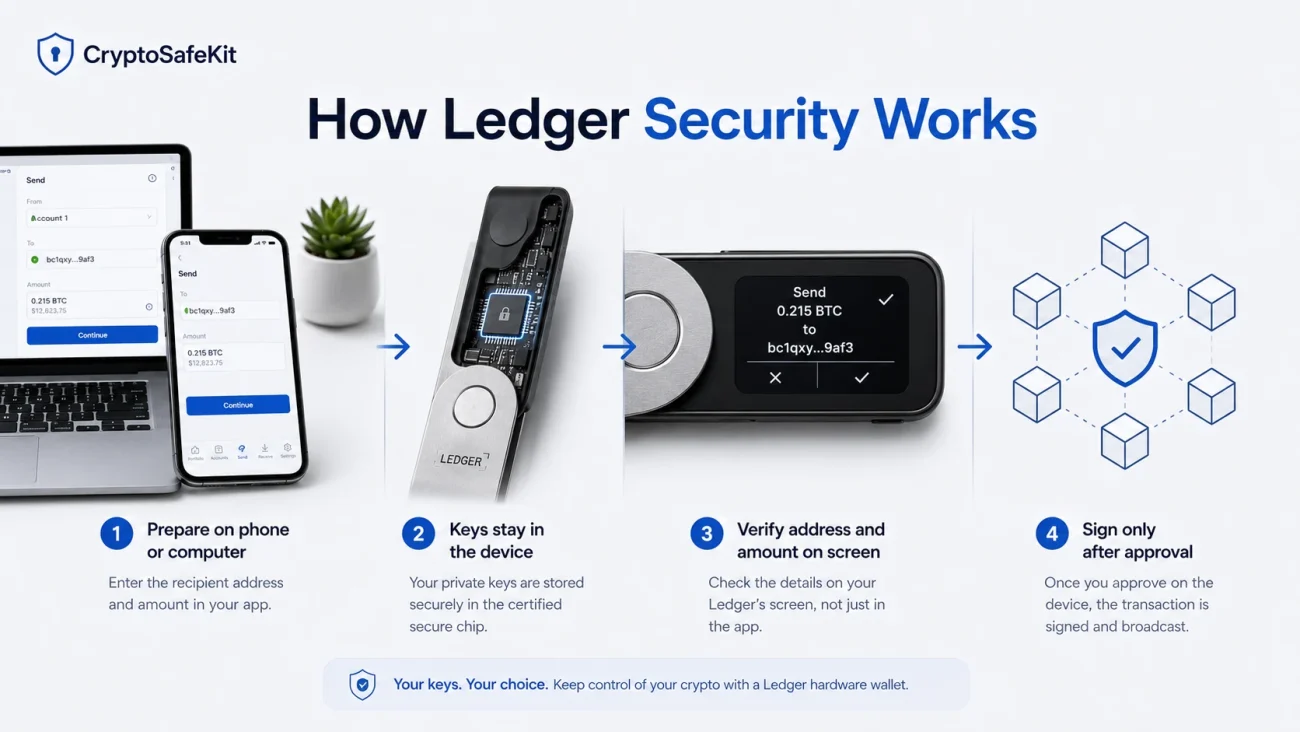
The device protects the private keys used to authorize transactions. When a user prepares a transaction on a phone or computer, the Ledger device displays information for review and produces the cryptographic signature only after physical approval.
This separation matters because the connected computer may be infected or the wallet interface may display manipulated information. A user should therefore compare important details on the Ledger screen rather than approving a transaction based only on the computer or phone.
Ledger describes its secure screen as being controlled through its Secure Element architecture, so transaction information displayed by the device is not simply copied from the host computer.
Broad Blockchain Support
Ledger’s ecosystem supports a large range of blockchain networks, tokens, and third-party wallet integrations. This is useful for beginners who do not want to replace their hardware wallet each time they start using a different supported network.
However, “supported” can mean several different things:
- The blockchain app can be installed on the device.
- The account can be managed directly in Ledger Wallet.
- The device can be connected to a compatible third-party wallet.
- A token can be secured through an account on a supported network.
Before buying any hardware wallet, confirm support for the exact asset, network, account type, and intended wallet interface. Do not assume that support for a blockchain automatically means every token or feature is available directly inside Ledger Wallet.
Device Authenticity Verification
Ledger Wallet runs a cryptographic Genuine Check during setup and when the device connects to the “My Ledger” section. This check is intended to confirm that the device contains a genuine Ledger Secure Element capable of producing the expected cryptographic proof.
This is valuable for beginners, but it does not remove the need for supply-chain caution.
Buy from Ledger or an authorized seller. The recovery sheets should be blank. The device should ask the owner to create a new PIN and generate a new recovery phrase during setup. A device that arrives with a completed phrase, a preset PIN, or instructions to enter a phrase into a website must not be used.
A 2026 counterfeit-wallet case demonstrated how convincing fake packaging and malicious onboarding instructions could target inexperienced buyers. In that case, the official software’s authenticity check helped identify the counterfeit device.
How Ledger’s Security Model Works
Ledger Nano devices use a Secure Element, a specialized chip designed to protect sensitive information and resist certain physical and logical attacks. Ledger OS and device applications perform signing operations within this protected environment.
The Nano X product specification identifies an ST33J2M0 Secure Element with a Common Criteria EAL5+ chip certification. This certification applies to the evaluated chip and security target; it should not be interpreted as a guarantee that the complete wallet, every application, or every possible user workflow is risk-free.
The main components of the security model are:
The PIN: Protects access to the physical device. A strong PIN helps reduce the risk of unauthorized use after loss or theft.
The Secret Recovery Phrase: Represents the backup from which the wallet’s private keys can be restored. Anyone who obtains it can generally recreate the wallet without possessing the original Ledger device.
The Secure Element: Stores and processes sensitive key material within a hardened chip environment.
Ledger OS: Runs blockchain applications and separates them within the device architecture.
The device screen and buttons: Allow the user to inspect and physically approve supported actions.
Ledger publishes substantial portions of its application ecosystem and client software, but its Secure Element operating environment is not completely open source. Ledger states that this is partly due to Secure Element architecture and intellectual-property restrictions. Users who prioritize full firmware transparency may prefer a different security design.
This is not automatically evidence that Ledger is insecure. It is a trust-model difference that buyers should understand.
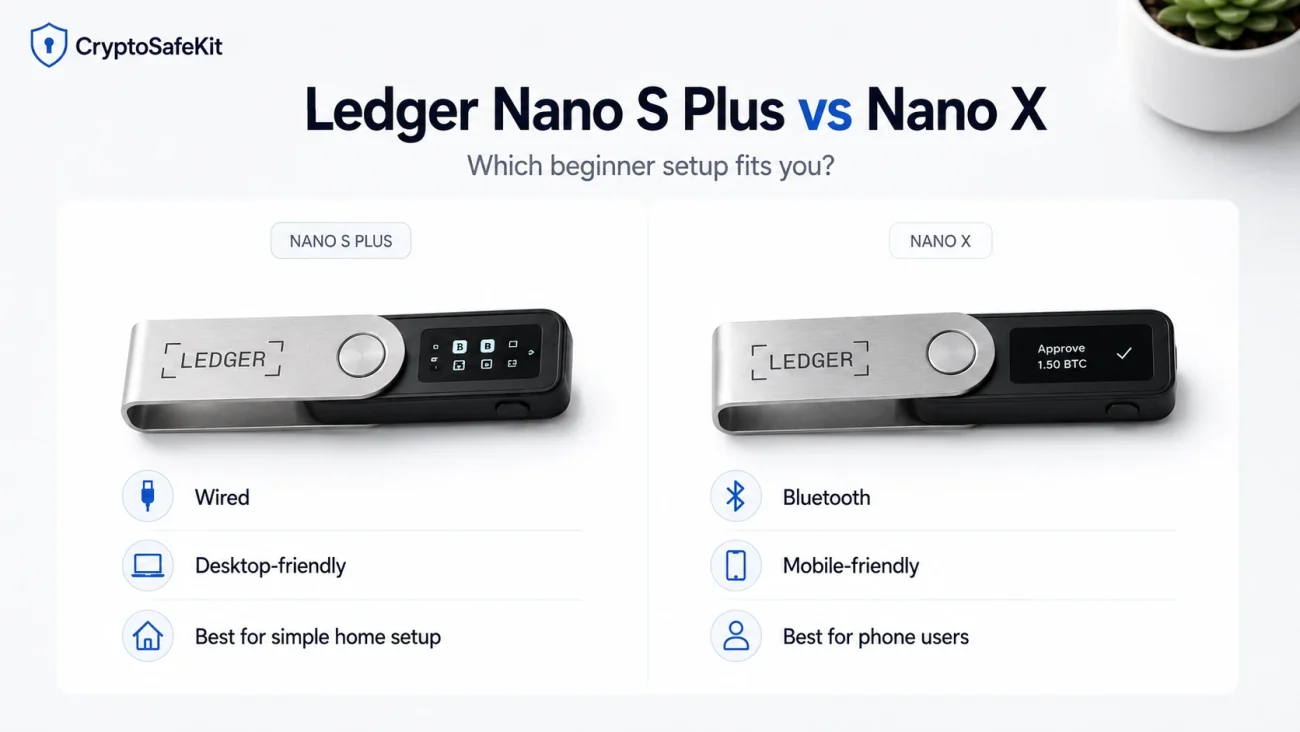
Ledger Nano S Plus vs Nano X for Beginners
The Nano S Plus and Nano X share the same basic self-custody model: the user creates or restores a wallet, protects the recovery phrase, installs blockchain applications, and confirms transactions on the device.
The main difference for a beginner is connectivity.
Choose the Ledger Nano S Plus If:
- You mainly use a desktop computer or compatible Android device
- You prefer a wired connection
- You do not need Bluetooth or iPhone connectivity
- You want a simpler device with fewer mobile-use considerations
- The wallet will usually remain stored at home or in an office
Choose the Ledger Nano X If:
- You want to use the wallet with an iPhone
- You frequently manage accounts from a smartphone
- Bluetooth connectivity is important to your workflow
- You expect to use the device while travelling
- You accept the additional maintenance considerations of a battery-powered device
Ledger states that the Nano X can connect to iOS, Android, and desktop systems, using Bluetooth for mobile connectivity and USB for supported wired environments.
Bluetooth does not mean the private keys are transmitted to the phone. Transactions are still signed within the hardware device. Nevertheless, users who prefer to minimize wireless interfaces may feel more comfortable with the wired Nano S Plus.
Neither model is universally better. The Nano S Plus is often the more straightforward choice for a desktop-based beginner. The Nano X is usually more convenient for mobile users.
You can compare the available devices in the Ledger Wallet Collection.
Ledger Nano S Plus Review for First-Time Users
The Nano S Plus is a sensible entry point for users who want conventional recovery-phrase-based self-custody without paying for mobile Bluetooth connectivity.
Its main strengths are:
- A relatively established setup process
- Physical transaction confirmation
- Support for many blockchain applications
- Integration with Ledger Wallet and compatible third-party wallets
- A Secure Element-based architecture
- No need to depend solely on a phone-based software wallet
Its limitations are equally important:
- The small screen requires careful scrolling
- Entering information with two buttons can feel slow
- It is not designed for direct iPhone use
- The recovery phrase creates a critical physical backup responsibility
- Complex smart-contract interactions may still be difficult for beginners to interpret
- Some users may prefer a more open firmware architecture
The Nano S Plus is best suited to a beginner who plans to store assets for longer periods, performs transactions deliberately, and is willing to learn a structured backup process.
It is less suitable for someone who wants a tap-and-go mobile experience or who is unlikely to protect a written recovery phrase correctly.
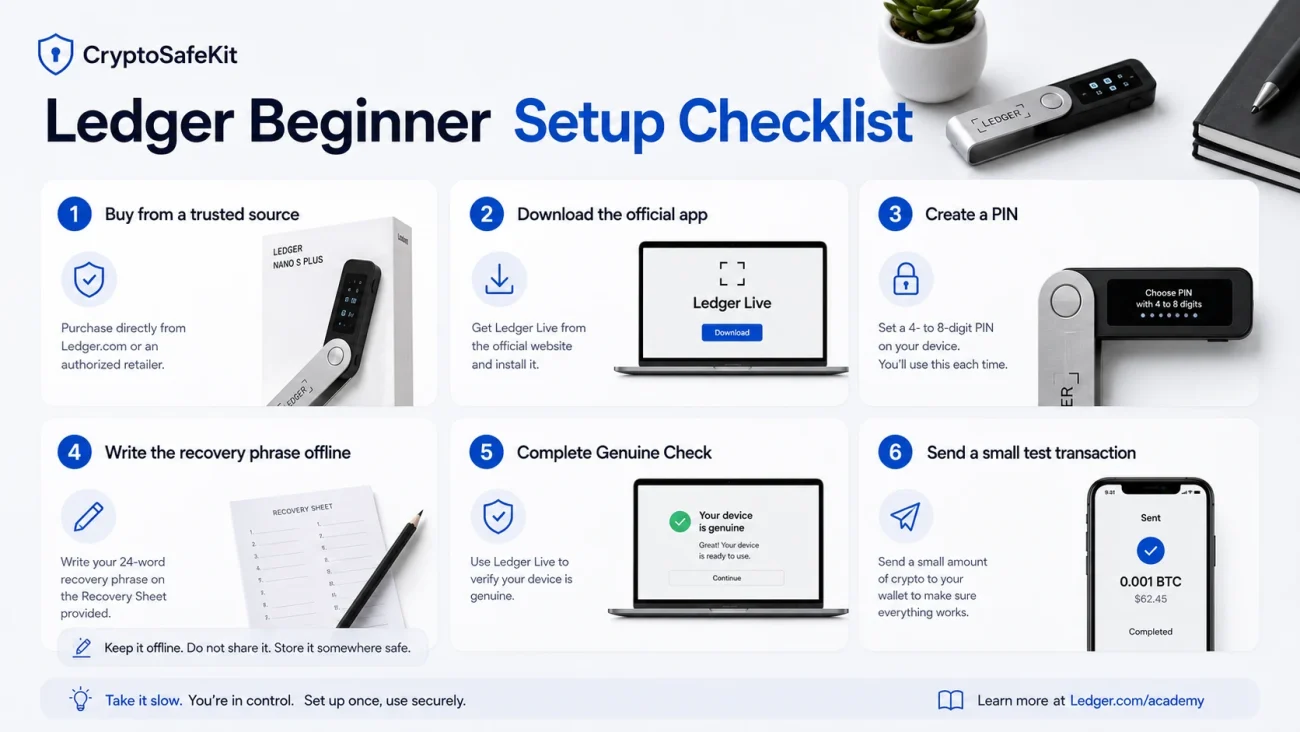
Ledger Nano X Beginner Setup
The following process is designed to reduce common setup mistakes.
1. Buy From a Trusted Source
Purchase from Ledger or an authorized reseller. Avoid unexplained discounts, used hardware wallets, and listings that cannot establish a credible supply chain.
Do not rely only on stickers or sealed packaging. Ledger specifically notes that it uses cryptographic device verification rather than treating packaging seals as proof of authenticity.
2. Download Ledger Wallet From the Official Source
Navigate to Ledger’s official website manually or through a verified bookmark.
Avoid downloading wallet software from sponsored search results, direct messages, unsolicited support emails, browser pop-ups, or QR codes included in suspicious packaging.
Advanced users can verify the installer’s published hash and signature. Ledger provides a documented verification process for desktop downloads.
3. Select “Set Up as New Device”
A new wallet should generate its recovery information on the Ledger device.
Do not use a phrase printed in the box. Do not accept a PIN supplied by a seller. Do not enter a phrase from packaging into the device.
4. Create a Strong PIN
Ledger supports a four- to eight-digit device PIN. Avoid obvious sequences, repeated digits, birth years, or codes reused elsewhere.
The PIN protects the physical device. It does not replace the recovery phrase.
5. Record the 24-Word Secret Recovery Phrase Offline
Write each word in the exact order displayed by the device.
Do not:
- Photograph the phrase
- Save it in cloud storage
- Type it into a notes application
- Email it to yourself
- Store it in a password manager
- Send it through a messaging application
- Enter it into Ledger Wallet on a computer or phone
Ledger states that its support team will not request the recovery phrase and that it should not be entered into a mobile application, desktop application, or website.
6. Complete the Genuine Check
Allow Ledger Wallet to verify the device’s Secure Element.
Stop the setup if the authenticity check fails. Do not search for unofficial “bypass” tools or follow instructions from social-media support accounts.
7. Install Only the Blockchain Applications You Need
Install the official device apps required for the networks you intend to use. Beginners do not need to install every available application.
8. Add an Account and Verify a Receiving Address
When receiving crypto, generate the address through the wallet interface and verify it on the Ledger device screen.
The address on the hardware screen should match the address shown on the computer or phone. This step helps detect clipboard malware, interface manipulation, and address-replacement attacks.
9. Send a Small Test Transaction
Before transferring a significant balance, send a small amount over the correct network. Confirm that it arrives in the intended account and that you understand the network fee and confirmation process.
This does not guarantee that every future transaction will succeed, but it can expose an incorrect network, incompatible address type, or misunderstanding before a larger transfer.
10. Confirm That the Backup Is Usable
Ledger provides a Recovery Check application that can verify a recovery phrase through the hardware device without typing it into a computer.
Use only the official device application. Never test a recovery phrase on a website or ordinary software wallet.
The Most Important Beginner Rule: Protect the Recovery Phrase
The hardware wallet is replaceable. The recovery phrase is the critical backup.
If a Ledger device is lost or damaged, a compatible wallet can generally restore access using the correct recovery phrase. Ledger documents support for restoring compatible BIP39 recovery phrases on its devices.
If the recovery phrase is stolen, an attacker may not need the physical Ledger or its PIN.
If the phrase is lost and the device later becomes inaccessible, the assets may become permanently unrecoverable unless the user has arranged another valid recovery method.
A paper card can be suitable for an initial low-value setup, but paper is vulnerable to water, fire, fading, accidental disposal, and physical discovery. A correctly designed metal backup can improve resistance to some environmental damage, but it does not prevent theft or unauthorized copying.
Metal storage should therefore be treated as durability protection, not complete security.
Beginners should also avoid adding a BIP39 passphrase until they understand the recovery consequences. Ledger describes the passphrase feature as an advanced option. A forgotten, misspelled, or incorrectly documented passphrase can make the associated accounts inaccessible even when the 24 words are correct.
Ledger Wallet Pros and Cons
Advantages
- Mature hardware and software ecosystem
- Clear onboarding guidance
- On-device transaction confirmation
- Secure Element-based key protection
- Wide blockchain and third-party wallet compatibility
- Desktop and mobile options
- Cryptographic Genuine Check
- Standardized recovery-phrase compatibility
- Regular firmware and application maintenance
Limitations
- The recovery phrase remains a major single point of failure
- Nano screens are small
- Two-button navigation is slower than touchscreen interaction
- The Nano X battery adds a long-term hardware component to maintain
- Some advanced transactions are difficult to interpret
- The Secure Element operating environment is not fully open source
- The user must distinguish official software from convincing phishing copies
- Ledger Recover introduces a different trust and privacy model
- No hardware wallet can prevent every form of user error
What Ledger Cannot Protect You From
A Ledger can protect private keys from many attacks affecting an ordinary computer or phone. It cannot make every transaction safe.
Phishing for the Recovery Phrase
If a user types the 24 words into a fake support form, website, browser extension, or mobile application, the hardware device can be bypassed entirely.
Approving a Malicious Transaction
A hardware wallet signs what the user approves. If a user authorizes a malicious token approval, deceptive smart contract, or incorrect destination, the resulting transaction may still be valid on-chain.
Address Verification Errors
Clipboard malware may replace a copied address. The user must compare the complete or appropriately verified address on the Ledger screen.
Blind Signing
Some decentralized applications require signing data that the device cannot fully translate into human-readable information. Beginners should avoid enabling blind signing unless they understand why it is required and trust the exact application and transaction.
Fake Applications and Support Accounts
An official-looking interface can still be fraudulent. The defining warning sign is a request to enter or reveal the recovery phrase outside the hardware device.
Physical and Operational Risks
A determined attacker with physical access, substantial resources, coercion, or knowledge of the user’s backup locations creates a different threat model from ordinary remote malware.
No consumer hardware wallet eliminates every physical-security or personal-security risk.
What Beginners Should Know About Ledger Recover
Ledger Recover is an optional identity-based recovery service. It is not required to use a Ledger device.
According to Ledger, a subscriber approves the creation of an encrypted backup derived from the wallet’s recovery entropy. Encrypted fragments are handled through multiple service providers, and identity verification is used during recovery.
This changes the recovery model.
A traditional offline setup places responsibility on the user’s physical recovery phrase. Ledger Recover introduces identity documents, account credentials, subscription administration, external providers, and an online identity-verification process.
That may benefit a user who believes loss of the physical phrase is the most likely failure scenario.
It may not suit a user who specifically chose self-custody to avoid identity-linked recovery services or additional third-party dependencies.
Beginners should not activate Ledger Recover simply because it appears during onboarding. They should first understand:
- What information is collected
- Which device models and countries are supported
- How identity verification works
- What happens if the subscription ends
- Which recovery method remains available
- How the service changes their privacy and trust assumptions
The service should be evaluated as an optional recovery architecture, not as proof that ordinary offline backups are obsolete.
Ledger vs Trezor vs Tangem for Beginners
There is no universal winner because the products make different design choices.
Ledger
Ledger is a strong option for users who want a polished multi-chain ecosystem, Secure Element protection, broad wallet integration, and a conventional recovery phrase.
Its main tradeoffs are the small Nano interface, incomplete source-code transparency at the Secure Element level, and the responsibility of protecting 24 words.
Trezor
Trezor may appeal to users who place greater emphasis on open-source transparency. Current Trezor Safe devices combine Secure Elements with Trezor’s open-source-oriented architecture, while Trezor Suite provides a guided desktop and mobile experience.
The user still needs to protect the wallet backup and understand the applicable BIP39 or SLIP39 recovery method.
Tangem
Tangem may feel simpler to mobile-first users because it uses NFC cards or rings with a smartphone. Its default card-backup approach can be configured without a traditional written seed phrase, although seed-phrase setup remains available.
The tradeoff is a different recovery model. In a seedless setup, losing every linked backup device can result in permanent loss of access.
Practical Beginner Selection
Choose Ledger when you want:
- Conventional hardware-wallet operation
- Broad network support
- Desktop and mobile flexibility
- A standardized recovery phrase
- A mature companion application
Choose Trezor when you prioritize:
- Open-source transparency
- Trezor Suite
- Alternative backup options on supported models
- A security model designed around public auditability
Choose Tangem when you prioritize:
- NFC phone operation
- A card-based form factor
- Fast everyday access
- The option to avoid a written seed phrase
The best choice is the wallet whose recovery model you can maintain correctly for years.
Who Should Choose Ledger?
A Ledger wallet is likely suitable for a beginner who:
- Understands that self-custody removes exchange-account recovery
- Can protect an offline recovery phrase
- Will verify addresses and transactions on the device
- Needs support for several blockchain ecosystems
- Wants a recognized application and hardware workflow
- Is willing to install official firmware updates carefully
- Accepts Ledger’s balance between Secure Element protection and partial source-code transparency
Ledger may not be the right choice for someone who:
- Is uncomfortable managing 24 recovery words
- Wants a fully touchscreen-based experience
- Requires a fully open-source firmware stack
- Wants a seedless recovery model
- Frequently approves unfamiliar DeFi transactions without reviewing them
- Expects customer support to reverse mistakes or restore lost secrets
Final Verdict: Is Ledger the Best Hardware Wallet for Beginners?
Ledger is not objectively the best wallet for every beginner, but it remains one of the most practical starting points for mainstream self-custody in 2026.
The Nano S Plus is generally the better fit for a cost-conscious desktop user who prefers a wired workflow. The Nano X is more convenient for users who need iPhone support, Bluetooth connectivity, or regular mobile access.
The strongest reason to choose Ledger is not a claim of perfect security. It is the combination of a Secure Element-based device, trusted-screen verification, broad asset compatibility, established wallet software, and extensive setup documentation.
The strongest reason not to choose it is equally clear: the user may prefer a different recovery model, a more open architecture, or a simpler mobile form factor.
Whichever hardware wallet you select, the fundamental rules remain the same:
- Generate the wallet on a trusted device
- Keep the recovery backup offline
- Never reveal the recovery phrase to support staff
- Verify receiving and destination addresses on the hardware screen
- Test unfamiliar processes with small amounts
- Avoid signing transactions you do not understand
- Maintain a recovery plan before the device fails or disappears
A hardware wallet can reduce exposure to online key theft. It cannot replace careful verification, secure backups, or informed self-custody habits.
FAQ
Ledger provides Secure Element-based key protection, a trusted device screen, PIN protection, device authenticity checks, and guided setup software. These features can make it suitable for beginners. However, safety still depends on protecting the recovery phrase and correctly verifying transactions.
The Nano S Plus is generally better for a desktop-focused beginner who prefers wired use. The Nano X is more suitable for users who need iPhone support, Bluetooth connectivity, or regular mobile access.
No. Crypto assets remain recorded on their blockchains. The Ledger device protects the private keys used to authorize transactions.
A standard Ledger setup cannot recreate a recovery phrase that has been permanently lost. Ledger Recover is a separate, optional identity-based recovery service that must be configured under its applicable terms and supported conditions.
Usually not during the initial setup. Ledger describes the passphrase as an advanced feature. A lost or incorrectly recorded passphrase can make the associated accounts inaccessible even when the original recovery phrase is available.
Bluetooth is used as a communication channel, while private-key operations remain within the Ledger device. Users must still review and approve transaction details on the hardware screen. Those who prefer to avoid wireless connectivity can choose a wired model such as the Nano S Plus.
It can reduce the risk of private-key theft from an infected computer or phone, but it cannot determine whether a token, website, smart contract, investment offer, or recipient is legitimate. A user can still approve a fraudulent or malicious transaction.