

How Hardware Wallets Work: A Simple Explanation for Beginners

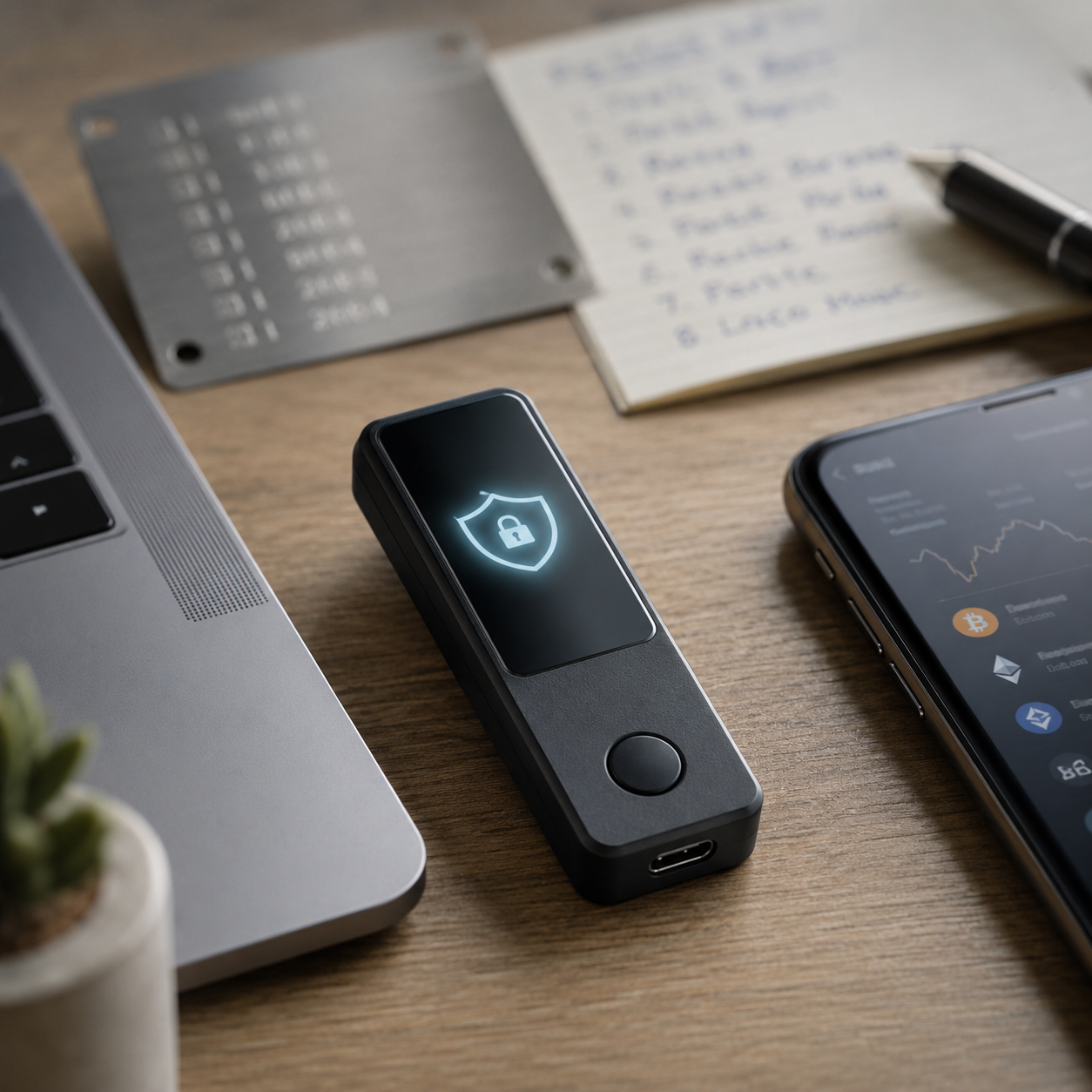
Many people use hardware wallets because they have heard they are safer than software wallets, mobile wallets, or keeping crypto on an exchange.
But if you ask them a simple question — “Why is a hardware wallet safer?” — many people cannot explain it clearly.
Some will say, “Because it is a cold wallet.”
Some will say, “Because it does not expose your private key.”
Some will say, “Because it works offline.”
All of those answers are partly correct, but they can still sound confusing if you are new to crypto.
The good news is this: the basic idea behind a hardware wallet is not difficult.
You do not need to understand code. You do not need to understand advanced cryptography. You do not need to be a developer.
A hardware wallet is basically a small device that protects the most important “key” to your crypto. It does not store your Bitcoin or Ethereum inside the device like files on a USB drive. Your crypto stays on the blockchain. What the hardware wallet protects is your private key, which is the thing that gives you control over your crypto.
A simple way to describe it is this:
A software wallet keeps your key inside an internet-connected device. A hardware wallet keeps your key inside a separate device that is much harder for hackers to reach.
That is the core idea.
First, What Is a Private Key?
Before you can understand how a hardware wallet works, you need to understand one thing: the private key.
Think of your private key as a combination of your bank card PIN and a bank security token.
Your bank card PIN proves that you are allowed to access the account. A security token or bank U-shield helps confirm important transfers. If someone gets both, they may be able to move your money.
In crypto, the private key is even more powerful.
Whoever controls the private key can control the crypto connected to that wallet.
There is no bank manager to call.
There is no “forgot password” button for the blockchain.
There is usually no way to reverse a confirmed transaction.
This is why people say, “Not your keys, not your coins.”
If someone gets your private key or recovery phrase, they may be able to restore your wallet somewhere else and move your funds.
That is why the private key must stay secret.
A hardware wallet is designed around one main goal:
Protect the private key from being exposed to the internet.
Why Are Software Wallets Riskier?
Software wallets are wallets installed on your phone, computer, or browser.
They are convenient. You can open them quickly, connect to websites, trade tokens, use DeFi apps, and send crypto easily.
But the same convenience creates risk.
A phone or computer is always exposed to the outside world. It connects to WiFi, downloads apps, opens websites, installs browser extensions, receives files, and interacts with unknown links.
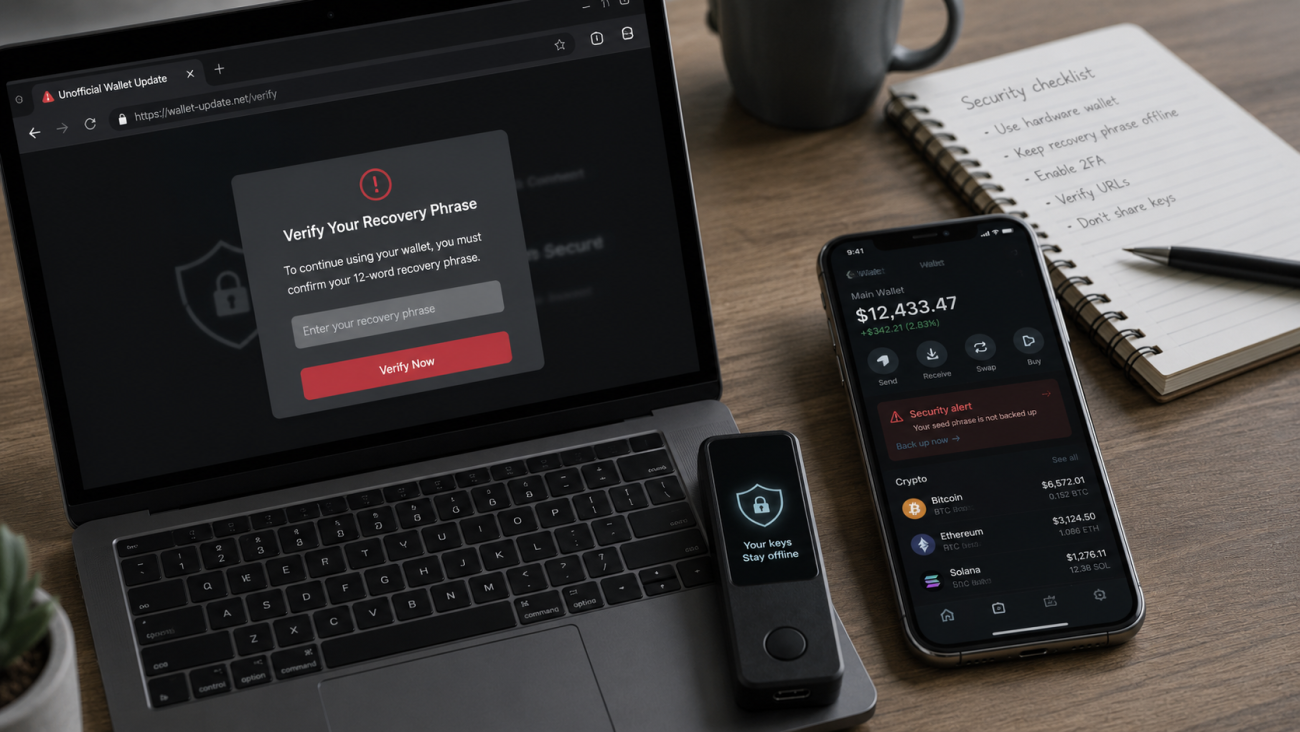
That means it can also be exposed to malware, phishing pages, fake wallet apps, clipboard hijackers, and malicious browser extensions.
Here is a simple comparison:
Using a software wallet is like writing your bank password on a note and keeping that note on your desk. It is easy for you to use, but if the wrong person enters the room, they may see it.
A software wallet can be safe for small amounts and daily use, but it is not ideal for long-term storage of meaningful crypto holdings.
Hackers usually do not “hack the blockchain” to steal crypto from software wallets. They attack the user’s device or trick the user into giving away access.
Common examples include:
A fake wallet app steals your recovery phrase.
A malicious browser extension monitors your activity.
A phishing website asks you to “verify” your wallet.
A phone backup uploads your seed phrase photo to the cloud.
Malware changes the wallet address you copied before you paste it.
The main weakness is simple:
The private key is too close to the internet.
This is the problem hardware wallets are designed to solve.
The Core Principle of a Hardware Wallet: The Private Key Never Leaves the Device
The most important rule of a hardware wallet is this:
Your private key should never leave the hardware wallet.
Ledger explains that hardware wallets store private keys in a Secure Element chip isolated from the internet connection, and Trezor explains that hardware wallets keep private keys offline for better protection.
To make this easier to understand, imagine a sealed black box.
Inside the black box is a special stamp. That stamp represents your private key.
People outside the box can pass a document into the box and ask it to be stamped. The box can stamp the document and send it back out. But nobody outside the box can see the stamp, touch the stamp, or take the stamp out.
That is how a hardware wallet works.
Your phone or computer prepares the transaction.
The hardware wallet reviews the transaction.
You confirm it on the hardware wallet screen.
The device signs the transaction inside the secure environment.
Only the signed transaction goes back to your phone or computer.
The private key stays inside the device the entire time.
The outside world sees the signed result, but not the private key itself.
That is why a hardware wallet is much safer than keeping private keys directly inside a computer or phone.
What Actually Happens When You Send Crypto?
Let’s walk through the process in plain English.
Suppose you want to send Bitcoin or Ethereum to someone.
First, you open your wallet app on your phone or computer.
You enter the recipient address, the amount, and the network fee.
At this stage, the app is only preparing the transaction. It is like writing a payment instruction, but it has not been approved yet.
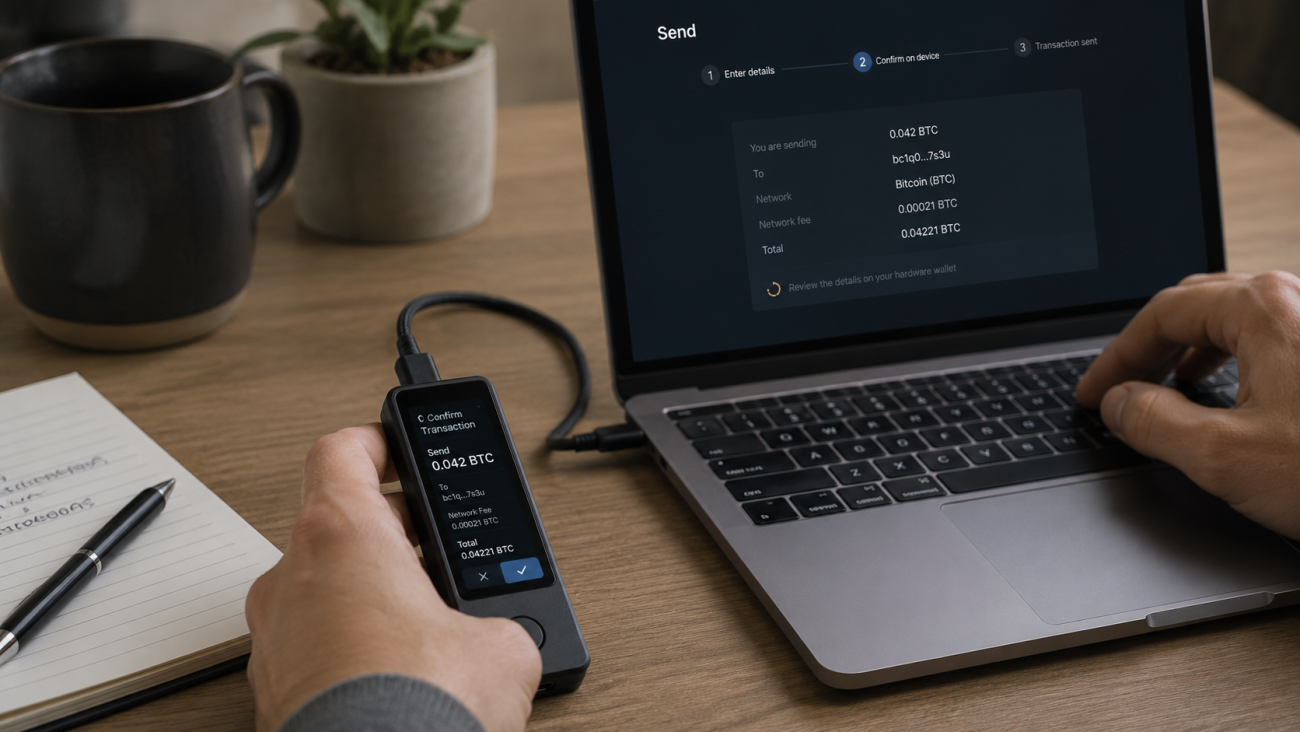
Next, the transaction information is sent to your hardware wallet.
The hardware wallet shows the important details on its own screen, such as the amount and receiving address.
Then you physically confirm on the device.
This is important. The final approval does not happen only on your computer screen. It happens on the hardware wallet itself.
After you confirm, the hardware wallet signs the transaction internally. This signature proves that the transaction was approved by the wallet owner.
Then the signed transaction goes back to the phone or computer.
Finally, the phone or computer broadcasts it to the blockchain network.
So the flow is:
Transaction details go in. Signed approval comes out. The private key stays inside.
That is the heart of hardware wallet security.
Why Can’t Hackers Steal the Private Key When the Computer Is Online?
This is one of the most common beginner questions.
People ask: “If I connect my hardware wallet to an internet-connected computer, can a hacker steal the private key through the cable?”
In normal hardware wallet design, the answer is no.
The computer does not receive the private key. It only receives the signed transaction.
Going back to the black box example, the computer can hand a paper into the box and receive a stamped paper back. But it cannot pull the stamp out of the box.
That does not mean there is no risk at all.
A hacked computer can still try to trick you.
It may show a fake address on the computer screen.
It may send a malicious transaction request.
It may direct you to a phishing website.
It may try to make you approve something you do not understand.
This is why the screen on the hardware wallet matters.
You should always verify the address and amount on the hardware wallet screen before confirming.
A hardware wallet does not remove the need to pay attention. It changes the attacker’s job.
Instead of silently stealing your private key from the computer, the attacker now has to trick you into approving a bad transaction on the hardware wallet itself.
That is still possible, but it is much harder.
What Is Offline Signing?
“Offline signing” sounds technical, but the idea is simple.
It means the device that holds the private key does not need to be online to approve a transaction.
Imagine you sign a paper contract at home. You do not need to be inside the bank building to sign it. Once the contract is signed, someone can take it to the bank and submit it.
The same idea applies to a crypto transaction.
The hardware wallet does not need to be connected to the blockchain directly. It only needs to see the transaction details and sign them.
After signing, another device — usually your phone or computer — can broadcast the signed transaction to the blockchain.
That is offline signing.
The signer can stay offline or isolated, while the broadcasting device connects to the internet.
How Does QR Code Signing Work?
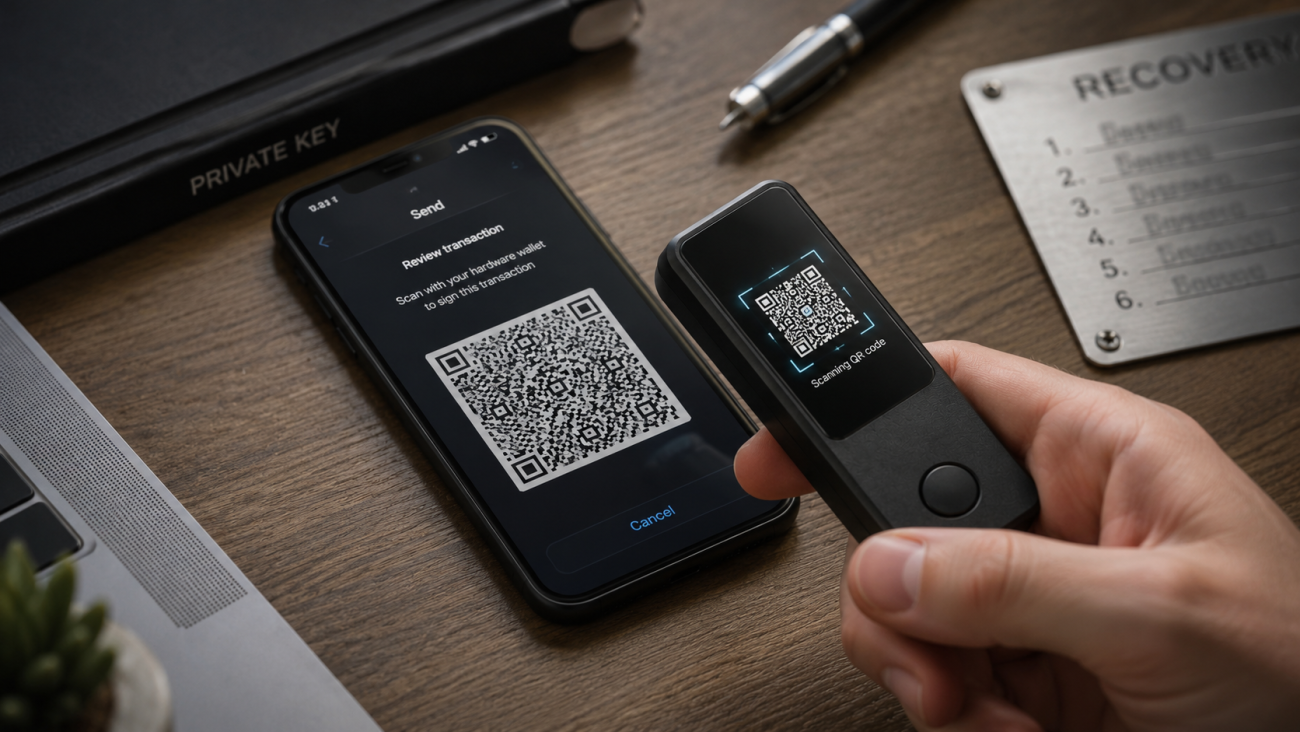
Some cold wallets do not use USB or Bluetooth. Instead, they use QR codes.
This is often called air-gapped signing.
Again, the idea is not complicated.
Your phone creates an unsigned transaction.
The phone displays that transaction as a QR code.
The hardware wallet scans the QR code.
The hardware wallet signs the transaction offline.
The hardware wallet displays a new QR code.
Your phone scans that new QR code and broadcasts the signed transaction.
It is like passing notes through a glass wall.
The transaction information can go in.
The signed result can come out.
But the private key stays inside the device.
This is another form of keeping the private key separated from the internet.
What Is the Relationship Between a Seed Phrase and a Private Key?
Now let’s talk about the seed phrase.
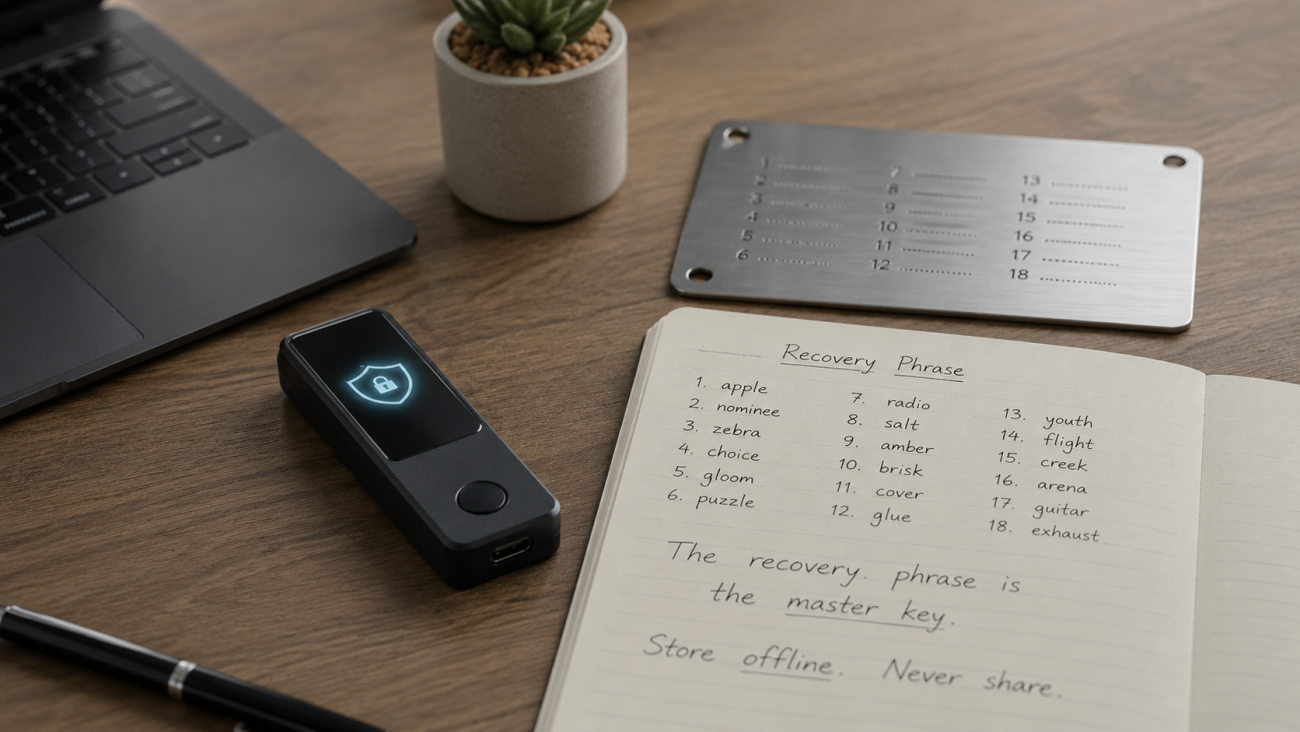
A seed phrase is also called a recovery phrase.
It is usually a list of 12 or 24 words that appears when you set up a wallet.
Many beginners think the seed phrase and private key are the same thing. They are closely related, but not exactly the same.
A simple way to understand it:
The seed phrase is the master recovery key that can regenerate your wallet’s private keys.
If your hardware wallet breaks, you can use the seed phrase to restore the wallet on a new compatible device.
If your device is lost, you can still recover your funds with the seed phrase.
If you upgrade to a new hardware wallet, the seed phrase can restore access.
This is why the seed phrase is so sensitive.
If someone steals your seed phrase, they may not need your hardware wallet. They can restore the wallet somewhere else.
BIP39, the common mnemonic phrase standard used by many wallets, describes mnemonic words as a human-readable way to generate deterministic wallets. It also makes clear that this system is meant for computer-generated randomness, not user-created random sentences.
Can I Choose Any 12 Words Myself?
No.
This is an important point.
A seed phrase is not just any 12 English words you like.
It must be generated according to specific wallet rules. The word order matters. The word list matters. There are built-in checks that help wallets detect mistakes.
If you simply choose 12 words from your head, the phrase may not work. Even worse, it may be weak and easy for attackers to guess.
Your seed phrase should be generated by your wallet device during setup.
You should then write it down offline.
Do not take a photo of it.
Do not store it in your phone.
Do not upload it to cloud storage.
Do not send it to yourself by email.
Do not type it into a website.
Do not let anyone else generate it for you.
The hardware wallet protects your private keys during use.
The seed phrase protects your ability to recover those keys.
Both must be handled carefully.
Is a Hardware Wallet Completely Safe?
No device is completely safe.
A hardware wallet is much safer than storing private keys on an everyday phone or computer, but it is not magic.
It cannot protect you if you type your recovery phrase into a phishing website.
It cannot protect you if you take a photo of your seed phrase and upload it to the cloud.
It cannot protect you if you blindly approve a malicious transaction.
It cannot protect you if you buy a second-hand device that was already set up by someone else.
It cannot protect you if someone physically forces you to unlock it.
A hardware wallet solves a specific problem very well:
It keeps your private key away from internet-connected devices.
But you still need good habits.
Can a Hardware Wallet Have a Backdoor?
This is a fair question.
Any electronic device requires some level of trust. You are trusting the manufacturer, firmware, hardware design, supply chain, and update process.
That is why buying from a trusted source matters.
You should avoid second-hand hardware wallets.
You should avoid devices that arrive already set up.
You should never use a pre-written seed phrase.
You should download wallet software only from official sources.
You should keep firmware updated through official tools.
A secure setup starts before you even use the device.
If the device was tampered with before you received it, the problem may begin before the first transaction.
Why Does Open Source Matter?
Open source means that the code or design is available for others to inspect.
A simple analogy: open source is like showing the recipe and letting many chefs check whether something dangerous was added.
This does not automatically make a wallet perfect. Open-source projects can still have bugs. Closed-source products can still be secure.
But open source can improve transparency.
It allows developers, security researchers, and the community to review how something works. It reduces the need to rely only on the manufacturer saying, “Trust us.”
For users, open source is one signal of transparency, but it should not be the only factor.
You should also consider brand history, security audits, device design, user experience, supply chain safety, and your own habits.
What a Hardware Wallet Does Not Do
This section is important because many people misunderstand hardware wallets.
A hardware wallet does not store your coins inside the device.
Your crypto stays on the blockchain.
A hardware wallet does not stop all scams.
If you approve a malicious transaction, you may still lose funds.
A hardware wallet does not remove the need for a seed phrase.
The seed phrase is still the recovery path.
A hardware wallet does not make you anonymous.
It protects private keys, not your entire identity.
A hardware wallet does not replace common sense.
You still need to verify addresses, avoid phishing websites, and protect your recovery phrase.
The right mindset is this:
A hardware wallet is not a magic shield. It is a tool that protects the most important part of your wallet system: the private key.
Best Practices for Beginners
If you are new to hardware wallets, keep things simple.
Set up the device yourself.
Let the device generate the seed phrase.
Write the seed phrase offline.
Never store the seed phrase digitally.
Use a metal seed phrase backup for long-term storage.
Always verify the receiving address on the device screen.
Start with a small test transaction.
Do not use second-hand hardware wallets.
Do not trust anyone who asks for your recovery phrase.
Keep the hardware wallet and seed phrase in separate places.
You do not need to become a security expert overnight.
You just need to understand what the wallet is protecting and avoid the most dangerous mistakes.
Final Summary: Why Are Hardware Wallets Secure?
Here is the whole idea in plain language:
Your private key is the key to your crypto.
A software wallet keeps that key on a phone or computer.
Phones and computers are exposed to the internet.
A hardware wallet keeps the key inside a separate device.
The device signs transactions internally.
Only the signed transaction comes out.
The private key does not leave the device.
The seed phrase can restore the wallet, so it must be protected offline.
That is how hardware wallets work.
It is not magic.
It is not impossible to understand.
It is simply a smart way to keep your most important crypto secret away from the places hackers usually attack.
A hardware wallet is secure because it keeps your private key in a place hackers cannot easily touch.
And when you combine that with careful habits, offline seed phrase storage, and small test transactions, you build a much stronger foundation for long-term crypto self-custody.
FAQ
What is a hardware wallet?
A hardware wallet is a physical device designed to protect your crypto private keys. It signs transactions inside the device so your private keys do not need to be exposed to your phone or computer.
Does a hardware wallet store my crypto?
No. Your crypto stays on the blockchain. The hardware wallet stores and protects the private keys that control access to your crypto.
Why is a hardware wallet safer than a software wallet?
A software wallet stores private keys on an internet-connected device. A hardware wallet keeps private keys inside a separate device and signs transactions internally, reducing exposure to malware and online attacks.
Can hackers steal crypto from a hardware wallet?
A properly used hardware wallet makes private key theft much harder, but it cannot protect you from every mistake. If you reveal your seed phrase or approve a malicious transaction, you can still lose funds.
What is offline signing?
Offline signing means the device holding the private key can approve a transaction without exposing the key to the internet. The signed transaction can then be broadcast by another device.
What is a seed phrase?
A seed phrase is a list of words that can restore your wallet. It is the recovery backup for your private keys, so it must be stored offline and kept secret.
Can I choose my own seed phrase?
No. You should let the wallet generate the seed phrase. Choosing your own words is unsafe and may not work correctly.
Do I still need a seed phrase if I use a hardware wallet?
Yes. If your hardware wallet is lost, damaged, or replaced, the seed phrase is what allows you to recover access to your wallet.