




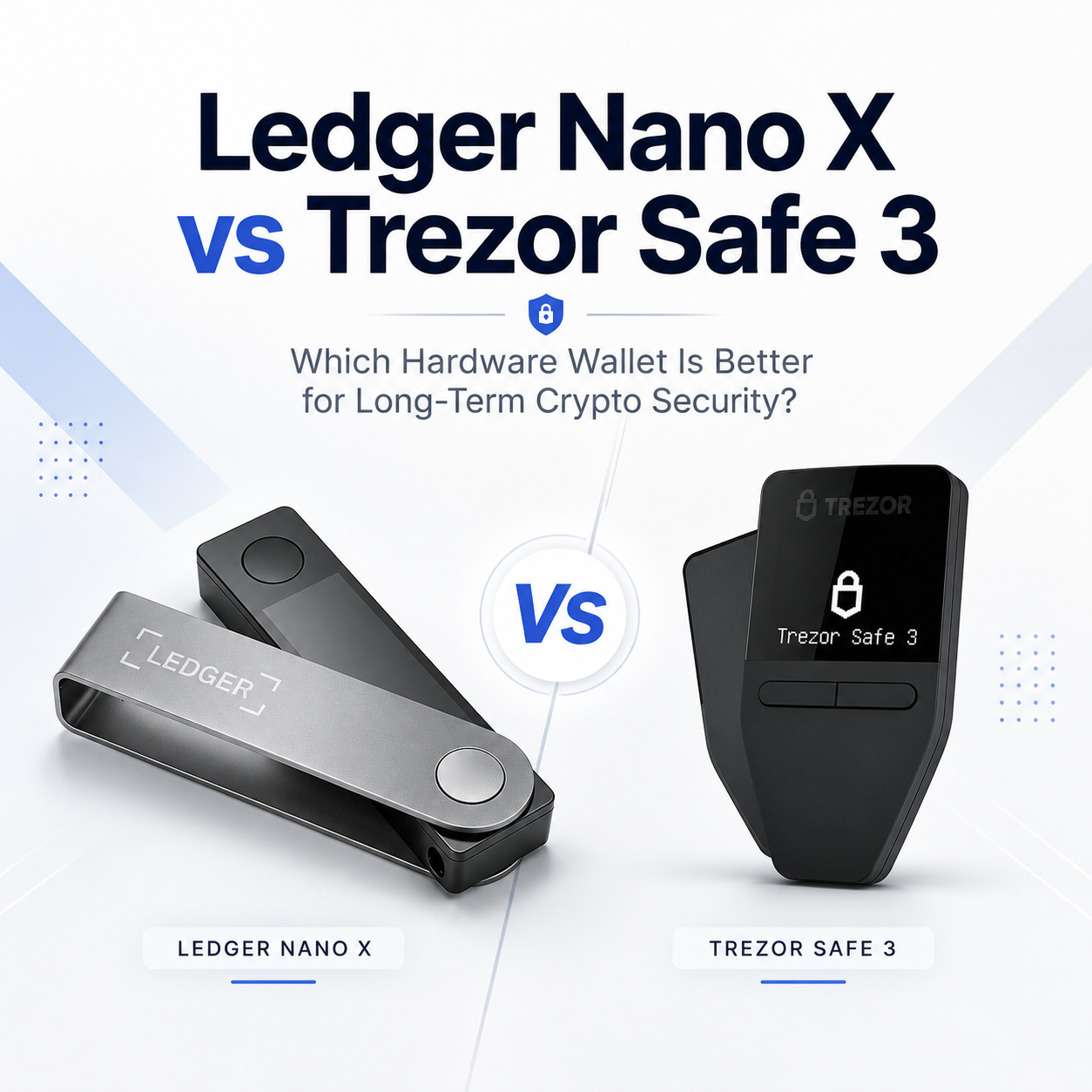
Ledger Nano X vs Trezor Safe 3: Which Hardware Wallet Is Better for Long-Term Crypto Security?

Choosing the right hardware wallet is one of the most important decisions for anyone who wants to protect Bitcoin, Ethereum, stablecoins, NFTs, or other digital assets. A hardware wallet does not “store” your crypto inside the device. Your assets remain on the blockchain. What the device protects is your private key — the critical information required to sign transactions and control your funds.
Ledger Nano X and Trezor Safe 3 are two of the most popular hardware wallets for self-custody. Both are designed to keep private keys offline, but they follow different product philosophies.
Ledger Nano X is built for users who want a more convenient daily crypto management experience. It supports Bluetooth, works with the Ledger Wallet app, and is designed for people who frequently manage assets from a mobile device. Ledger describes Nano X as a Bluetooth-enabled hardware wallet powered by a Secure Element chip and Ledger OS, designed to keep private keys offline while allowing users to manage crypto on the go.
Trezor Safe 3 is built more around simplicity, open-source transparency, and long-term cold storage. It uses USB-C, has no Bluetooth or battery, and includes an EAL6+ Secure Element. Trezor also highlights support for device-entry passphrase, Single-share Backup, and Multi-share Backup.
In simple terms, Ledger Nano X is better for users who want convenience, mobile access, and multi-chain portfolio management. Trezor Safe 3 is better for users who prefer open-source transparency, USB-only operation, and a more traditional cold storage setup.
Quick Verdict: Which One Should You Choose?
Choose Ledger Nano X if you:
Use your phone to manage crypto regularly;
Want Bluetooth connectivity;
Hold multiple cryptocurrencies, tokens, or NFTs;
Prefer a polished mobile wallet experience;
Use Ledger Wallet and third-party wallet integrations;
Need a hardware wallet for daily or weekly asset management.
Choose Trezor Safe 3 if you:
Mainly want long-term cold storage;
Prefer USB-only connection;
Do not want Bluetooth or a built-in battery;
Care strongly about open-source transparency;
Want flexible backup options;
Prefer a simpler, minimal hardware wallet design.
The easiest way to understand the difference is this: Ledger Nano X is better for active crypto management, while Trezor Safe 3 is better for long-term cold storage.
Ledger Nano X vs Trezor Safe 3: Key Specification Comparison
| Feature | Ledger Nano X | Trezor Safe 3 |
|---|---|---|
| Best For | Mobile users, multi-chain portfolios, active crypto management | Long-term holders, open-source users, USB-only cold storage |
| Connection | USB-C + Bluetooth | USB-C |
| Battery | Built-in battery | No battery |
| Display | 128 x 64 px monochrome OLED | 0.96-inch 128 x 64 px monochrome OLED |
| Security Chip | Secure Element, CC EAL5+ | Secure Element, EAL6+ |
| Security Model | Secure Element + Ledger OS | Open-source security model + Secure Element |
| Mobile Experience | Stronger mobile experience | More desktop/USB focused |
| Backup Options | Recovery phrase; optional Ledger Recover service | Single-share Backup, Multi-share Backup, 20-word backup support |
| Ideal User | Users who want convenience and frequent access | Users who want simplicity and long-term storage |
Ledger Nano X’s main advantage is convenience. Its Bluetooth connection and Ledger Wallet ecosystem make it easier for users who actively manage assets from mobile devices. Trezor Safe 3’s main advantage is a more minimal cold storage design, with USB-C operation, no battery, no Bluetooth, and an EAL6+ Secure Element.
Security Architecture: Secure Element vs Open-Source Transparency
Image Alt Text: Ledger Nano X secure element vs Trezor Safe 3 secure element security comparison
Security is the most important part of any hardware wallet comparison. Both Ledger Nano X and Trezor Safe 3 are designed to keep private keys offline, but they use different approaches.
Ledger Nano X uses a Secure Element chip together with Ledger OS. The private key remains inside the device, and transactions must be physically reviewed and confirmed on the wallet screen. This design helps protect users from malware, fake wallet apps, and compromised computers because the final transaction approval happens on the hardware wallet itself. Ledger states that Nano X is powered by a Secure Element chip and Ledger OS to keep private keys offline.
Trezor Safe 3 also includes a Secure Element, but Trezor’s brand philosophy has always placed strong emphasis on open-source security. Trezor explains that the Secure Element in Safe 3 helps protect private keys, enforce PIN security, verify device authenticity, and add defense against physical attacks.
This creates a clear difference in philosophy:
Ledger Nano X focuses on a secure chip, a controlled operating system, and a mature software ecosystem.
Trezor Safe 3 focuses on open-source transparency, secure hardware, and a simpler cold storage workflow.
Neither approach is automatically better for every user. The right choice depends on your threat model, your usage habits, and how much you value convenience versus transparency.
Bluetooth Connectivity: Convenience vs Minimal Attack Surface
One of the biggest practical differences between Ledger Nano X and Trezor Safe 3 is Bluetooth.
Ledger Nano X supports Bluetooth, which makes it much more convenient for mobile users. If you often manage your crypto from an iPhone or Android device, Bluetooth can save time and make the experience smoother. You can connect your device, check balances, sign transactions, and manage assets without always needing a cable.
For many users, this is a major advantage. Crypto is increasingly mobile, and a hardware wallet that works easily with a smartphone can be more practical for daily use.
Trezor Safe 3 does not support Bluetooth. It uses USB-C and is powered by the connected device. This may feel less convenient, but it also appeals to users who prefer a simpler device with fewer wireless components. For long-term holders, no Bluetooth and no battery can feel cleaner and more aligned with the idea of cold storage.
So the decision is straightforward:
If you want convenience, Ledger Nano X is better.
If you want a simpler USB-only device, Trezor Safe 3 is better.
Open-Source Philosophy: Why Trezor Safe 3 Appeals to Security-Focused Users
Open-source design matters to many experienced crypto users. It allows developers, researchers, and the wider community to inspect and audit the code and security model.
Trezor has long been known for its open-source approach. With Safe 3, Trezor added a Secure Element while continuing to emphasize transparency and self-custody. Trezor’s documentation explains that the Secure Element helps strengthen physical protection and PIN security while supporting the broader security design of Trezor Safe devices.
Ledger follows a different model. It focuses on certified secure hardware, Ledger OS, and a tightly integrated app ecosystem. This approach may be easier for mainstream users, but some advanced users prefer Trezor’s open-source philosophy because it offers greater visibility into the security model.
For everyday users, Ledger Nano X may feel more polished and convenient.
For security-focused users, Trezor Safe 3 may feel more transparent and minimal.
Coin Support and Ecosystem
Ledger Nano X has a strong advantage in ecosystem depth. It is designed to work with the Ledger Wallet app, which supports crypto management, portfolio tracking, and integrations across many assets. Ledger’s official product page states that Nano X can be paired with the Ledger Wallet app to manage crypto on the go.
This makes Nano X especially suitable for users who hold a wide range of assets across different networks. If you manage Bitcoin, Ethereum, stablecoins, NFTs, and multiple tokens, Ledger’s ecosystem can be more convenient.
Trezor Safe 3 also supports major cryptocurrencies and tokens, including Bitcoin, Ethereum, and many other digital assets. Its strength is not necessarily having the flashiest app experience, but offering a clean, security-focused self-custody setup with strong backup options.
If you mainly hold BTC and ETH for the long term, either device can work well.
If you frequently manage multiple chains, tokens, NFTs, or third-party wallet connections, Ledger Nano X may be more practical.
Backup and Recovery: The Part Many Beginners Ignore
A hardware wallet protects your private key during transaction signing, but your recovery phrase protects your ability to restore access if the device is lost, damaged, or replaced.
This is where many beginners make mistakes. They buy a hardware wallet but write the recovery phrase on paper, take a photo of it, store it in cloud storage, or keep it in an unsafe location. These habits can defeat the purpose of self-custody.
Ledger Nano X uses the standard recovery phrase model and also offers Ledger Recover as an optional paid service for users who are worried about losing their recovery phrase. Trezor Safe 3 emphasizes Single-share Backup and Multi-share Backup, with Trezor highlighting the 20-word backup format and upgrade path to Multi-share Backup.
No matter which hardware wallet you choose, your recovery phrase should be stored offline and protected from fire, water, corrosion, and physical damage.
That is why a metal seed phrase backup is strongly recommended. A hardware wallet can break. A phone can be lost. A computer can fail. But if your recovery phrase is safely backed up, you can restore access to your assets.
User Experience: Ledger Nano X Feels More Modern, Trezor Safe 3 Feels More Minimal
Ledger Nano X feels more like a modern consumer crypto device. It has Bluetooth, a battery, mobile app support, and a polished ecosystem. It is designed for users who interact with crypto regularly.
Trezor Safe 3 feels more like a pure cold storage tool. You connect it, verify the transaction, sign, disconnect it, and store it safely. It does not try to be a mobile-first device. It focuses on simplicity and long-term security.
If you check your wallet often, Ledger Nano X is more convenient.
If you rarely move funds and mainly want to store assets safely, Trezor Safe 3 may be the cleaner choice.
Ledger Nano X Pros and Cons
Pros
Bluetooth support for mobile use;
Strong Ledger Wallet ecosystem;
Good for multi-chain asset management;
Suitable for users who regularly manage crypto;
Polished app experience for beginners and active users;
Portable design for on-the-go portfolio management.
Cons
Bluetooth and battery add more hardware complexity;
Less appealing to users who want a USB-only wallet;
Some advanced users prefer a more open-source security model;
May offer more functionality than a pure long-term holder needs.
Trezor Safe 3 Pros and Cons
Pros
Open-source-oriented security philosophy;
EAL6+ Secure Element;
No Bluetooth and no battery;
Simple USB-C operation;
Strong backup options, including Multi-share Backup;
Better suited for long-term cold storage.
Cons
Less convenient for mobile-first users;
No Bluetooth connection;
Not as app-driven as Ledger’s ecosystem;
May feel less convenient for users who frequently manage many assets.
Who Should Buy Ledger Nano X?
Ledger Nano X is a better choice if you want a hardware wallet for active crypto management.
It is especially suitable for users who:
Use a smartphone to manage crypto;
Hold multiple cryptocurrencies or tokens;
Use NFTs, DeFi, or third-party wallet integrations;
Want Bluetooth connectivity;
Prefer a polished app experience;
Need to check balances and sign transactions regularly.
If your hardware wallet is part of your daily or weekly crypto routine, Ledger Nano X is likely the better fit.
Who Should Buy Trezor Safe 3?
Trezor Safe 3 is a better choice if your main goal is long-term storage.
It is especially suitable for users who:
Mainly hold BTC, ETH, or major assets long term;
Prefer USB-only operation;
Do not need Bluetooth;
Care about open-source transparency;
Want a simple device with fewer components;
Prefer flexible backup methods;
Treat a hardware wallet as a cold storage vault rather than a daily-use device.
If you want a simple, transparent, long-term self-custody device, Trezor Safe 3 is a strong choice.
Final Verdict: Ledger Nano X or Trezor Safe 3?
Ledger Nano X and Trezor Safe 3 are both excellent hardware wallets, but they are made for different types of users.
Choose Ledger Nano X if you want convenience, Bluetooth, mobile access, and a mature app ecosystem.
Choose Trezor Safe 3 if you want simplicity, open-source transparency, USB-only operation, and long-term cold storage.
For most active crypto users, Ledger Nano X will feel more convenient.
For long-term holders who prefer minimal hardware and open-source values, Trezor Safe 3 will feel more appropriate.
The best choice is not just about which wallet has better specifications. It is about how you actually use crypto.
Recommended Ledger Products from CryptoSafeKit
If you prefer the Ledger ecosystem, you can explore hardware wallets and crypto security accessories from CryptoSafeKit. CryptoSafeKit focuses on offline digital asset protection, including hardware wallets, metal seed phrase backup plates, and security accessories for self-custody users.
1. Ledger Nano X – Bluetooth Crypto Hardware Wallet
Ledger Nano X is the best recommendation for users who want a balance of security and convenience. It is designed for people who manage crypto on mobile devices, hold multiple assets, and want a more flexible hardware wallet experience.
Best for:
Mobile crypto users;
Bitcoin and Ethereum holders;
Multi-chain portfolio users;
NFT and Web3 users;
Users who want Bluetooth hardware wallet access.
Why we recommend it:
Ledger Nano X is one of the most practical choices for users who want a hardware wallet they can actually use regularly. It is more convenient than USB-only wallets and works well for users who want both cold storage protection and mobile asset management.
2. Ledger Nano Gen5 Hardware Wallet
Ledger Nano Gen5 is a good option for users who want a newer-generation Ledger wallet experience. It is suitable for buyers who want to stay within the Ledger ecosystem while choosing a more modern hardware wallet option.
Best for:
Ledger ecosystem users;
Users looking for an upgraded device;
Long-term crypto holders;
Users who want a premium hardware wallet experience.
Why we recommend it:
If Ledger Nano X is the classic mobile-friendly option, Ledger Nano Gen5 can be positioned as a newer, more premium Ledger choice for users who want an upgraded self-custody setup.
3. Ledger Nano X Pod Protective Case
A hardware wallet should be stored carefully. A protective case helps reduce scratches, dust exposure, impact damage, and accidental wear during storage or travel.
Best for:
Ledger Nano X users;
Users who travel with a hardware wallet;
Users who want safer storage;
Customers buying Ledger as a gift or long-term security device.
Why we recommend it:
A hardware wallet controls access to valuable assets. Even though physical scratches do not directly expose private keys, protecting the device helps reduce damage, loss, and handling risk.


Ledger Nano X Pod Protective Case | Ledger Nano Pod for Nano X & Nano S Plus
Original price was: $66.00.$50.00Current price is: $50.00.Protect your Ledger Nano X or Ledger Nano S Plus with a compact protective pod designed for everyday carry, storage, and travel. The Ledger Nano X Pod Protective Case helps reduce scratches, dust, and daily wear while keeping your hardware wallet easy to access when you need it.
Accessory only. Ledger Nano hardware wallet is not included.
4. VAULTIGO Metal Seed Phrase Backup
A metal seed phrase backup is one of the most important accessories for any Ledger user. Your hardware wallet can be lost, damaged, or replaced. Your recovery phrase is what allows you to restore access to your crypto.
Best for:
Long-term holders;
Ledger Nano X users;
Bitcoin and Ethereum investors;
Users storing recovery phrases on paper;
Anyone building a serious self-custody setup.
Why we recommend it:
Paper backups are vulnerable to fire, water, humidity, tearing, fading, and accidental disposal. A metal seed phrase backup is designed for long-term protection and is a much better solution for users who care about serious crypto security.


VAULTIGO 4-Letter Metal Seed Phrase Backup System
Original price was: $99.00.$59.99Current price is: $59.99.VAULTIGO 4-Letter Metal Seed Phrase Backup is a reusable stainless steel backup system designed to store your recovery words offline. Built for standard English BIP39 seed phrases, each recovery word can be identified by its first four letters, helping you create a compact, organized, and durable backup without punching, engraving, or hammering.
- Stores the first 4 letters of each recovery word
- Designed for standard English BIP39 word lists
- No punching, engraving, or hammering required
- Reusable metal letter tiles
- Water and corrosion resistant stainless steel design
- Lockable structure for added physical protection
- Ideal for hardware wallets, cold wallets, and long-term crypto self-custody
Best Ledger Security Bundles
Beginner Setup
Ledger Nano X + VAULTIGO Metal Seed Phrase Backup
This is the best starting point for most new self-custody users. Ledger Nano X protects daily signing, while the metal backup protects long-term wallet recovery.
Travel Setup
Ledger Nano X + Ledger Nano X Pod Protective Case + Metal Seed Phrase Backup
This setup is better for users who travel, move between locations, or carry their device more frequently.
Long-Term Holder Setup
Ledger Hardware Wallet + Metal Seed Phrase Backup + Passphrase + Multiple Secure Storage Locations
This is the most complete setup for users who want stronger long-term protection. The hardware wallet protects transaction signing, the metal backup protects recovery, and separated storage locations reduce single-point-of-failure risk.
FAQ
Ledger Nano X is better for mobile use, Bluetooth connectivity, and active portfolio management. Trezor Safe 3 is better for users who prefer open-source transparency, USB-only operation, and long-term cold storage.
Not automatically. Both use secure hardware, but they follow different security philosophies. Ledger uses a Secure Element and Ledger OS, while Trezor Safe 3 combines open-source design with an EAL6+ Secure Element. The safer option depends on your personal security habits and threat model.
Yes. Ledger Nano X supports Bluetooth and can be paired with the Ledger Wallet app for mobile crypto management.
No. Trezor Safe 3 uses USB-C and does not rely on Bluetooth. It is better suited for users who prefer a wired cold storage experience.
Yes, it is strongly recommended. A hardware wallet can be replaced, but your recovery phrase must be protected. A metal seed phrase backup is more durable than paper and is better for long-term crypto self-custody.